Is Amazon working on a Set-Top Box?

For about a year now there have been rumors of Amazon releasing a Set-Top box that would allow you to easily watch content from Amazon Instant Video. We first heard the rumors last April that Amazon was working on something like this but it was later revealed in October that the project has been met with delays and that was the last we heard of it.

According to ReCode author Peter Kafka Amazon could be ready to launch their Set-Top box as early as March. If these rumors are true then it definitely poses a threat to devices such as the ROKU and Apple Tv. Amazon have recently been heavily investing in it’s web video lineup and are now producing their own shows much like Netflix have done. We recently heard that Apple has taken it’s Apple Tv from a ‘hobby project’ to a fully fledged product line so maybe they know something about Amazon’s plans?

Amazons Set-Top box is expected to run on a forked version of Android much like the Kindle Fire series of tablets does. It has also been noted that Amazon have been on a hiring spree for game developers and that they plan to release a gaming console running on Android based hardware. It will be interesting to see if these are two separate devices or are part of the rumored Set-Top box.


Microsoft launches Office Online

Hot off the heels of yesterday’s announcement that Skydrive had been successfully rebranded as OneDrive, Microsoft today announced Office Online which the company hopes will simplify it’s offering of office web applications. In a blog post explaining the changes Amanda Lefebvre explains "We heard from customers that the inclusion of Apps in our name was confusing,". She goes on to explain how customers were unsure of whether these apps were supposed to be installed rather than used online.

Today’s release of Office Online doesn’t bring with it any new features it’s all about making it clearer and simpler for customers to find the tools they need. The new website which can be found at office.com uses a simple tile layout to highlight all of the online office services that are available online. Together with the recently revamped OneDrive (formerly SkyDrive) it’s clear that Microsoft is looking for a slice of the pie that Google has with it’s Drive and Docs service.

Microsoft is also working on putting all of it’s template systems for Word, Excel and Powerpoint into the Office Online service to make it easier for customers to easily get started with the help of hundreds of online templates. Whilst today’s improvements are quite minor in terms of new features, the changes should go a long way to making Microsoft’s Office applications much easier and simpler to use especially for new customers. For more information on today’s changes you can read the full announcement post on Office Blogs website.


Two-Factor authentication explained

Securing our login details for the ever increasing number of services we sign up for is more important now than ever. There aren’t many weeks that go by where the media aren’t reporting on a service that has been hacked. You may be wondering what you can do in order to better protect yourself from such hacks? Thankfully there has now been a large number of sites that have implemented two-factor authentication which greatly improves the security of your account and makes it very hard for the wrong people to access your accounts.

Two-Factor authentication (TFA) is quite a simple method to implement and it’s benefits are huge in terms of online security. TFA is basically the process of verifying somebody's identity by using two out three possible identifiers. The identifiers are:

Something you know

Something you have

Something you are

In the past our login details have been based on just one of these identifiers, something we know, like our password. Using a password, whilst securing your account can also be exploited quite easily by using keyloggers, someone looking over your shoulder or even brute force cracking. When we implement a second factor we are making it increasingly more difficult for someone to access your account that isn’t you.

Typically most services use the ‘Something you know’ and ‘Something you have’ identifiers. This works by using a password (something you know) and a security token sent to another device you own such as a smartphone (something you have).

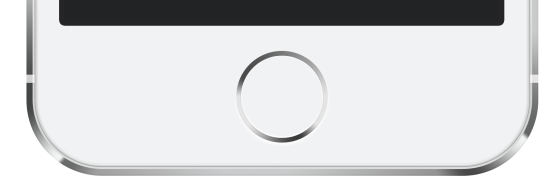
The third identifier which isn’t as widely used yet is ‘Something you are’ which typically involves fingerprint scanning, retina scanning or facial recognition. Whilst this is not as widely adopted as the other two identifiers it is on the increase and used in devices such as Apple’s iPhone 5S fingerprint scanner.

Hopefully this article has given you a basic understanding of two-factor authentication and how it works. Many of the popular sites you use each day already implement two-factor authentication and we have listed below some of the most common sites that do and how to enable it.

Apple

How to

Link to enable

Facebook

How to

Link to enable

Twitter

How to

Link to enable

PayPal

How to

Link to enable

There are many more sites and services that implement two-factor authentication, far too many to list here so it’s worth checking yourselves to see if it’s available for the services you're signed up to.

(image courtesy upload.wikimedia.org/wikipedia/commons/4/47/Touch_ID_iPhone_5s.png under WikiCommons license).


Preparing your digital legacy for when you're gone

We have a lot to think about when it comes to protecting our assets once we have passed away. Ensuring these are protected and passed on to who you want is important, particularly in the case of houses, money and any other large assets you have. This is still the case for any digital legacy's you may own. This can include any online social media sights such as Facebook, Twitter and your email, but also any online businesses you may have as well, particularly if there are many assets tied up in this also.  

After you pass away, the internet stays the same. There is a way to ensure that the people you want dealing with this, know everything they need to. Making a note of all the websites you have signed up to over the years will ensure that these can be un-subscribed once you have gone. It is also useful to note down what you want to happen with these sites and leave it in your Will so that when it comes to dealing with it they will know what it is you wanted. It is also important to remember to leave your login details such as usernames, email addresses and passwords used for these sites so that people can access these.

This is particularly important for sites such as online banking, e-mail and utility sites where there are still ends that need to be tied up once you have gone. As well as this, social media sites need to be deleted, partially because you won't need an account, but also to save the heartbreak of family and friends when things such as birthday notifications or people writing 'Happy Birthday' if they don't know you have passed away. It is also a place where loved ones can see a lot of pictures and may still be grieving too much.

A lot of people make the mistake in that they leave their Wills so well hidden that their loved ones can't find it. Saga.co.uk ensure that it is stored online and they keep a copy so that when it comes to needing it, your loved ones can find it online and be able to deal with the Will accordingly. This also means that they can be accessed anywhere in the world. It is also important to remember to keep this up to date so that when the time comes to needing it, everything is just as you left it.

References

http://www.dailymail.co.uk/sciencetech/article-2471464/Saga-Legal-urge-compose-final-Tweet-dead.html

http://www.bbc.co.uk/news/technology-24380211

http://www.saga.co.uk/legal/everyday-legal/digital-legacy.aspx


Author: Marc Oaks

Three Great Smartphone Gadgets

There is no denying that smartphones and smart-devices are taking over the world, in a good way. Just about every person nowadays has this magnificent object sitting in their pocket. The smartphone in essence is a miniature super-computer, photo gallery, camera, arcade, calculator as well as the holder of all knowledge, although, for some, it is simply a device used to laugh at pictures of cats doing funny things on the internet. Along with the rise of smart-devices, an almost infinite range of wonderfully interesting gadgets and accessories has emerged. Your smart-device can be magically transformed into just about anything, from a heart rate monitor to a DJ’s turntable. Here are three of the coolest gadgets out there today.

Rokono BASS+ Mini Speaker

This fantastic miniature speaker is the perfect gadget needed for turning your one-man-party into something much more social. Thanks to its portability, this speaker is the perfect edition to anyone’s gadget collection. Easily clip the speaker closed, making it smaller, slip it into your pocket, and you’re ready to make the world dance. It works perfectly with any 3.5 mm audio jack, playing great sounding music for 10+ hours of continuous playback from a single charge.

iPhone Slot Machine

Thanks to this fantastic docking station for Apple products, charging of your phone will never again be a boring, tedious process. Slide your device into the miniature one-armed-bandit slot machine, and watch as the screen springs to life. There is nothing greater than hearing that glorious sound of victory. Although this device does not work with many online gambling websites currently, that is about to change. Spokesperson of the popular online gambling site, JackpotJoy said recently that they are thrilled with the concept of this gadget, adding that you can definitely expect to see more of these gambling-related gadgets popping up.

Hone for iPhone and iPad

Ever since the first lock was invented, people have been misplacing their keys. Luckily, thanks to this nifty little gadget, that is now an issue of the past. Simply attach the small device to your keys (or any valuable, easy to lose object), press the “find” button on your phone, and listen. Using Bluetooth, the device attached to the lost object will light up and create a sound. All that’s left now is a quick game of hide-and-seek.

By Jason 

Build with Chrome - LEGO

When I was much younger LEGO was one of the basic staples of growing up as a child. I remember my brothers were entertained for hours putting together the bricks and creating a wide range of things with Lego from houses and cars to a complete fortress. As the years went by and my brothers grew up I had all but forgotten about how much of a part Lego had played in aiding development in our young lives. So as you can imagine I was delighted to discover Lego has been reimagined for the digital age.

Now you can experience all the fun of Lego without having to invest in any bricks. In the latest in a series of experiments Google have created a fantastic interactive version of Lego that runs in your browser and takes advantage of WebGL technology. To try it out for yourselves you simply need to download the Chrome web browser if you don't already have it and head to buildwithchrome.com. You can see my efforts at the top of this post to give you an idea of what its like but I'm sure you will be more creative than my attempt. 

If you need some inspiration there are some great tutorials from Lego's master builder which is accessible by clicking the build academy button. Once you have finished your masterpiece you can share it on Google+ and even place it on google maps. You can also run this on a mobile or tablet device with the chrome app installed once you have enabled WebGL. To enable WebGL simply launch the chrome app and type chrome://flags/ into the browser bar and swipe to enable. 

Microsoft extending Windows 7 Pro OEM Installs

Windows 8 has been met with much criticism from both personal and business users and even with the release of Windows 8.1 which brought back the much coveted Start Button, it still lacked the start menu that many Windows users have become accustomed too. Many business users have yet to upgrade to Windows 8 and this doesn’t appear to be changing anytime soon.
Read More

Become a Geek Supporter (with benefits)

I have a series of announcements coming today, which will be updated in this very post, so please do check back regularly for details. 

Why would you become a Geek Supporter (with benefits) … you join forces on the Geekanoids website which we have been publishing for seven years. A trusted brand, respected by many as their goto source for tech & geek lifestyle and above all, a GREAT community.

The CoolWall
The first service you may already know about. For just £10 … and that is a one off payment, not a recurring payment, you can have your YouTube Channel, Twitter account, Facebook page, website or pretty much any online prescence you have on our CoolWall page. This gets you a 50x50 advert on the CoolWall linking to your chosen URL. You will join some awesome others and gain some exposure for a VERY small investment.

Supporter Zone
The second service on offer today is our new "Supporter Zone" … I have left a single video posted here just as an example. This is YOUR CHANCE to have YOUR VIDEOS featured on the Geekanoids Website. Think about it, for a small recurring monthly fee, not only do you support us, but we support you. 

Your videos will be posted here on request, for that small recurring payment, for as long as you are a Geek Supporter. Many visitors to this website will see & engage with your content, building your viewership.

There are three levels of Supporter Zone subscription, each allowing you to submit a certain amount of videos each month. To subscribe, use the dropdown menu & button below. All prices are in £GBP.

Bronze Supporter - £10 per month - up to four videos per month

Silver Supporter - £20 per month - up to ten videos per month 

Gold Supporter - £50 per month - up to fifteen videos per month, plus 180x100 sidebar banner advert. This can be linked to your website, YouTube channel, etc. Graphic to be supplied by you.

MAKE YOUR CHOICE HERE


Terms: All rates are prepaid monthly via PayPal, either with your PayPal account or debit/credit card. Geekanoids cannot be held legally responsible in any way regarding effectiveness, views, non-publication, uptime, or video removal (if deemed content is inappropriate for all audiences). No guarantees are made in this respect. No refunds are made on any type of bookings or subscriptions. All bookings are subject to approval & may be rejected at Geekanoids discretion. Once a subscription is made it can be cancelled by going to your recurring payments page in your PayPal and making the cancelation from there. Making a booking is indication that you understand and agree to these terms. All benefits are subject to change without notice. E&OE.