TechTool Pro Review - Protect your Mac

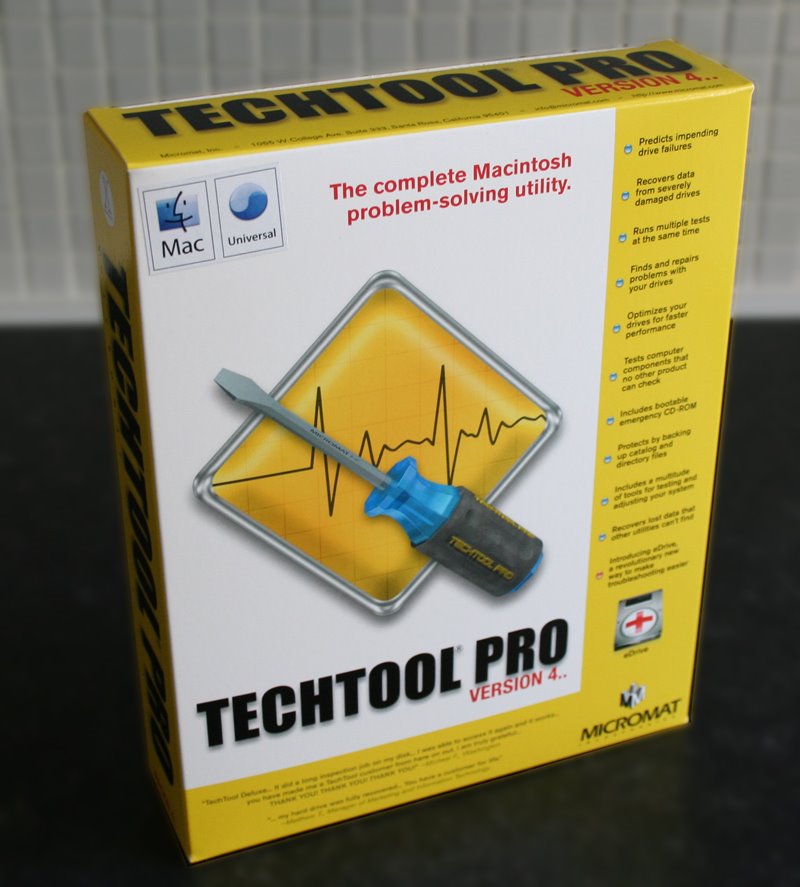
Having the knowledge that your Mac is safe and secure is a good thing, backing up is also a must nowadays (even before we get Apple's Time Machine), but what about keeping your system in top condition, looking out for hard drive problems, recovering data in the event of corruption, or even having a method of recovering your system if OSX goes all wonky on you. Well, there are many applications out there, but only a few that users rely on and MicroMat's Techtool Pro is the latest of the bunch.

Inside the box you get the install DVD and a printed (yes I said printed) manual. Many applications come with online or PDF manuals nowadays, so it is nice to see a really good manual to guide you through the process.

Installation was really straightforward (screenshot 1) and you are also given an uninstall option, should you wish to use it (very doubtful, but nice to see it). The version reviewed here is 4.5.1 which is the latest Universal Binary release. A restart is required to complete the install and you are also prompted to test that your Mac actually boots from the install DVD, in case you need to do this at a later date. For my testing I was using an Apple MacBook 2GHz laptop and I am happy to report that it booted fine (and fairly snappily) from the DVD. To note, this DVD is 'Dual Boot' so should work fine with both Intel and PowerPC based Macs. Also on the DVD is a disk image for version 4.1.2 which should give earlier compatibility, should you need it.

On first run you are asked to personalise the TechTool Pro with your name and serial number and to register it online. The whole process takes just a few minutes and is well worth doing.

The main screen (screenshot 2) presents you with five icons across the top, clicking on each expands the window to show the options in each category. I will run through each in turn, but feel I should jump to a feature that is very important, that I have previous knowledge of.

The Knowledge
Clicking on the 'Tools' icon gives you six new options (screenshot 3). I will cover all the other options later on, but here I want to run you through 'eDrive'. When first clicking the 'Tools' icon you are prompted to only run things in this section when connected to the mains power, this is a safeguard worth noting, as you definitely do not want your laptop to switch off whilst performing a task.
Now, to put it simply 'eDrive' creates a mini partition (about 4Gb required) of Mac OSX and a copy of TechTool pro. This means that should you system crash and become unusable, you will be able to boot from your 'eDrive' without the need for a bootable CD or DVD. It is also worth noting that if you have updated your main TechTool Pro application, you can also update your eDrive too, so this would supersede a bootable CD or DVD anyway.
The procedure is simple, click the 'Go' arrow next to 'eDrive' and you are presented with a window (screenshot 4) where you select a destination for your bootable 'eDrive' and the source drive (which contains your OS). It is worth noting that you do not need to create a 4Gb partition for this procedure as TechTool Pro does this all for you. In my tests, it took nine minutes to create my MacBook's eDrive, which is pretty fast. I used an external firewire mini hard drive, running at 5400rpm, but you can create your eDrive actually on your Macs internal hard drive, or any drive physically connected to your Mac.
The process creates a small partition on your hard drive which contains a basic OSX install, the TechTool Pro application and a few other applications, such as Safari, Disk Utility, Console etc. All of your other applications are stripped out, which is good to see... to download the full review complete with screenshots click here.

Product supplied by Micromat Inc.
Retail price: $98.00
Contact: 1-800-829-6227
Link to product.
FileMaker Pro 8.5 Review - Power to your Data

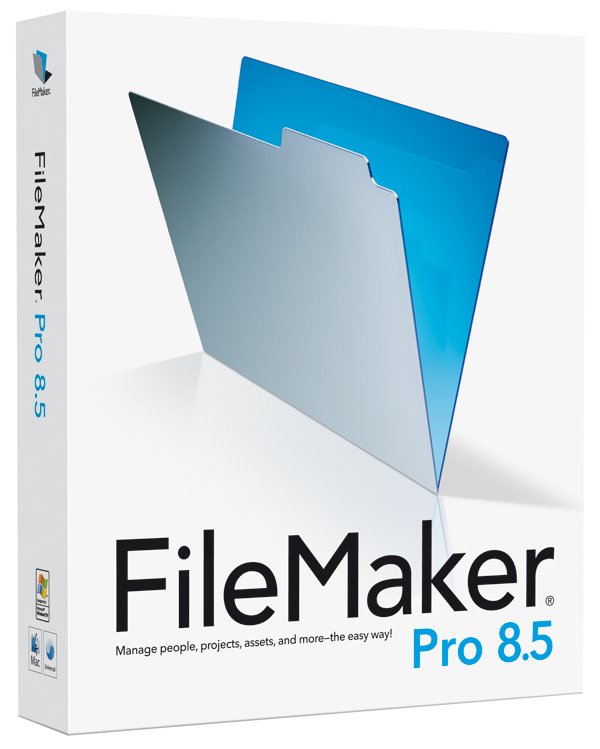
To be honest, reviewing FileMaker Pro 8.5 scared the hell out of me, not because of how powerful the application promised to be and believe me it is not an overcomplex application, but because I really wanted to do it justice. I have used the Mac for many years now and have collected data in a variety of ways, but have never spent the time to sit down with FileMaker and learn if it could really work for me.

So for those not in the the know, what is FileMaker? Well, in the simplest of forms it allows you to create a database such as an address list, or pushing a little further perhaps details of what you sell in your shop. Perhaps you run a club, so keeping track of members details and subscription status is important. For this type of data you need look no further.
If you want an application that pushes the boundaries further still, then FileMaker Pro also allows the creation of very complex databases, that use multiple tables, often referred to as ‘Relational Databases’ these can cross reference each other and work together.

Creating a database is easy, much better if you plan it first, perhaps on a piece of paper. Make a note of the information you need to store, such as name, address, town, city, postcode, member number, subscription rate, renewal date etc. The excellent manual walks you through the planning process and step-by-step instructions for entering fields within the application (see screenshot 1). You can even simplify the process by basing your database on a template (see screenshot 2), some are supplied and installed with the application, many extra ones are available as free downloads, with specialist solutions offered by many companies. So if you need something specific and do not have the time or knowledge to put it together yourself, then a bit of searching will normally find you someone who can.

Once you have set up all your fields you can create a nice on-screen layout for your database. This is done in layout mode, where you can create multiple layouts for the same database, by simply dragging elements around, adding background colours, even importing a picture into the header (screenshot 3). In just five minutes it is possible to create something very pleasing to the eye (screenshot 4) with the minimum of effort... to download the full review complete with screenshots click here.

Product supplied by FileMaker UK.
Retail price: £219 (ex. VAT)
Contact: 0845 603 9100
Link to product.

Shrink your PDF files the 'PDF Shrink' way !

For someone who spends most of his time evaluating products and writing reviews, it is always nice to have a passion for what I am reviewing, that is what makes my job a pleasure to do. Having been involved in graphic design and the publishing industry for many years, it made me very happy to find Apago's PDF Shrink (version 4) universal binary software.

Apago are by no means a new company, they were founded in 1991. The North Atlanta based company offer a wide range of software solutions, mainly based around PDF workflow and manipulation, with a few other bits thrown in for good measure.

PDF Shrink is probably the most appropriate software I could look at, as the past few months I have been producing the downloadable (and printable) version of the reviews that appear on Geekanoids. With so many reviews going onto the website, size is very important, without compromising on quality. Toward the end of this review, instead of the regular download, you will find two options, one created in my normal workflow with Quark Xpress, the second was optimised with PDF Shrink.

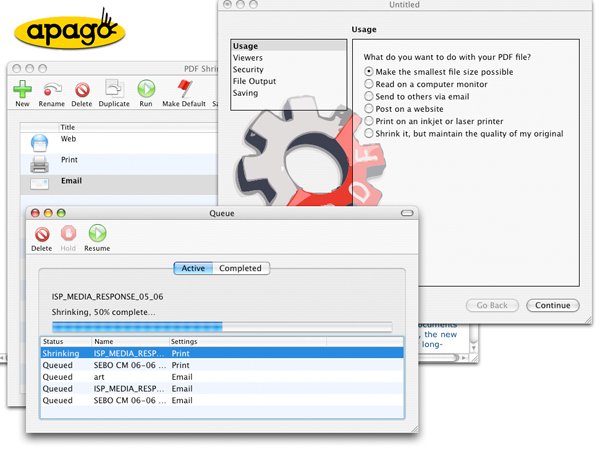
So to kick off, let us take a look at how PDF Shrink presents itself to the user on first launch. The main window (screenshot 1) has a row of icons across the top, these are mainly used for creating various PDF settings. They are all pretty self explanatory, so I will not insult you with the obvious. Of interest are the 'New', 'Save Droplet' and 'Save PDF Service' buttons.

'New' allows you to create a preset PDF workflow, where you can specify the settings in one of two modes. 'Basic' shown in screenshot 2 allows you to make the settings by clicking options that appear in plain English, this is a great idea and allows most non-tech users to be up and running in no time. You can choose how the resulting PDF file is going to used, which viewer will likely be used to read the PDF, security settings (password protection etc), how the file will be saved (you can even add a suffix to the resulting filenames), the last option is saving, where you can assign an icon and description to the workflow you are creating.
Clicking the 'Advanced' button toward the bottom of this window (see screenshot 3) allows you to make the same sort of settings, but with options that would make more sense to the more advanced user. So for example, instead of choosing how the PDF is going to be used (to post on a website for example), you would choose the resolution, type of compression and amount of compression.
Once you have made all the settings you require, the name and icon for the workflow appears in the main window, ready to use. If you look back at screenshot 1, you will see settings for Email, Print, Web Reviews and Web. All of these are preset into PDF Shrink when you first launch it, with the exception of 'Web Reviews' which I created to test how the procedure worked... to download the full review (PDF created by Quark Xpress) click here.

... to download the full review (PDF processed with PDF Shrink) click here.

Product supplied by Apago Inc.
Retail price: $35
Contact: 770-619-1884
Link to product.

Griffin PowerBlock - Juice up your iPod !

We all know how great the iPod is and how it is a runaway success for Apple. I love my iPod, having owned most of the generations released, but with the later versions charging became more and more tied to a computer rather than a power socket. If I want to pump some juice into my iPod, I do not really want to go to my computer (if I am at home), power-up and plug in. This is fine if I am synchronising it to iTunes, but I want just the extra battery power.

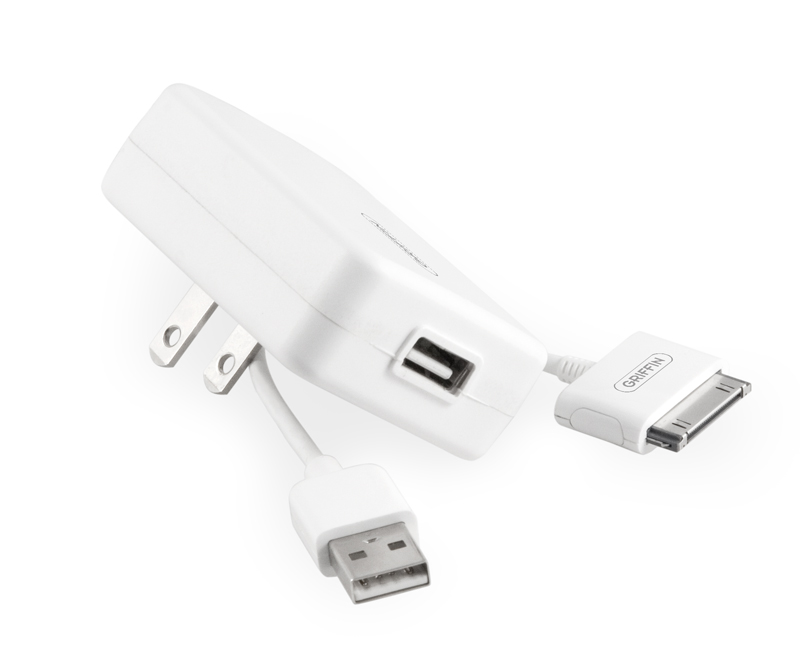
The PowerBlock from Griffin Technology offers me just the solution I need, it is a very simple, compact device that sports a two prong plug with a USB connector on it. The supplied USB cable then plugs into the unit and into the dock connector on my iPod. It works worldwide too, accepting 110v to 240v and will charge any iPod with a dock connector. These include the iPod Mini, 4th generation iPod, iPod Photo, iPod Nano and the latest iPod with Video (5g). I assume that it will also work with the new 2G Nano as this also sports the standard dock connector. Another point of reference is the output rating, which is 5.0V 500mA, so if you have a device other than an iPod that charges via USB with this rating, there is no reason why you cannot use the PowerBlock to charge this too.

It is the compact size of the PowerBlock that wins out for me, even the two prongs of the plug fold down when not in use. A tiny unit measuring about 6x4.5x2cm and weighing virtually nothing is ideal for travelling around with.

In conclusion, if you want to keep your iPod topped up with juice and need something that is suitable for worldwide use, then look no further than the PowerBlock. It is neat, very compact, ultra light and does exactly what is says on the box.

To download a printable version of review click here.

Product supplied by Griffin Technology.
Retail price: $29.99
Contact: 615-399-7000
Link to product.

Apple iLife 06 - Superb Value for Money

Buy a new Apple Macintosh and for a long time now you have been treated to a suite of new software that comes as part of their iLife suite of applications. Many writers and Mac fans praise the extra value this adds to a product when compared to a PC counterpart and yes, I have to agree, it does add up. The main argument Mac users seem to bandy around is that the software you get with a PC is often trial software, lite versions, subscription based, or so totally useless that it would be a lot better if it were not even installed. Whereas the iLife suite of applications a fully featured and very useful apps.

So what if you have an older Mac that did not include iLife, or perhaps you have a very old version and want to get up-to-date. Well, iLife is available to purchase and what I want to look at here is what you get for your money and if it is worth the £55 asking price.
I also wanted to see how the applications behaved on an older machine, so have installed the software on a 400MHz G4 PowerMac as well as a newer 1.8GHz G5. Let me get the installation out of the way first, as it really does not need writing home about, other than to say that Apple makes installing software very easy and intuitive, everything installed on both machines and updated without a hitch, with the exception of iDVD, which could not be installed on the G$ due to system requirements.

To kick off, iPhoto 6 is probably one of the most recognisable Apple products. Many people conceive this as an organisational tool for your photos and yes it is, but it is so much more besides. Attaching your digital camera or memory card to your Mac sets iPhoto into action and you are presented with some import options. Once the photos are on your Mac you can scroll through them, organise them, assign category keywords. Where iPhoto takes things more than one step further is as follows... to download the full review click here.

Product supplied by Apple UK.
Retail price: £55 (single user) : £69 (5 user family pack)
Contact: 0800 039 1010
Link to product.

Organise your life - Yojimbo Style !

Well, I never ever thought that I would move away from bookmarking hundreds of web pages to keep track of interesting items. But things in my everyday Mac life are about to change and it will be interesting to see if the changes are permanent. For a long time now, if I found something of interest on the internet, I would bookmark it and try to put it into a meaningful category. More often than not into a bookmark folder called something like 'interesting software' or 'to look at later'. I came to realise just this week that I hardly ever went back to these bookmarks, so I was probably wasting a lot of my time, which I could spend more creatively.

Enter Yojimbo, by Bare Bones Software, which I would like to describe myself as an 'Electronic Scrapbook on Steroids'. Many people are pushing around a category of software called 'GTD' which stands for 'Getting Things Done', at this early stage Yojimbo does fit into this category, but seems to offer a whole lot more besides.

Before I move on to let you know the features of Yojimbo and how I have used it so far, I would like to let you all know that this is the first review from Geekanoids that will be revisited for a 'Long Term Look' in about six weeks time. More often than not, a reviewer picks up a piece of software to review, raves about it (or not) and then it gets forgotten. Well, with a different approach, I will let you know my early thoughts, but will then report back to let you know if Yojimbo is still in my dock as a permanent feature.

So, Bare Bones Software offer Yojimbo as a trial download. It weighs in at a 7Mb download, which is a universal binary and will work for 30 days, after which you can purchase a license for various amounts depending on your use. An individual license costs $39, educational is $29 and a family license for up to 5 users is $69. Each license allows you to install on multiple machines, so for example if you buy an individual license and own a desktop and laptop, this is fine and allows you to use the full power of Yojimbo via synchronisation (more on that later).

After a simple installation you can start using Yojimbo to store information. The types of info you can throw at it are almost endless, anything from text, web bookmarks, PDF files, web archives, serial numbers and passwords, the list goes on and on. Right from the offset I found the software great for dragging interesting web images and screenshots into the software. The screenshot (right) shows me dragging a screenshot for the Geekanoids website into Yojimbo's DropDock and into the Web Images category (or folder) that I had created within the main software window earlier. Once the info is dragged into Yojimbo I can then go to the main window and retrieve the information I require. In this case it is a URL pointing towards the original image... to download the full review click here.

Product supplied by Bare Bones Software.
Retail price: $39 (single user)
Contact: 781-687-0700
Link to product.
Yojimbo Product Tour.

Griffin RoadTrip for iPod - Full Review

Using my iPod everyday is a forgone conclusion for me. I love my music, like looking at photos of my kids, but one thing I miss is catching up on the tech podcasts that I love so much. I often put them on when settling down for the night, only to find out in the morning that I cannot recall a lot of what I had listened to. For a long time I had wanted a solution so that I could easily listen to my iPod in the car, but all too often the little device needed batteries, or my iPod was low on juice, or even worse I found a spaghetti junction of wires in my car (as well as under my desk).

Griffin Technology addresses these issues with a neat all in one unit called the RoadTrip, but does it deliver the promises and how easy is it to install and use? Read on to find out...

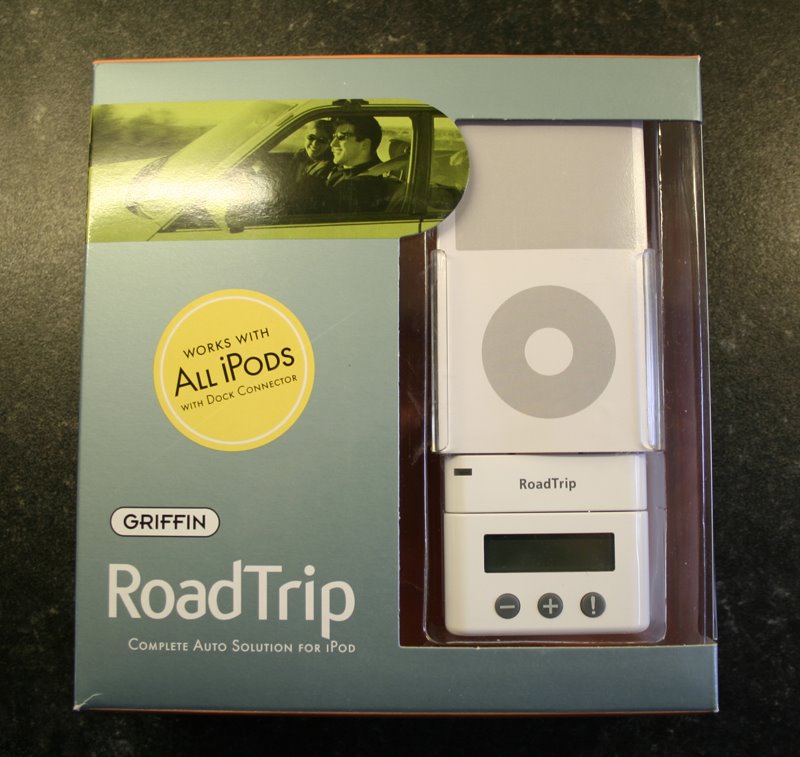
Well, out of the box you are presented with extra bits and pieces to suit all iPods that sport a dock connector, see the ‘Extra Vies’ panel for images of these. Basically the box contains some protection pads, the iPod holder itself, the main body of the unit, the FM transmitter module, power plug (for your 12v cigarette lighter socket), and extension arm, USB audio cable and two additional plastic holders for the iPod Mini and Nano. The back insert of the box neatly unfolds to give you diagrams and full instructions of how to set things up, a quick read of this proves that things are going to be easy.

Now, I have three iPods to test this with, a Nano, 30Gb 5G iPod and a 60Gb 3G iPod, so here’s hoping they all fit nicely. I wanted to start with the 60Gb 5G iPod, so a quick read of the instructions told me to install the extra thick protection pad to the main iPod holder, which I duly did. However, when I then tried to insert the iPod it was such a tight fit that I initially abandoned it. The 30Gb iPod fitted very nicely though, so after the main install into the car (see ‘On The Move’)
I went back to try my 60Gb iPod again and it fitted, but was very tight. It fitted the second time due to the protection pad having squashed down a bit... to download the full review click here.

Product supplied by Griffin Technology.
Retail price: $89.99
Contact: 615-399-7000
Link to product.

Netgear HDXB101 Powerline Review

For a long time now I have either found myself tethered to a desktop computer or relying on a wireless connection. Being a long time Apple user, I have enjoyed reliable wireless connections with the more often than not built in airport extreme. Using a PC occasionally, I stumbled across wireless adaptors and almost lost all my hair in the painful process of setting them up.

Many users want a simple solution, without running metres and metres of wires throughout their homes and offices. Netgear have stumped up the technology with their HDXB101 Powerline Ethernet Starter Kit.

Being a long time Netgear user I knew that these devices have been available for a while now, but what distinguishes the HDX Powerline series is the top transfer speed of 200Mbs (megabytes per second). They work by using your mains cabling to transfer data, so you have no messy long runs of wiring to do. In this review I will be looking at a real world scenario, giving you real world results. Although I have a networking background I have tried to approach this from a layman's perspective, so I hope this helps the majority of readers.

So, straight out of the box the HXDB101 kit consists of everything you need to get started. Two HDX101 plug units, two ethernet cables, a resource CD (which I did not even need to use) and an instruction sheet. Extra plug units are also available separately.
To test the units I used an dual core Intel iMac, an Apple MacBook and a G4 Powermac, with a PC thrown in for good measure (more about that later).

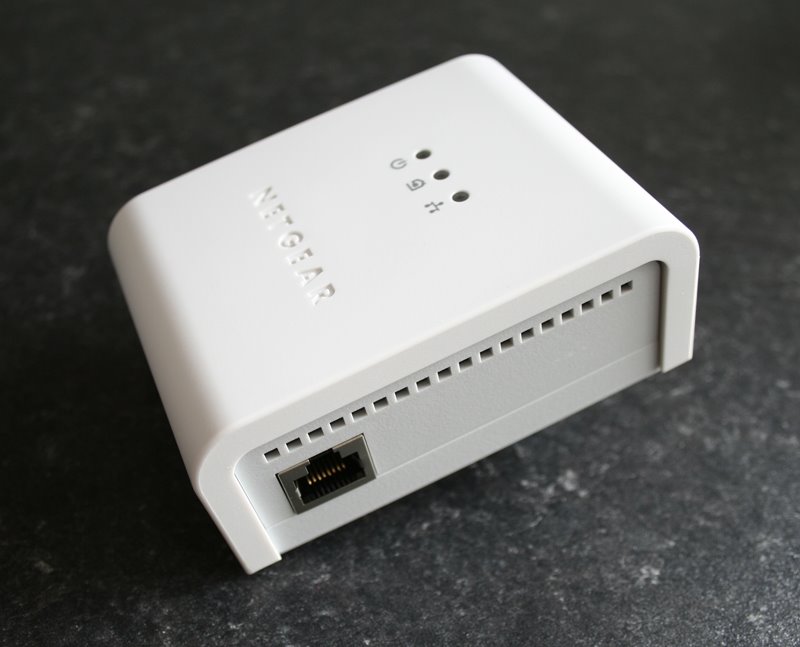
Set up is very simple, I know we should all read instructions, but I was very eager to see how easy this was. So I plugged one unit in to the mains socket in my office, connected the ethernet cable to the netgear unit and the other end into my ethernet switch. My switch is also a Netgear, but you can use any brand. The other unit was purposely plugged into another socket on the ground floor, physically as far away as possible from my switch. With both units switched on I had to wait about 20 seconds before a connection was established. There are three LED’s on each unit, one shows power, the other shows a powerline network connection and the third shows network connection (steady light) and activity (flashing light)... to download the full review click here.

Product supplied by Netgear, Inc.
Contact: +44 (0)1344 458200
Average street price: £130
Link to product.
Link to product datasheet.

Tempo iPod Sports Wrap from Griffin

It gives me great pleasure to bring you the first full review from Geekanoids. If you are reading this on the website, towards the bottom of this article you will find a link to download the full review in PDF format, this is a free download for you to read, print and share with your friends.

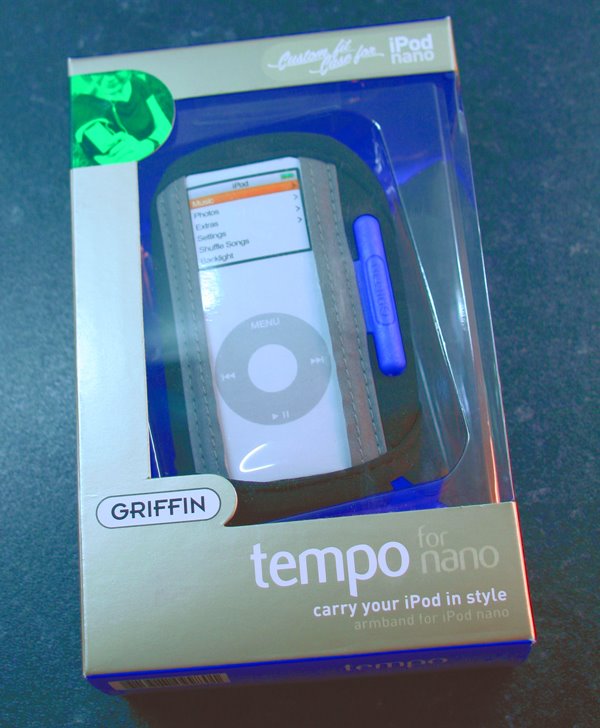
On with the review, thanks to the kind people at Griffin Technology who sent us this ‘tempo’ sports wrap for the iPod Nano. It is also available in a larger option for the full size iPods.

The ‘tempo’ is made of a soft stretchy material, with a soft lined pocket for your Nano. Getting the Nano into the pocket is a little tricky, the fit is very snug, but once inside there is no danger of it slipping out. This is especially important if you plan to exercise whilst using your iPod. The plastic screen protector is ultra clear, so it does not degrade the image quality, so another thumbs up here.

Detailing on the ‘tempo’ is nice, with high visibility grey on either side of the iPod holder and a bright orange cord wrap, which is great for keeping your headphone cable nice and tidy. The grey detailing is also made of reflective type material, so car headlights will pick this up, a great safety feature if you run when it is dark.

Along the length of the armband there are multiple velcro patches... to download the full review click here.

Product supplied by Griffin Technology.
Contact: 615-399-7000
Link to product.