Untold Legends Dark Kingdom PS3 Review

We covered the US launch of the Sony PS3 some time ago now, it seems like ages since we brought you any PS3 coverage, so it was nice of Electronic Arts to send us 'Untold Legends: Dark Kingdom (ULDK)' to review.

I have always wanted to get into Dungeons & Dragons (the board game) and really wanted to try World of Warcraft, but what stopped me was the dedication (and time) required to play. So, when this game touted itself as 'The Ultimate Next Gen Action RPG Experience' it caught my attention. Maybe, just maybe I could get my fix in a pick up and put down format. By that, I mean that I want to be able to grab a game, play it for half an hour, then be able to come back to it later.

ULDK gets off to a good start with some stunning graphics. Even the player select screen is stunning, with some great level of detail on the characters. At this stage the game introduces you to the storyline, and I was thinking "Oh no, this is going to be boring", but then you are thrown into the action, quickly taught some awesome moves and the blood is (literally) flying.

You work your way through battling various opponents, including some rather rabid creatures. Along your way, hacking and slashing through whatever gets in your way, you get items to pick up. Pieces of armor enhance your protection, as well as various spells and add-ons for your weapons. Your team that accompanies you help, but in what seems a very random way. Maybe, further in the game there are options to determine how you are helped in the harder battles, I certainly hope so.

Each stage is completed with the obligatory 'boss', but in a way that does not break the fluidity of the whole story. This is very well done, and eases you into the game, by not making the first few bosses overly difficult. You can also save your progress at various points, so this game definitely fulfills my need of having something I could play in short sittings.

As well as the single player, there are also co-op and internet modes. Each of these modes play perfectly and add superb value to the gameplay. In summary, the graphics are excellent, the sound is awesome and the gameplay (although a little repetitive) is a joy, the perfect balance in fact between difficulty and enjoyment. I would certainly recommend ULDK to any gamer who wants to experience a magical action packed RPG, without having to spend hours and hours on dedicated gaming.

Product: Untold Legends: Dark Kingdom
Price: £49.99
Street Price: £39.99
Supplied by: Electronic Arts
Contact: 0870 2432435

Belkin Compact Surge Protector Review

You might ask when starting to read this review, "How can someone get excited about a surge protector?" Well, it goes without saying that many of us struggle with that spaghetti junction of wires tangled under our desks. Whenever I install a new set-up, things look neat for about five minutes. The moment I move something the cables seem to tangle themselves.

Belkin have offered a lot of variants of surge protector before, but this new 'Compact Surge Protector' certainly breaks from the norm and offers a design that should have been released years ago. The products gives you six surge protected sockets, plus three telephone sockets (on input, two outputs). What makes the unit stand out from the crowd is its design. The unit sits vertically, with three sockets on each side. Also, the sockets face downwards, so when you have equipment plugged in, the wires are pointing in the right direction. Fantastic solution this, as it means you can bundle all your excess cable behind your desk or the equipment itself and keep it hidden away.

You can also route your cables in the traditional way, along the floor. To keep things tidy there is a simple, but effective management clip that is connected to the two metre length power cable. The clip can be slid to any position and your equipment cables can be routed through it. This is a nice addition, just a shame there was not two provided for even more flexibility.

For your money you get a very useful and well thought out design. The unit provides 2,190 joules of surge protection, plus £100,000 of electrical insurance for connected equipment. Belkin also throw in a lifetime warranty, which shows how confident they are of their products. Everyone should protect their valuable computer and other electrical equipment with a surge protector. I strongly advise you to invest in one today, and you won't go far wrong with the Compact Surge Protector from Belkin.

Product: Compact Surge Protector
Price: £24.99
Supplied by: Belkin UK
Contact: +44 (0)1933 35 2000

Moixa USB Cell Review

Have you ever wanted to go on holiday and carry one less USB charger. Well, check out the Moixa USB Cells. These neat batteries come in a variety of sizes and I take a look at the AA variety here. They are NiMH batteries that charge from a USB port, how cool is that!?!

Product: Moixa AA USB Cell
Price: from £10.99
Supplied by: Moixa Energy Ltd

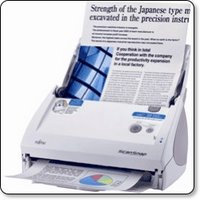
Fujitsu ScanSnap S500M Document Scanner Review

Scanning on the Mac platform has always been way ahead (or on par, some will argue) with the PC platform, except in one area - document scanning. It comes as no surprise that many manufacturers see Mac owners as designers, and when developing their scanners that handle medium to high volume scanning, they only ever release PC drivers. Document scanners can be great time and space savers. They are capable of automatically feeding invoices, brochures, and other paperwork and saving them as a file on your computer. For a long time now Fujitsu have made the ScanSnap for Mac, but it was lacking Intel support and was a little behind its PC equivalent. When they released the S500M I was very excited, even more so when BMI Solutions landed one on my desk to review.

The Fujitsu ScanSnap S500M is an all white affair, even the packaging gives that nice Apple unboxing feel. Set up is really really easy, install the Scansnap Manager software, plus the included Acrobat 7 software. The latter does not need to be installed unless you want to scan to PDF files. Of note, if you already have a later version of Acrobat installed on your Mac, then this also works a treat.

Once installed, the S500M connects to your Mac via USB. In its closed state, the feeder support that holds up to 50 sheets of A4 paper (to be scanned) folds upwards. The action of lifting the feeder also switches the scanner on. The front paper tray (for catching the scanned pages) folds down to reveal the scanner buttons. When you have finished scanning, you either fold the trays closed, to both turn the unit off and keep the dust out, or press the power button. This is a very nice design and lets the S500M take up very little desk space.

In use, things couldn't be much simpler. You fire up the Scansnap Manager and set how you want your documents scanned. You can choose if colour, black and white or auto colour detection, the latter does an excellent job, but it is of course nice to force things into black and white if you so wish. the 'scanning mode' is selected with phrases like normal, better, best and slowest. Whilst this is OK and after playing with the settings you learn what is best, it would have been more helpful to have the dpi displayed in brackets. I hope Fujitsu do this in a software upgrade. The last of the main settings is to choose simplex or duplex scanning. This is a powerful feature of the S500M, the fact that it contains an upper and lower scanning element, so it is able to scan both sides of a document in one pass.

Other options in the software allow you to choose an external application to scan to, like Adobe Acrobat (for PDF) or Preview (for JPEG). You can also set how files are names and where they are saved to. Paper size can also be set, but in my tests I found the automatic detection very accurate. As well as the scanning mode you can also set the image quality, with one slider determining the amount of compression and file size. This confuses matters even further. Don't get me wrong, the end results are fine, but if you want to make specific settings, there has to be an easier way.

All these settings is as hard as it gets. Once you have made them all it is a simple matter of load your paper into the automatic feeder and pressing the scan button.
The S500M draws the pages through very accurately and at a fast 18ppm (pages per minute), so when in duplex mode, this equates to 36 sides per minute. If you are scanning at the highest 600dpi optical resolution on a slowish Mac, then you have to allow some additional time for the computer to process the files. When a batch of 50 sheets have been scanned, you can then load more into the feeder and either start a new file or add them to the one in progress. During my tests, I scanned a mixture of computer printouts, old invoices, brochure and magazine pages. Out of 250 pages, I had just two misfeeds, and these were very thin and crumpled NCR invoices. So the S500M can fall over, but with no major effect. Any misfeeds can be re-scanned and popped back into the relevant position within the file you are creating.

Scanning to PDF is great and with the aide of Acrobat you can process your files into searchable documents. This feature makes the S500M invaluable. You can scan your whole filing cabinet of any type of document, and then search it by keyword. This makes the S500M a great timesaver, as well as freeing up all that paperwork space. I can highly recommend the Fujitsu ScanSnap S500M to you for getting your paperwork and filing organised. The price from BMI Solutions makes it even better value for money.

Product: Fujitsu ScanSnap S500M
Price: £244.39
Supplied by: BMI Solutions
Contact: 0845 838 1694
Link to product page

Alien Skin Eye Candy 5 : Impact - Review

Over the past week I have had the chance to take a look at Alien Skin Software's Eye Candy 5 'Impact', which is a collection of ten filters for Adobe Photoshop. The latest version of the software is a universal application and as such works very nicely with the latest CS3 incarnation of Photoshop. There are other collections available in this range of software, including Nature and Texture filters, which I will be looking at over the coming weeks.

Installation of the software is very straightforward, with an Alien Skin folder installed within the plugins folder where Photoshop resides. You can then gain access to the various filters and effects through the drop-down 'Filter' menu with your Photoshop application.

I can personally remember years ago using other Alien Skin products and loved the effects I could achieve with text and the like, so I was keen to delve in to see what was on offer.

Within the Alien Skin Impact menu, you have the choice of ten filter, including chrome, bevel, gradient glow, and glass effects, plus the ability to add bevels, reflections and shadows. Impact has three new filters called Backlight, Brushed Metal and Extrude.
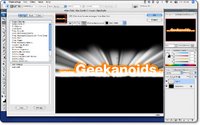
Backlight produces exactly what you would expect, but with a very dramatic effect. You can choose from factory presets in the left panel of the filter window (I chose Forward Fog Streaks) or you can create your own custom settings and save them to the User Settings panel (bottom left). You can control the angle and the intensity of the effect within the preview window, as well as zooming in, panning around an image and altering the preview background before you commit to a filter. When you do click OK, the effect is rendered onto a new layer within your Photoshop document.
What amazed me was the ease of creating great effects, and with just the Backlight filter alone, I could have spent hours trying out new effects. The speed of applying the filters were impressive too.

The Extrude filter (shown here) was almost instant with my PhotoShop running on a 2GHz MacBook Core2Duo, imagine what it would be like on a good desktop machine. Again, Extrude offers a lot of presets, and is great for adding depth to text or any graphic element. I can certainly see it being a great tool for web designers and graphic artists alike.

The last of the three new filters is Brushed Metal, which as the name suggests makes your graphic element look like metal. On offer are various types of brushed effect; handbrushed, circular, and linear, all available in different colours and intensities. Even a Vinyl Record effect has crept into this section, hardly metal, but I loved it and will definitely be using that one in the future.

Of the filters I have note yet mentioned, Super Star adds some freaky and funky star effects, Motion Trail adds some very effective swishes and sweeps to your artwork, and Glass is pretty self explanatory (and very effective). Perspective Shadow does a lot of what Photoshop can do anyway, but within this filter the various Reflect presets allow for some great effects. My last image shows 'Reflect in Front - Sharp' and I must say, this alone impressed me. It is not just the end result that is impressive, but the speed in which Alien Skin allows you to be creative.

So, who should this product appeal to? Well, if you are a graphic artist, creative professional, or web designer, then Alien Skin Eye Candy 5 Impact is a must. It offers up some great filters that will save you a great deal of time, whilst giving you clients that wow factor with ease… and that is before we even look at the pricing. If you are an everyday Photoshop user, then again, this collection of filters will allow you to experiment and create some great artwork, that may well have been difficult to achieve without it. The pricing makes this a must buy product; just buying impact by itself will only set you back £49, which in my mind is a bargain. If you would like to save some money, then take a look at the bundles. You can pick up the Eye Candy 5 Bundle, which contains the Impact filters reviewed here, plus the Textures and Nature collections for just £79, this is a fantastic bargain, but things don't stop there. The Eye Candy Effects Collection contains all of the above, plus Snap Art and Xenofex 2 (which retail separately for over £70 each) for the paltry sum of £239 (currently on special offer for £199 at XChange International), at this price, I know which package I would buy.

If you need to increase your creativity and productivity then look no further. Adding some or all of these Alien Skin filter collections to Photoshop will be money VERY wisely spent.

Note: check back soon for reviews of Alien Skin Eye Candy 5 Textures and Nature, plus Snap Art and Xenofex 2.

Product: Alien Skin Eye Candy 5 : Impact
Price: £49
Collection Price: £239 ($399) as part of the Eye Candy Effects Collection
Supplied by: Alien Skin Software
Telephone XChange International: +44 (0)20 7490 4455
Email: info@xchangeuk.com

TechStyle Classic iPod Case - Video Review

We love our iPods, and we need to protect them, but it is essential that we do this in style. Enter the TechStyle Classic by Speck Products and you have a high quality leather case. Does it fit right, is it useful, what is the quality like. Take a look at our Video Review which gives you an insight into exactly what you get for your money.

Product: TechStyle Classic case
Price: $34.95
Supplied by: Speck Products
Contact: info@speckproducts.com

Miglia Dialog+ - handy for Skype & iChat

When Skype first hit the scene, manufacturers jumped on board with handsets that resembled regular phones. They were tethered to your computer by a wire, so not very friendly, other than making the user feel more at home by holding something up to their ear. Then came the advent of cordless handsets, followed by wifi enabled units, then dual purpose models that could make regular calls, as well as Skype based calls. Somewhere in between they slipped some totally useless Windows Live handsets in, thanks Philips.

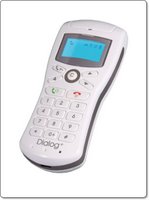
Miglia have produced something a little different, with their Dialog+ handset, by making something that will appeal to both the Mac and PC markets. The Dialog+ offers the ability to make wireless Skype calls, compatible with both the Mac and PC. For Mac users they have also built in iChat AV capability. So with the press of a button, you can use this for your iChat contacts too.

In the box you get the handset itself, which is supplied with three AAA batteries. These charge by attaching the handset with the supplied USB cable. To get the Dialog+ to communicate with your Mac or PC you need to install some drivers and attach a USB dongle, which offers a range of up to 25 metres. It is a shame this does not use Bluetooth to connect. I personally hate USB dongles, but I suppose I can forgive Miglia for this. Once the drivers are installed, you need to adjust a few sound settings, connect the handset wirelessly to the dongle, and you are good to go.

You can control Skype and iChat in the normal way using your computer screen, then just use the Dialog+ to have the conversation. The main strength of this product is the ability to sit away from your computer and use it as a normal phone. You have buttons to access your Skype or iChat contacts, plus another one for call history. As long as you are signed into the relevant account on your computer, you can sit back and make calls from the comfort of your sofa.
In my tests, I found that the range was pretty good, I could get about 22 metres before things got a little choppy. The voice quality was pretty darn good, I could hear who I was talking to very clearly, and my guinea pig callers commented on how clear my voice sounded at their end.
The user interface is pretty good and the blue backlit screen is nice too, nothing fancy, but very functional.

In summary, I can recommend the Dialog+ to anyone who uses Skype and iChat a lot. It makes them more accessible and you will find that you use the services a lot more. The handset is well made and the low price makes the Dialog+ fantastic value for money.

Product: Dialog+
Price: £43.00
Supplied by: Miglia
Contact: +44 (0)1442 827222

Gear4 HouseParty 24/7 Review

When I get sent a product to review, I normally like to test it for a really good length of time, but when Gear4 sent me their HouseParty 24/7 to check out, I had to break that rule, read on to find out why.

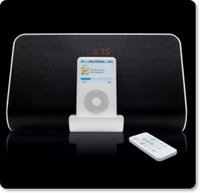
The HouseParty 24/7 is available in black or white and is a compact speaker dock system, with lots of added functionality. When I say compact, it is by no means tiny, but the design has really been well thought out. About the size of a double height regular clock radio, the 24/7 boasts two nice speakers in the front and a downwards firing bass unit. The front on the unit also has a nice blue LED display for the time, mode you are in, alarms, and frequency of the radio station you are listening to. The top of the unit houses the well laid out buttons and the dock for your iPod. I guess that brief description really gives the game away about what the 24/7 actually offers. To recap, you get an iPod speaker system, clock, alarm clock and an AM/FM radio.

Supplied with the unit are six different size dock adapters. These allow the unit to accommodate every iPod that sports a dock connector, including the 4th, 5th & 6th generation full size iPod, the Mini, Photo, and Nano. Gear4 also supply a slimline remote to control the unit, the iPod and alarms etc. The remote is nothing to shout about, but it does get the job done. You also get external FM and AM aerials, which improve the radio reception a great deal. Whilst on the subject of the radio, reception is really good and easy to tune and store presets.

Sound quality is not of great importance for an alarm clock, but is if you plan to use the 24/7 for regular listening too. I am happy to say that this little unit really does deliver nice quality sound. The 2.1 speaker system creates a nice warm sound, with some real oomph in the bass department. Well done Gear4, this unit really does sound good for both radio and iPod playback.

Unlike some other speaker units, I really like the way this one interacts with my iPod. Whilst testing with my 5th Gen, it charges the unit whilst in use (or switched on). When the 24/7 is turned off, the power is not sent to the dock connector, so the iPod (and its screen) switches off. Other speaker units I have tested keep charging the iPod even whilst switched off, so the iPod screen remains on (not ideal). Thankfully, the 24/7 addresses this matter.

In summary, the HouseParty 24/7 offers great music reproduction. It allows you to wake up to the radio or your iPod, all from the one unit. Both the build and sound quality are brilliant, and well worth the asking price. This review was brought to you so quickly because the HouseParty 24/7 simply is soooooo good.

Product: Gear4 HouseParty 24/7
Price: £99.99
Supplied by: Gear4
Contact: info@gear4.com

Traps Drums - Big Sound… Small Package

When I was given the task of finding an alternative product to interest our valued readers, one that would take them outside the norm, that would ease the RSI, and offer some fun and exercise at the same time… I must admit that I was stumped. It is a foregone conclusion that a lot of the population surf the net, and when they are not surfing they are watching TV. On top of this, for maybe eight hours of the day they are staring at a computer screen.

Then I stumbled upon a website by Traps Drums, offering a portable drum kit, with a full-size sound. I am not sure why, but it caught my attention, probably because I had always wanted a drum kit as a kid, but never got one. So, a few phone calls later and the kind guys at Alchemy Engineering (the manufacturers) sent me an A400 kit to play with.

The whole kit was delivered in one compact box, and my initial reaction was that there was no way this was going to deliver on its promises. The A400 kit consists of tubular frames, that fit together with plastic sleeve clamps. Everything looks a bit confusing, as there are so many parts, and the instructions are a bit hard to see, due to having black and white illustrations. This is something that Traps are working on, so new kits should come with clearer instructions from mid-July.
That said, putting the kit together is pretty straightforward, if you take things one step at a time, there is only a certain way that the parts can fit together.
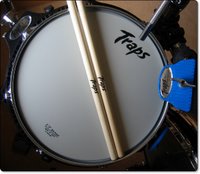
Once the frame is up and the kick bass drum in place, the remaining toms and cymbals all clamp firmly in place. As standard the kit comes with a 12-inch snare drum, 10, 12 & 14-inch Toms, a 20-inch kick (bass) drum, 13-inch hi hat cymbals, 14-inch crash cymbal, 18-inch crash ride cymbal, two pedals, a stool and drum sticks. It is pretty conclusive that you do not need anything else to get started.

Before I move onto the performance, I must emphasize that the A400 kit is of a very high build quality. Everything fits together perfectly and oozes a perfect finish. The stool is a little flimsy, with the mount nut needing to be tightened every now and again, but apart from that you couldn't ask for much more. You also get Remo heads on this kit, with the traditional multi screw tuning system, just like on full size kits. This is superb, as it allows you to individually tune each drum for that perfect sound. It also allows for new heads should you need to replace them in the future.

Now, I have played around on a Yamaha HipGig kit (around £700) before and I thought that there was no way that the A400 Traps would sound anything like them, after all, they take up half the space and cost almost half the price. To say I was astounded is really an understatement, the sound was full, accurate, and the responsiveness of the heads was great. Close your eyes and listen to the Traps and you really could not tell the difference… well maybe a little, but it is certainly not a worse or better sound in comparison to a full size kit.
Traps also supply bags for the A400, allowing you to easily transport the A400 to a gig, which is really useful. No need for a small transit with this kit ! You can also customise and add to the A400 with an extra 8-inch Tom, and move things around on the rack to get everything perfectly positioned for your individual style.

My suggestion to you all… get away from that screen for a while and use your creativity to learn to play the drums, you will love it. To all you budding musicians, the A400 kit is very compact and sounds great, so put it at the top of your list. Finally, to any readers who currently play the drums… if you need something compact, that still sounds great, either for gigging or for practicing at home, then the A400 will deliver all you could want, plus much more. The attention to detail, the build quality and sound, not to mention to superb aftersales support, all adds up to a stunningly good package.

Product: Traps A400 Drum Kit
Price: £299-£325
Supplied by: Alchemy Engineering Design Ltd
Contact: +44 (0)1202 476027
Email: support@trapsdrums.com

Keep your kit Crisp n Dry with Overboard

A little bit late for Glastonbury this year, but what the heck, the great British summertime is upon us, so we are bound to get wet one way or another. If you take part in any type of water sport, or just fancy walking around the rainy UK, then the products sent to me by OverBoard may well be of interest to you.

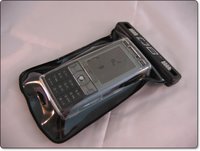
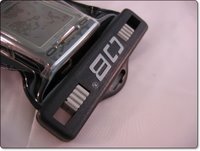
OverBoard make a range of waterproof technology cases for a whole range of items. Varying in size and shape for mobile phones, cameras, iPod, handheld games consoles and the like. They use what is referred to as a Slide Seal System™ which really does seal the item in the bag, so it is nice and safe. The small waterproof phone case that I tested with my beloved K800i is a perfect fit.
The phone pops into the case, then the top closes together over two sliders, which you push towards the centre of the case to seal your prized possession. Once inside, I bravely put my K800i into a bowl of water, dunked it about a bit, pulled it out and dried the case off. I can honestly say, that no water entered into the case at all… very impressive. According to the specification, you can get away with up to 6m of water, so if you did accidentally drop your kit into the swimming pool, it should remain nice and dry. Apart from water, the case also protects against dirt, sand and dust. It is also supplied with a neck lanyard, which securely clips onto the case.

I also had a 15 litre Dry Flat Bag to test, which measures 35cm by 37cm and holds a lot more kit. It has an adjustable shoulder strap for comfortably carrying around, and when not in use it packs down to a nice compact size. The Dry Flat Bag is a different prospect, and is not a submersible bag. Instead, if it is dropped into water it floats. Again, out came some of my trusty gadgets, a camera, iPod, mobile phone and a rain jacket. All fitted in with no problem, and ten minutes later I had a bath full of water to drop the bag into. Sure enough it floated, and when I checked the contents all was fine and dandy.

The OverBoard range has highly impressed me. The design is nice and clean, with a modern touch. Most importantly, the product works, doing exactly what the manufacturer claims. Another massive plus point is the price, which has been kept very low, so the whole range certainly offers excellent value for money. If you want to protect your kit, then I urge you to check out the range at www.over-board.co.uk and get yourself protected !

Product: OverBoard Small Waterproof Phone Case
Price: £14.99
Product: OverBoard 15 ltr Dry Flat Bag
Price: £17.49
Supplied by: OverBoard Accessories Ltd
Contact: +44 (0)1932 232126

Griffin TuneJuice 2 Review

If you use your iPod a lot and would like to extend its playback time a little, then you really should check out the TuneJuice 2 from Griffin Technology. The simplest ideas are often the best, and this little device takes standard AAA batteries, then connects to any iPod with a dock connector. It is available in the US for $29.99 and in the UK the average price is around £10. It is well made and comes highly recommended. Check out the video review below… oh, and enjoy the pout at the start of the video :-)

Product: TuneJuice 2
Price: $29.99 (US)
Average UK Price: £9.99
Supplied by: Griffin Technology

Wacom Bamboo Graphics Tablet Review

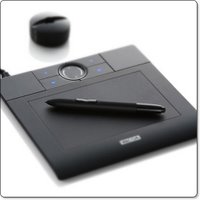
The Wacom Bamboo is a pen driven graphics tablet aimed at the consumer market, but like the professional Intuos product line, really oozes oodles of quality. Straight from the box, you can see that this compact sized tablet is well made and will be a lot more useful than just signing the odd document.

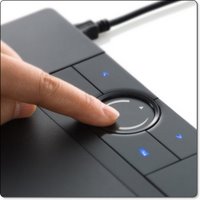
The active area of the Bamboo is just under A5 size, and above the active area are four customisable ExpressKeys, to which you can assign various functions. There is also a rather cool looking TouchRing for zooming into and scrolling around documents. The supplied pen offers 512 levels of pressure sensitivity, has a double switch rocker button and an eraser tip.

Where the Intuos tablet from Wacom is aimed at the graphic design professional, the Bamboo has been designed with the regular consumer in mind. Offering up the extra features for ease of navigation, I really wanted to see if I could get used to using the Bamboo instead of my mouse. To start off with it was tricky, the main adjustment is in the exact positioning of screen pointer. With a mouse you move your pointer around the screen, if you run out of room a quick reposition of the mouse and off you go again. With the Bamboo, the active area is mapped to directly relate to your screen real estate. You put the pen in the top left of the tablet area and that is where your pointer goes on your desktop. Of note; if you are running dual screens, you can restrict the Bamboo to the work area of just one screen or have it mapped across your dual screen area.

So navigating your desktop is very quick and precise. The ExpressKeys, which are lit up in blue when your Bamboo is connected, also help a great deal. Within the Pen Tablet system preference pane (on Mac OS X) you can assign each of the four buttons to different actions, keystrokes, modifiers, or even to launch certain applications. The top two buttons have a default assignment of Back and Forward, so this is really handy for surfing and general use. The TouchRing is also pretty neat, if you move your finger in a circular motion on it, you zoom in and out of your current application. Tapping to the top and bottom of the area scrolls you up and down. I found this really neat and it soon became a very fast way of navigating my documents.

Apart from general day-to-day use for common tasks, I wanted to try the Bamboo out in PhotoShop and Illustrator. Whilst not giving the work area of a larger Intuos tablet, the Bamboo performed really well. The pressure sensitivity allowed me to be really creative in PhotoShop and the accurate mapping allowed me to manually trace something in Illustrator. So for the occasional bit of professional work the Bamboo really does hold its own.

For under £70 you get a superb piece of kit, quite how Wacom do it for this price baffles me, you even get a two year warranty, which in my mind adds value. If you don't spend all your time in PhotoShop, but want to give those wrists a rest from constant mouse use, then give this tablet a try. The Bamboo is well made, and very user friendly indeed. I really hope my review model does not have to be sent back, otherwise the credit card will have to come out to play.

Product: Wacom Bamboo Graphics Tablet
Works with: Mac OS X, Windows 2000, XP, Vista
Price: £69.99
Supplied by: Wacom Europe
Contact: info@wacom-europe.com

Fuji Finepix Z5fd Review

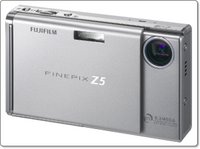
The Fuji Finepix Z5fd is a compact 6.3 megapixel digital camera. This baby is really compact, small enough to fit in your shirt pocket. The 2.5-inch LCD screen is pin sharp too, which is a good thing, as you use this for framing up your shots as well and viewing playback of your photos.

A quick rundown of the specification of the Z5fd will help you to see just how featured packed this camera is. As previously mentioned you get a 6.3 megapixel resolution, a 2.5-inch LCD screen, picture stabilization and natural light modes, face detection, up to ISO 1600, 3x optical and 6.2x digital zoom. The camera has 26MB of internal memory, but no xD memory card supplied. It also has 14 quick scene modes, for things like portrait, night, and sports shots.

The Good
The z5fd has a lot going for it. The size is a massive selling point of this camera, it is not the thinnest on the market, but easily fits into a shirt pocket. The design is pretty much spot on too. The front cover slides to turn the camera on, and at the same time reveals the lens and flash. The 2.5-inch LCD is gorgeous, and make framing up an viewing photos a real pleasure. The focus is very quick and the pictures right up to ISO 800 are more than usable.
There are also some nice features for getting images ready for a website built right into the camera. When viewing photos, pressing the 'F' button presents you with a menu for 'Trimming for Blog' and it does just that. You can crop your image and then transfer it to your communication device or laptop over infrared. This is a nice feature that some users may find invaluable.
Picture quality was very good, with nice colour saturation and detail. The face detection is also a nice feature which ensures that faces are correctly exposed when taking group shots. I tested this out on more than one occasion and it actually does work, it is not a gimmick.

The Bad
There really wasn't anything to put in this category, other than something that effects most cameras of this type. The lack of optical viewfinder is a shame, I am sure with the technology available these days Fuji could have squeezed one in. It is not essential, but something that I personally like on ALL my cameras.

The Ugly
On first use, I put the battery in the camera and connected to the main power to charge. A few hours later, when I went to switch on, the unit would not turn on. After a quick bit of investigation I found that the battery was in the wrong way. Now, I should emphasise that I put it in the way the arrows printed on the battery indicated, but this battery fits and clicks into place both ways. Turning the battery round corrected the problem, so no big deal, but most manufacturers make their batteries so they are fool-proof and only fit in one way around.

Overall I was very impressed with the Z5fd. It fits into the compact sector of the market and is a very good quality digital camera that you can carry everywhere you go. You will have no excuse of missing that chance photo again.

Product: Finepix Z5fd
Price: £149.95 (Amazon)
Supplied by: Fujifilm UK
Contact: +44 (0)870 084 1310

The Sims Life Stories Review

The Sims Life Stories is a welcome addition to the Sims storyline and will certainly make you sit up and take notice. Right from the outset, you should know that if you like the Sims, you will get the most of out this offering, it is definitely a game that you will play for hours and enjoy minute of it. Of note, this is not an add-on or expansion pack to Sims 2, it is a full standalone game.

The graphics on this game are fantastic. As soon as you see the little clip at the beginning of the game, you think wow! The intro is great, and makes you want to get into the gameplay as quickly as possible. But then, when you look at the options and click on the graphics option, you can make the pictures even more detailed! Adjusting the graphic detail makes a big difference to your enjoyment of the game, so if you system will handle it, put everything up to max.

Next up is the sound. The Sims may not speak English but their own language is very entertaining. The sound is very life like and somewhat comical when they speak. When they take a bubble bath, it really does sound like a bubble bath, or when they are cooking something, it really does sound like your cooking and sizzling something tasty. As I said earlier, it really is life like.

Right, let's move on to the story. Well first of all there is Riley's Story. You get to play Riley who is staying at her Aunt Sharon's house since she lost her job. Riley wants to bounce back into action by, getting a brand new job and searching for a new guy to start a family with. Finding out that her high school ex-boyfriend is about town, she starts to fall for him again. Will her love series end in a happy ever after? I won't spoil that part for you, only you can decide the outcome.

Next there is Vincent's story. At the age of 9yrs old his Uncle bought him a kite. He attached a couple of plates and wrapped the kite in foil. He also added two rockets, filled with fuel or helium to the end to make his very own satalite. In his adult years he is a billionaire! Now that his job is being a business tycoon, the millions are rolling in. At the start of Vincent's story he is coming back from a two week business trip. Vincent left his house in the hands of his trusted girlfriend Samantha. As soon as he gets out of the helicopter, Vincent is greeted by Samantha, with a great big hug. They have been dating for just three weeks in total and Samantha bursts out a surprise marriage proposal. Vincent says no, so you have to help him on biggest challenge of all, E-Dating…

There really isn't just a single brilliant part in Life Stories, since the whole game is superb. The Sims Life Stories is one of the best games I have ever reviewed, and I will continue to play it for a long time to come! There is a whole new range of clothes and outfits for the Sims to wear, which are fantastic. Plus, the new objects and inventory you can buy for your Sim to enjoy and use for their aspirational needs. This game is definitely worth every penny and I would recommend that anyone (young or old) would love to play this fantastic game.
Review by Pamela Cryer

Product: The Sims Life Stories
Price: £29.99
Supplied by: Aspyr Media Europe Limited
Contact: +44 (0) 1923 200 940
Email: info_europe@aspyr.com

Sennheiser PX100 Headphones Review

Having an iPod or another brand MP3 player is great, but it normally goes without saying that the bundled headphones aren't normally the best. A decent upgrade need not set you back lots of money, so here I take a look at the Sennheiser PX100 headphones.

The first thing that struck me about the PX100 was the very well designed folding action. These babies fold into a really neat plastic case, with a cable wrap to keep things extra tidy. When unfolding them, they lock into position and feel very robust. Rather than being an in-ear design, they sit on your ears like regular headphones. The band that touches your head is nicely padded and very comfortable. The PX100's are so light, that you soon forget that you are actually wearing them, so top marks here.

I tested the PX100's with both my iPod and regular CD system, as they really ought to deliver on both fronts. The iPod sounded rich, with plenty of mid range and bass, and stacks of detail, being pleasantly surprised is an understatement. The delivery from the CD system was just as good, the music sounded very rounded and warm, but still delivered every nuance of the music too. After prolonged use I was really enjoying these little wonders.

The PX100's from Sennheiser deliver on many different counts. Firstly, they work great with MP3 and the iPod is a perfect partner. On a full blown system they also hold their own, delivering really great sound. Add to this the fact that they are ultra comfortable and cleverly fold down into a really portable package and you have a winner. If you don't like in-ear earphones, then the PX100's are available in white or black and come highly recommended.

Product: Sennheiser PX100 Headphones
Price: £35.00
Street Price: £19.98 (Amazon)
Supplied by: Sennheiser UK
Contact: info@sennheiser.co.uk

Speck SeeThru for MacBook Pro Review

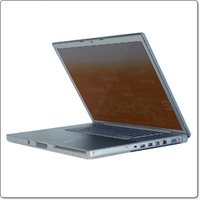
A friend once said to me that the difference between a PC user and a Mac user is as follows… a PC user buys a piece of kit and gets down to using it straight away, whereas a Mac user will always have protecting their precious kit as top priority over using and enjoying it. I had to laugh to myself, as I have behaved exactly like that myself. I even went so far as delaying the use of my iPod by a day, waiting for a case to be delivered for it. An even bigger investment is a laptop, and being able to protect it from scuffs and scratches, without spoiling the design asthetics or adding too much bulk is also important. Well, the kind people at Speck Products sent me two of their SeeThru cases to review. One for the 15-inch and the other for the 17-inch MacBook Pro. Of note, they also make these hard plastic shells for the 13-inch MacBook too.

The SeeThru comes supplied nicely packaged, and once unwrapped you can see that it is supplied in two halves, one for the base of the laptop and one for the lid. It is made of hard plastic, which is either completely transparent, or has a colouring to it. I had the pink one, which is really suited to the fairer sex, alongside the transparent 17-inch version. At first glance it is easy to see how much thought has gone into the design and quality, so I was really keen to get the case onto the MacBook Pro. Fitting is easy, simply placing the base into the case and giving it that extra little push to snap it into place. It is held on by little tabs, that are hardly noticeable. The lid for the back of the screen is fitted in the same way.

What makes the SeeThru so good, is that it hardly adds any thickness to the MacBook Pro. It also has cut-outs for all of the ports and superdrive, even a small hole for the battery test button on the base. The base also sports vent slots, to help dissipate any heat that in generated. You can keep the SeeThru in place for everyday use, and I am happy to say that it made no real difference to temperature of the laptop, maybe one degree here or there, but this was virtually impossible to measure. When closed the edges meet nicely, and it is nice to see that the beautifully designed MacBook Pro, still looks great.

In conclusion the SeeThru hard shell case from Speck Products is a superb way of cheaply protecting your MacBook or MacBook Pro. You can go for the transparent version, or add a splash of colour back into your (Mac) life, with black, blue, green, orange, pink and red to choose from. The SeeThru is well made and should be high on your shopping list.

Product: SeeThru case for MacBook Pro
Price: $49.95 (regardless of size)
Average UK Price: £29.99
Supplied by: Speck Products
Contact: info@speckproducts.com

Gear4 HouseParty III iPod Speakers Review

There are literally hundreds of different speaker solutions available for the iPod, so when making YOUR choice, the product needs to offer something that little bit extra. Here, I take a look at the HouseParty III from Gear4.

Before you even get this speaker come dock out the box, the feature list reads very well indeed. You get 30 watts of music power, a retractable iPod dock that slides in and out of the unit, a mysterious hidden display and the bonus feature of an FM radio.

Unpacking the unit is a pretty good experience. It feels a little bit on the cheap side, but everything is well made, the design is nice too, with curves in all the right places. There are dock adapters supplied for the 4th and 5th generation iPods, the Mini and both generations of Nano. These slot into the dock, which actually slides in and out of the centre of the base. This is a nice feature, meaning that when you do not have your iPod connected, the unit looks very neat.

Turning the unit on reveals the (hidden) red LED display. Another nice touch, whereby the front of the unit is all made to look like speaker grill, and when turned on the LED display shines through. The buttons on the top are also nice, a firm click for the power, volume and mode, instead of being left wondering if you have actually pushed the button in (as on some fancy touch sensitive units). I really prefer the buttons on the HouseParty III. You are also not restricted to listening to just your iPod, the unit has an FM radio built-in. This worked very well in my tests and is certainly a welcome addition. Of note, you can also plug in your iPod USB cable, so if you are using this product near your computer, you can sync it to your iTunes library. You also get a little remote control, which is very handy for controlling the unit from afar.

Sound Quality
This is the only part of the HouseParty III that lets it down. Don't get me wrong, it is not awful, but compared to other similarly priced offerings, it sounds a little muddy and muffled. It also lacks bass, there just seems to be nothing there. It is perfectly acceptable though, just not outstanding.
However, for the money, plus the combination of dock, speakers, and FM Radio, the HouseParty III still offers good value for money. Great for a kitchen or bedroom, but not for your main listening device.

Product: HouseParty III
Price: £79.99
Supplied by: Gear4
Contact:

Belkin Wireless G Print Server Review

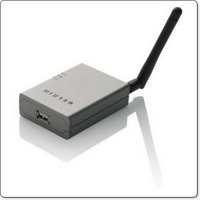
The Wireless G All-in-One Print Server at first glance looks like a very useful offering from Belkin. The ability to plug in any USB printer, even one with a scanner built-in and use it on a wireless network seems like a real boon. I just hope that this product lives up to expectations, where so many other offerings seem to fall over themselves at the first or second hurdle.

The unit itself is very compact and comes supplied with everything you need, except a USB cable (which you should have for your printer anyway). The install CD is really easy to use and allows you to set up the little unit, in my case, under 10 minutes did the job. After running the install CD, configuring the print server and wireless setting, it was connected to my wireless network. I installed my Epson R1800 printer drivers, attached it to the print server and voila, I could print to the R1800 over my wireless network.

Because you install the standard printer drivers, all the usual options you would expect to see if hard-wired are available. And, although I was testing this with a standard inkjet printer, it is claimed (and I have no doubts) to work with multi-function devices, supporting both scanning and faxing, in addition to printing.

In addition to printing wirelessly, which is absolutely fantastic, the unit also sports a memory buffer. This frees up your computer a lot quicker, as queueing is handled by the print server, rather than in your computer's memory.

So, all in all, I was impressed. For such a small price you get fast wireless printing, ease of set-up, all in a very neat package. Well done Belkin, this product certainly gets my vote.

Product: Wireless G All-in-One Print Server
Price: £59.99
Supplied by: Belkin UK
Contact: +44 (0)1933 35 2000

Fuji F31fd Review

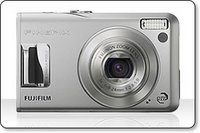
The Fuji FinePix F31fd is a compact digital camera, that one paper is very big on features. Offering a 6.3 million pixel resolution, face detection technology, up to ISO 3200 and an impressive 2.5-inch LCD screen. With all this boasting of uber-features, and some already great feedback from reviewers and end users, I was very keen to see what all the fuss was and still is about.

Out of the box, you get a hand strap, USB and AV cables, for transferring your photos to a computer and the latter for viewing on a larger screen. You also get a CD containing the FinePix Viewer software and ImageMixer VCD2, an owners manual, AC Power Adapter and a lithium-ion battery to power this little baby.

What first struck me, was how solid the F31fd felt. Many digital cameras around this price bracket feel cheap and very light, but the F31fd is very well made and gives the impression that it would take the odd knock. Certainly, the in and out of the pocket, case or handbag (depending on your use) will be no problem.

The 2.5-inch screen on the back of the unit is nice and bright, with nicely saturated colours, and a nice update speed. The screen needs to be good, as there is no optical viewfinder. With this is mind, I would recommend fitting some sort of screen protector to the F31fd, to keep the screen in top condition.

The controls are very well laid out, and switching between scene modes, zooming in and out, in fact all of the navigation is absolutely superb. The zoom is very responsive and the focus on near and distant objects is pretty quick. On some distant objects the F31fd does search a little for focus, but once locked on you are ready to go. It is worth mentioning that no memory card is supplied. You do get 26MB of internal memory, but you really should factor in buying an xD memory card in your budget.

In use we took some macro shots, in which we were able to focus from a very short distance. Fuji quote 5cm which is pretty accurate, though we did manage a little closer than this. We also made use of the high ISO setting in low light situations, but at 3200 there was a lot of noise. ISO 1600 was aceptable, and at 800 things started looking pretty darn good. The face detection technology is pretty neat too. It picks up the iris' of any faces in the picture you are composing, and once it has detected them (maximum of 10), it ensures that each face is correctly focused and exposed. I was impressed with how this works and just how quick it does the job. Face Detection is also present in the S6500fd and Z5fd, so if you take a lot of family snaps, then this could be worth checking out.

In summary, if you are in the market for a nice compact digital camera, that has lots of nice features, that are actually useful in day-to-day use. Add to this the importance of build quality and of course the mega-important image quality, then you cannot go far wrong by adding the Fujifilm F31fd to your shopping basket. I was most impressed by the Face Detection, followed closely by the image and screen quality. The F31fd is certainly going to be missed when it goes back this week, so much so that I may well have to get my credit card out.

**EDIT**
Two images taken with the F31fd. Very nice depth of field control in the rose image, followed by nicely saturated and very accurate colours on the bike.


Product: FinePix F31fd
Price: £229.99
Supplied by: Fujifilm UK
Contact: +44 (0)870 084 1310

Apple AirPort Extreme Base Station Review

The new Apple Airport Extreme Base Station (AEBS) got me all excited when it was first announced. Imagine 802.11n wireless connectivity, all wrapped up in Apple goodness. When I received the unit at my office, there was one big low that I had overlooked, but this was over-shadowed by what seemed to be an awesome product. Read on to find out if this new piece of kit will remain in my set-up…

First up is the product design (and packaging). Apple manage to make what should really be a boring run-of-the-mill product into their usual fulfilling unboxing experience. Everything neatly tied and once unwrapped the AEBS oozes quality. It is the same shape as a Mac Mini and about half the height. The front sports a single LED light and the back has the input for power, a USB port, 3 ethernet ports, and a third ethernet port to go to your ADSL or broadband modem/router. There is also a pinhole reset button and a security port for if you want to lock your device down.

Now let's get the negatives out of the way. The big low that I mentioned earlier is that the AEBS does not have a modem built in. This is a shame, as with a modem a lot of people (including myself) could have replaced their existing connection to the outside world completely with this unit. The only other feature I would like to have seen is gigabit ethernet ports, instead of 10/100 speed.

OK, back to the set-up, which is really a case of plugging the unit into either your existing network, or to make a completely new one. The software installation consists of two main items, the AirPort Utility and the AirPort Disk Utility (with a few other bits installed into the background). There is also the 802.11n enabler, for anyone who has a compatible Mac, which includes most of the MacBook range. Running this patch enables the 'n' part of your Mac, so you can take full advantage of the speed increase of your AEBS. Of note, the software included has been upgraded a couple of times, so make sure you grab the latest AirPort Base Station Update 2007-001 to ensure things run smoothly.

Setting things up once the software is installed is really easy, and one of the nice features of the AEBS is the ability to attach a USB hard drive. You can then set (via the software) the access privileges, plus the hard drive can be set to mount on your desktop every time you log in. I tested this with a couple of different USB drives and it worked flawlessly, with data transfer rates more than acceptable. It is also possible to connect a powered USB hub, which in turn can be connected to multiple hard drives and even printers.

Getting things working as a new network was really easy. Things were a little more tricky when trying to extend an existing wireless network, mainly due to compatibility issues with my Belkin N1. It was also a shame that I could not configure the AEBS via an internet browser, only a minor complaint, but I found the Airport Utility a little restrictive in the way it presented the options.

The Verdict is pretty easy to predict. The Apple Airport Extreme Base Station is a fantastic piece of kit. Very nicely designed, and extremely (pun intended) easy to set up. If you run an all Apple network it just works, in other environments it works with a little cajoling. Once up and running, it is virtually impossible to fault and the ability to connect external hard drives is fantastic. I can highly recommend the AEBS if you are looking to add wireless connectivity to your home or office.

Product: Apple AirPort Extreme Base Station
Price: £119.00
Supplied by: Apple UK
Contact: 0800 039 1010