 For a long time now I have either found myself tethered to a desktop computer or relying on a wireless connection. Being a long time Apple user, I have enjoyed reliable wireless connections with the more often than not built in airport extreme. Using a PC occasionally, I stumbled across wireless adaptors and almost lost all my hair in the painful process of setting them up.
Many users want a simple solution, without running metres and metres of wires throughout their homes and offices. Netgear have stumped up the technology with their HDXB101 Powerline Ethernet Starter Kit.
Being a long time Netgear user I knew that these devices have been available for a while now, but what distinguishes the HDX Powerline series is the top transfer speed of 200Mbs (megabytes per second). They work by using your mains cabling to transfer data, so you have no messy long runs of wiring to do. In this review I will be looking at a real world scenario, giving you real world results. Although I have a networking background I have tried to approach this from a layman's perspective, so I hope this helps the majority of readers.
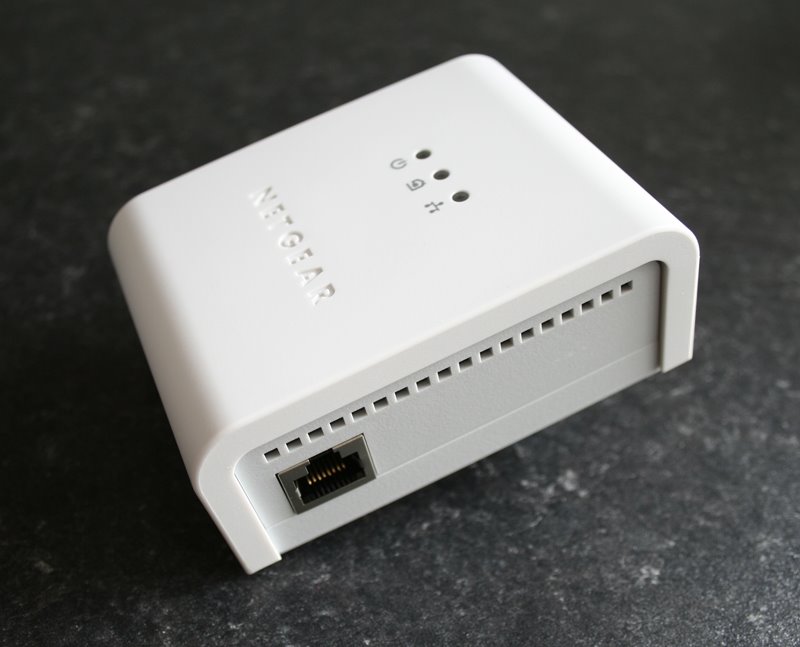
So, straight out of the box the HXDB101 kit consists of everything you need to get started. Two HDX101 plug units, two ethernet cables, a resource CD (which I did not even need to use) and an instruction sheet. Extra plug units are also available separately.
To test the units I used an dual core Intel iMac, an Apple MacBook and a G4 Powermac, with a PC thrown in for good measure (more about that later).
Set up is very simple, I know we should all read instructions, but I was very eager to see how easy this was. So I plugged one unit in to the mains socket in my office, connected the ethernet cable to the netgear unit and the other end into my ethernet switch. My switch is also a Netgear, but you can use any brand. The other unit was purposely plugged into another socket on the ground floor, physically as far away as possible from my switch. With both units switched on I had to wait about 20 seconds before a connection was established. There are three LED’s on each unit, one shows power, the other shows a powerline network connection and the third shows network connection (steady light) and activity (flashing light)... to download the full review click here.
Product supplied by Netgear, Inc.
Contact: +44 (0)1344 458200
Average street price: £130
Link to product.
Link to product datasheet.