
Backblaze Online Backup Service ... backing up to hard drive, DVD or blu-ray is fine, but having off-site backup is essential. In this video I check out using the cloud with Backblaze.
Supplied by http://www.backblaze.com/UK-backup.html
Corel VideoStudio Pro X5 Ultimate Review & Giveaway
Corel VideoStudio Pro X5 Ultimate Review & Giveaway
**GIVEAWAY ELEMENT OF THIS VIDEO IS NOW CLOSED**
Thank you to everyone who entered. Winners announced on Twitter.
Guest Review by Dale
http://www.youtube.com/ayeitech
Useful Links
Supplied by http://www.corel.com/
Camtasia Studio 2.1 for Mac Review
Camtasia Studio 2.1 for Mac Review
Useful Links
Supplied by http://www.techsmith.com/
Camtasia Studio Review
Camtasia Studio Review... check out this superb screen recording software on the Windows platform.
Guest video by Dale
http://www.youtube.com/stardale02
Windows 7 Tips with Dale #3 - Multiple Clocks & Customise Notification Area
Windows 7 Tips with Dale #3 - Multiple Clocks & Customise Notification Area.
Guest video by Dale
http://www.youtube.com/stardale02
Other useful links
My Second Channel http://www.youtube.com/dailytechtv
Whats in My Dock or Whats in my Launchpad ?
Whats in My Dock or Whats in my Launchpad ?
Useful Links
My 2nd Channel http://www.youtube.com/dailytechtv
Windows 7 Tips with Dale #2 - Multiple Apps & Problem Steps Recorder
Windows 7 Tips with Dale #2 - Multiple Apps & Problem Steps Recorder.
Guest video by Dale
http://www.youtube.com/stardale02
Other useful links
My Second Channel http://www.youtube.com/dailytechtv
Mac OSX Lion Accessing Special Characters
Mac OSX Lion Accessing Special Characters.
Terminal command to use at your own risk:
defaults write -g ApplePressAndHoldEnabled -bool false
Useful Links
My 2nd Channel http://www.youtube.com/dailytechtv
Mac OSX Lion Tips - Sidebar Text Size & Finder Window Hard Drive Space
Mac OSX Lion Tips - Sidebar Text Size & Finder Window Hard Drive Space. A couple of handy tips for you.
Useful Links
My 2nd Channel http://www.youtube.com/dailytechtv
Mac OSX Lion Tips How to Minimize Windows & Reverse Scrolling
Mac OSX Lion Tips. In this video I show you the preferences to easily minimize windows & stop that annoying reverse scrolling.
Useful Links
My 2nd Channel http://www.youtube.com/dailytechtv
Mac OSX Lion How to do a Clean Install
How to make a clean install of Mac OSX Lion with a USB memory stick.
Useful Links
My 2nd Channel http://www.youtube.com/dailytechtv
Carbonite Online Backup Service Review - Windows
In this video I show you the Carbonite Online Backup service. It runs on both Mac & Windows, this particular videos shows the service on Windows 7. Backing up your files is very important and storing them offsite had many benefits. Check out the video to see how Carbonite performs and to hear my opinion.
Check out the service here

Uniblue PowerSuite 2010 Review - PC Optimization
Guest reviewer David takes a look at Uniblue PowerSuite 2010. Check out was this software suite offers for optimization of your Windows PC.
Supplied by: Uniblue
Apple iLife 11 - iMovie 11 Trailer Creation
October 20th 2010 saw Apple launch their new iLife 11suite of applications. In this video I show you iMovie 11 and the new Trailers feature. Including a handy tip on how to shorten the length of your trailer.
Manufacturer: Apple

FileMaker Pro taking databases to new heights
 Having previously used FileMaker Pro a long time ago, I found it quite a convoluted application to use. Just recently though I started using Bento a lot more and thoroughly enjoyed the experience both on the Mac and on the iPad. You can in fact check out my review of Bento on the Mac here.
I was given the opportunity to test the newest version 11 of this application and to my surprise the new features and user interface all started to make sense. It is laid out in a way that allows you to build new databases very quickly.
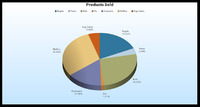
In its simplest form FileMaker Pro allows you to do things like Contact Management, Stock Control, To Do Lists, Invoices and Event Databases. However, some of the new features take it to a whole new level. To kick things off, charting allows you to create visual representations of your data using bar, line, area and pie charts. These look very impressive with 3D effects, excellent shading and a great amount of visual control. Another really useful feature is 'Recurring Import' and this is brilliant. Let me set the scenario… I manage a list of members to a tennis club and I use something like Microsoft Excel to store their information. However, I want to use FileMaker Pro to manage a database that helps me analyse the information. I simply set up a recurring import through the normal import menu. Setting it as recurring is genius, each time I update my member list in Excel the changes are reflected right within the database.
 If you run a small business, you will also be please to know that the package includes an Invoice Starter solution. So you get a really nice looking template (which you can further customise) that pulls in your customer information from your Contact Management database and allows you to quickly and effectively invoice them. Of course getting money in is great, but tracking things accurately with ease is equally important and I found that this application allowed me to get to my data very fast indeed.
It is important that you don't think of this application as simply residing on your own computer, with all that data being available for your eyes only. Web Publishing is a big part of FileMaker Pro. With just a few clicks you can easily and securely publish data onto the web with no additional software required. This data can then be accessed by up to five users at the same time. Imagine the possibilities if you run a retail business with a couple of sites, this sort of thin is invaluable for keeping track of stock.
There are a few different versions of FileMaker to choose from, including their home targeted offering that is called Bento. However, if you need more power hungry features, then Pro is the way to go. This is a very polished piece of software that allows you to do so much more than just store information. It is very dynamic and will soon have you wondering how you managed without it.
Product: FileMaker Pro 11
Supplied by: FileMaker
Price as tested: £219.00
Things Review - Task Management Application for Mac OS X
Need to keep things organised? Then you need to check out Things the Task Management Application for Mac OS X.
Publisher website: Cultured Code
1Password Software Review for Mac OS X
1Password is a password manager (and generator) for Mac OS X. It is a beautifully designed user interface and a joy to use. There are a lot more features than I have covered here, so plenty for you to explore and use to save yourself valuable time. For example, a feature is the ability to fill in credit card information for purchases straight from the browser with 1-click. Creating two or three identities makes quick work of filling various web forms, whether personal, work, or contest-type entries. Well enough of me, check out the video review.
Publisher website: Agile Web Solutions
Bento 3 Review - Database Application for Mac OSX
If you need an easy to use, yet powerful way of organising your data on Mac OSX then you should check out Bento 3. It integrates with some existing Mac applications too. Check out the review.
Supplied by: Filemaker UK

Pixelmator Review
Looking for alternative image editing application for Mac OS X... look no further.
What's in my Dock - Geekanoids - September 2009
Want to know what applications I use most? Check out the video What's in My Dock below.