
Pick up your ZBOX here http://bit.ly/ZBOXGeek
Smarter iKettle 2.0 WiFi Kettle Review
Buy your Smarter iKettle 2.0 here …
UK http://amzn.to/1QgMylM
Supplied by http://smarter.am/
Nerd Block Unboxing Nightmare & Star Wars in a Box
Get your Nerd Block here http://www.nerdblock.com/r/Geeknoids
TP-Link AC750 Archer MR200 Wireless Dual Band 4G LTE Router Review
Buy your TP-Link Archer MR200 here …
UK http://amzn.to/1Ndwy1H
USA http://amzn.to/1Y4vLTP
Supplied by http://uk.tp-link.com/
Cowin Ark 4:1 Bluetooth System Review
Supplied by http://cowinmusic.com/
QDOS OptiGuard Glass iPhone 6s Screen Protector & Topper Case Review
QDOS OptiGuard Glass Screen Protector here …
UK http://amzn.to/1O5rSsp
Supplied by http://www.qdossound.com/
Creative Sound Blaster ROAR 2 Bluetooth Speaker Review
Buy your Creative Sound Blaster ROAR 2 here …
UK http://amzn.to/1OI4fJa
USA http://amzn.to/1O5rNoB
Divoom AuraBox Review
Buy your Divoom AuraBox here …
UK http://amzn.to/1IjGtDR
USA http://amzn.to/1l28rdp
Taotronics TT-SK06 Portable Wireless Bluetooth Speaker Review
Buy your Taotronics TT-SK06 Speaker here
UK http://amzn.to/1MZmd7m
USA http://amzn.to/1PnBdSc
Apple iPad Pro Smart Keyboard & Silicone Case Review
Check out these iPad Pro Keyboards …
UK http://amzn.to/1X4UE6s
USA http://amzn.to/1OYwmGV
Apple Pencil Review - Would Steve Jobs Approve ?
Buy your Apple Pencil here …
UK http://amzn.to/1I5yGEr
USA http://amzn.to/1PFDgkv
Google Nexus 6P by Huawei Review
Buy your Nexus 6P & Accessories here …
UK http://amzn.to/1LqV4rZ
USA http://amzn.to/1MZk4Yq
Samsung U32E850R 32 inch 4K UHD Monitor Review
Buy your Samsung U32E850R here …
UK http://amzn.to/1OdDdJs
USA http://amzn.to/1HVZNSb

Kodak SP360 4K - Delivers Higher Resolution Interactive Videos
I love producing videos !!! Having done so on the Geekanoids Channel for almost ten years, it is amazing how far technology has evolved. In the past couple of years we have seen a few 360 degree cameras come onto the market. The Ricoh Theta springs to mind, but their first product launch gave us a mediocre camera. They now have the Theta S that tops out at 1080P HD, so Kodak really have stepped up the game and given us 4K Resolution in there PixPro SP360 4K Action Camera.
I have had the pleasure of testing this camera over the past week and I must say that overall I am very impressed. However, there are a few issues which I will discuss within this review.
Let's start by taking a look at the package and the hardware. There are a few choices on the Kodak website and the version I am testing here is the Extreme Pack which includes an impressive amount of accessories and one PixPro SP360 4K action camera. The reason I mention 'one camera' is that there is a twin pack available (more on that later).
The Extreme Pack includes the following accessories;
Standard Housing (B), Bar Mount (A), Curved Adhesive Mount (A), Flat Adhesive Mount (A), Vented Helmet Strap (A&B), Head Strap Mount, Surfboard Adhesive Mount (A), Suction Cup Mount (A), Waterproof Housing (A), Protective Cover (A), QuickClip, Accessories Tool, 4 x Anti-Fog Inserts, 4 x Double Sided Adhesive, Tether.
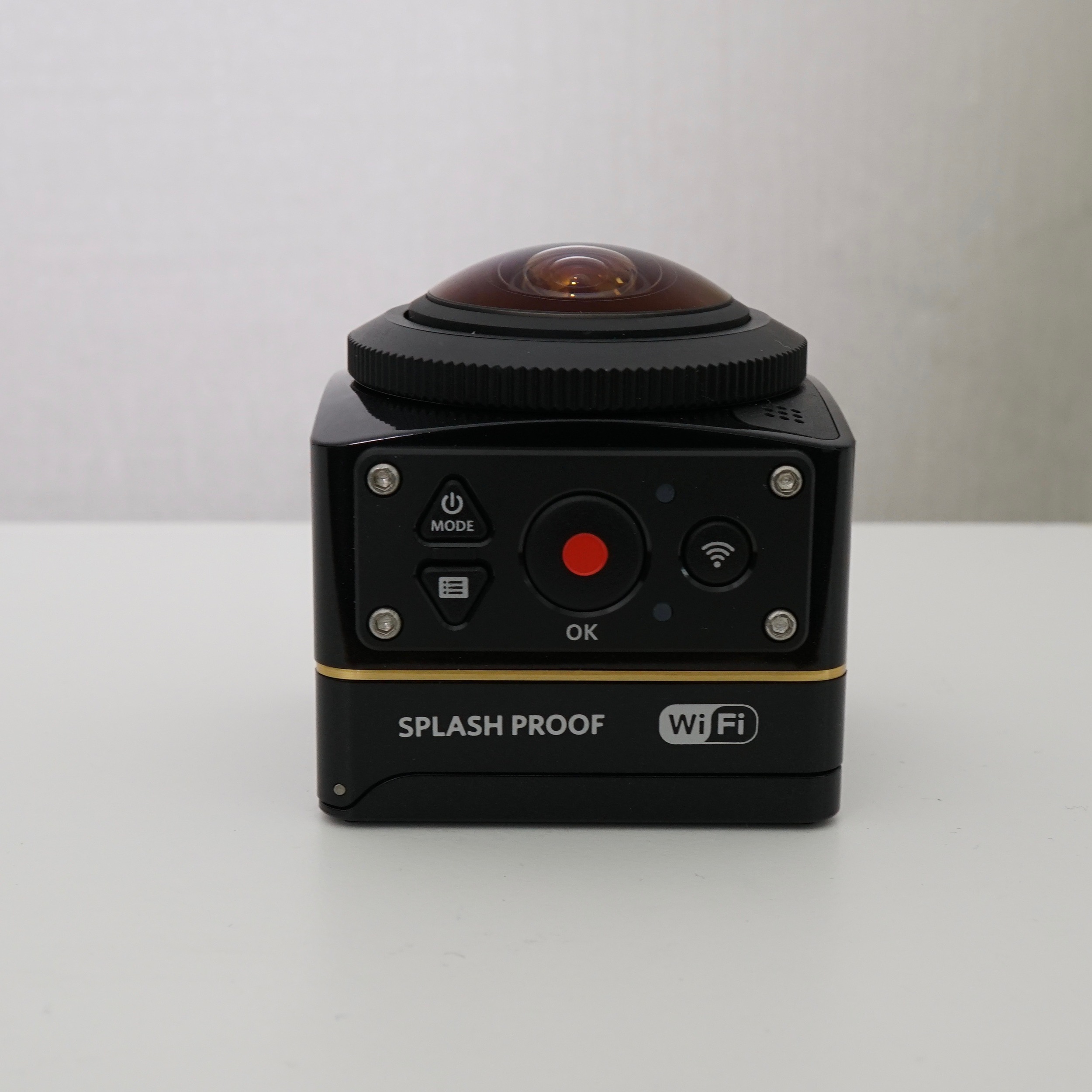


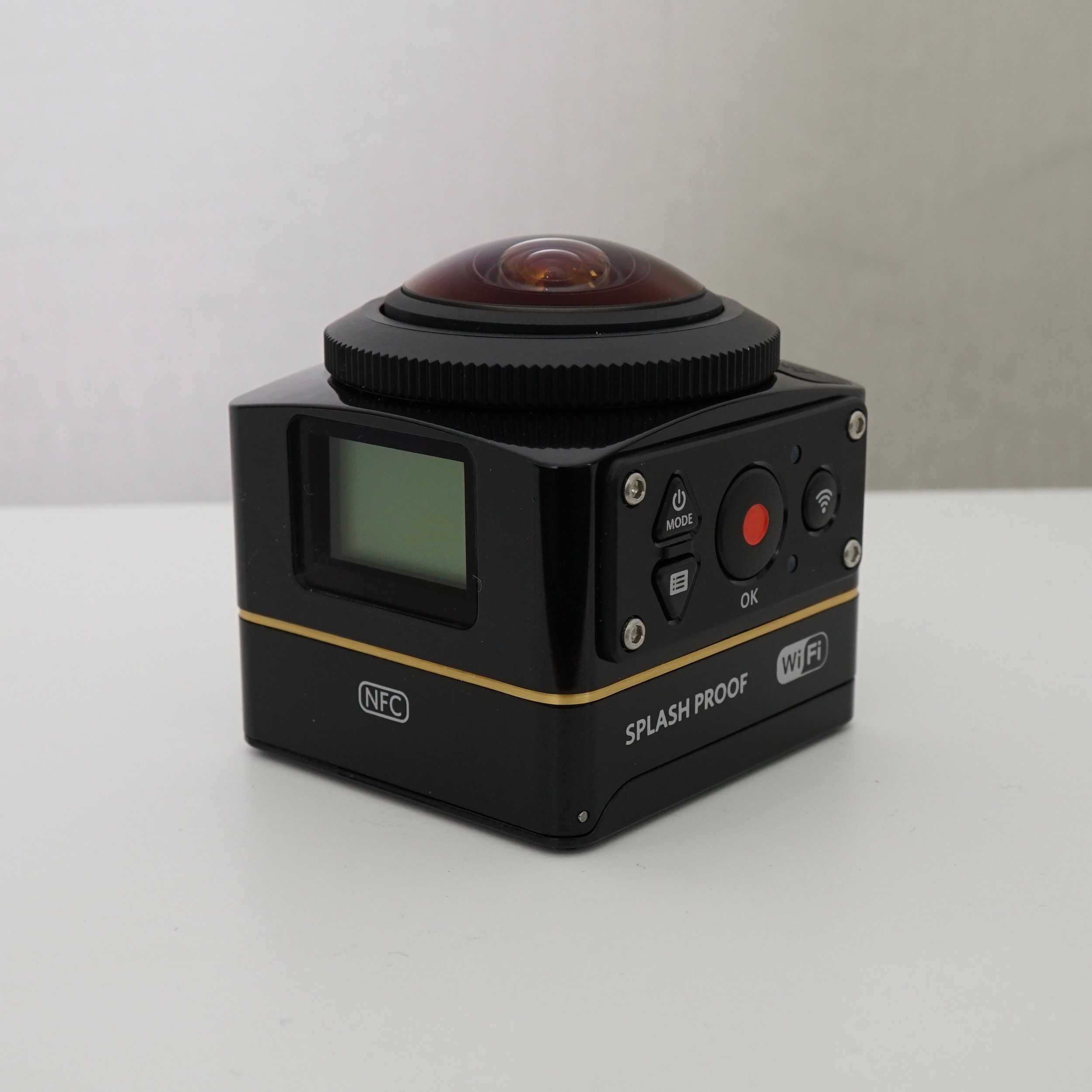
The action camera itself is very nicely made, with a cute cuboid form and a little dome shaped lens on the top or side, depending on your camera orientation. It is splash proof and has neat little covers over the MicroSD Card slot and mini ports. There is no colour screen on the SP3604K, instead you get a monochrome display to navigate the menu and change settings. Of course with WiFi and NFC you can easily connect this to your smartphone and change settings there, as well as frame up your video with ease. Even without using the smartphone app, it is super easy to control, with menu & mode buttons alongside a nice big red record button.
The build quality overall is very good, however, the back door where you put the battery in is quite hard to open. Also, even though everything is solid with no squeaks or rattles, it is made of a plastic that does not scream "ACTION CAMERA". Having only used this for a short time, I cannot say how it will hold up to knocks, but I am sure it'll be fine. You can always use it in the protective cover if you are into the action/adventure scene.

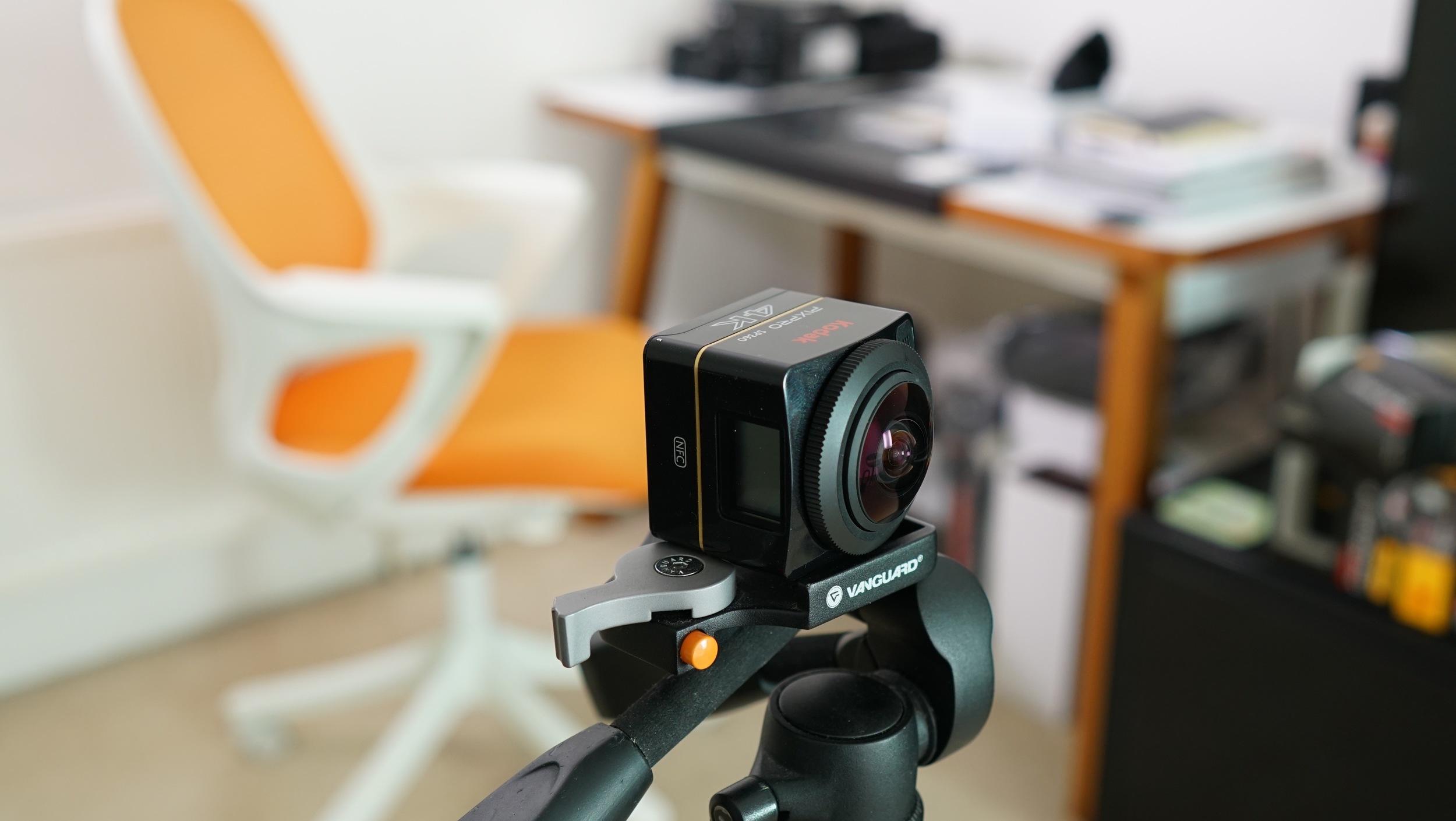
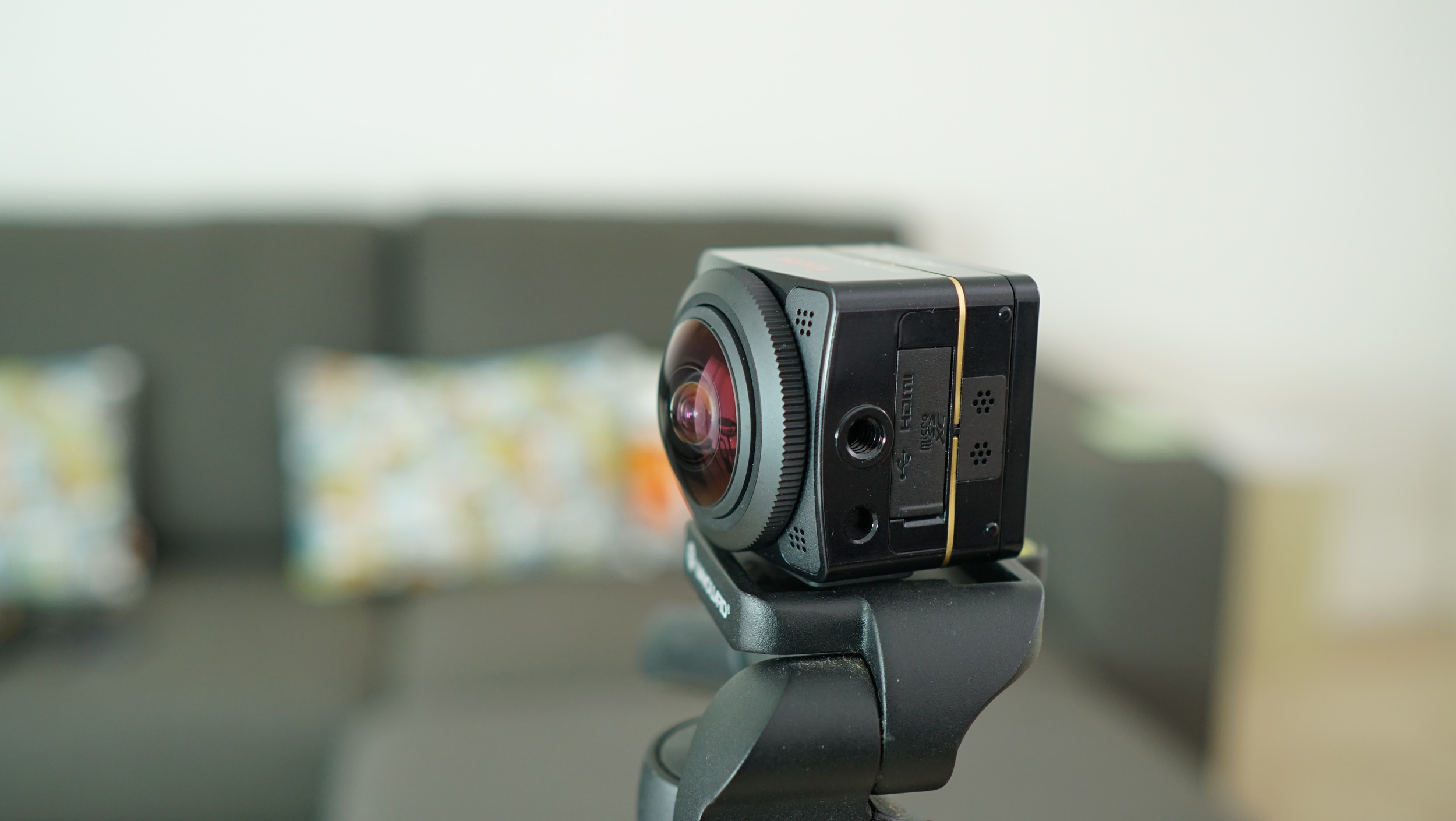

Recording is pretty straightforward. I tried recording with the dome in both orientations (pointing upwards and sideways) and the best result from the sideways orientation is shown below. You can use the arrows to scroll in a compatible browser, or swipe with your finger on a touch screen, or even just move your smartphone around to view the scene. Now I want to bring your attention back to the 'twin pack" of cameras that is available. As you can see, in sideways orientation we only really get 180 degree of view, so you need two cameras for the ultimate setup. The Ricoh Theta S, albeit delivering a lower resolution, has a camera on both sides and does a pretty good job of joining the photo/video together.
Once you have your video you can either edit in Kodak's software (which is not very user friendly) or simply process it through Google's own YouTube 360 Metadata application and it makes the necessary changes for your video to be converted when you upload to your YouTube channel. In fact I could not get the Kodak SP360 software to work, so this is just processed through the YouTube Metadata app. As such it looks a bit stretched.
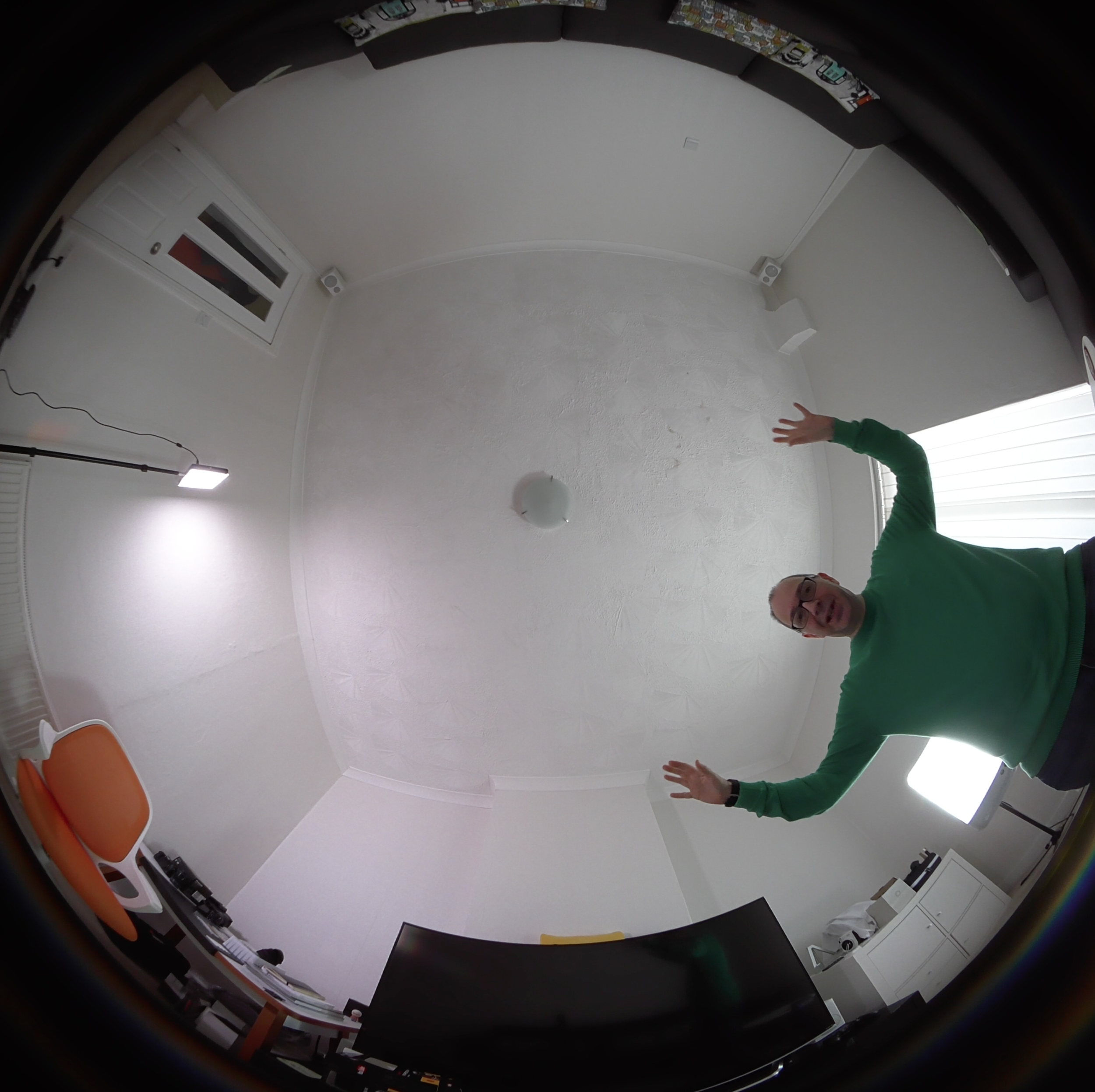
With the lens pointing upward (as shown below) the video result was not really worth showing you. I think this is partly the fault of the technology, but also the fact that YouTube zooms into the footage and the quality really decreases.

With the lens pointing upwards results were not that great.
With all that said, I do think this is an action camera with big potential. As online services improve, we will see the quality improve too. What the Kodak SP360 4K really offers is an innovative package that allows you to really explore your creativity. Exciting times are ahead for sharing 360 degree immersive video.

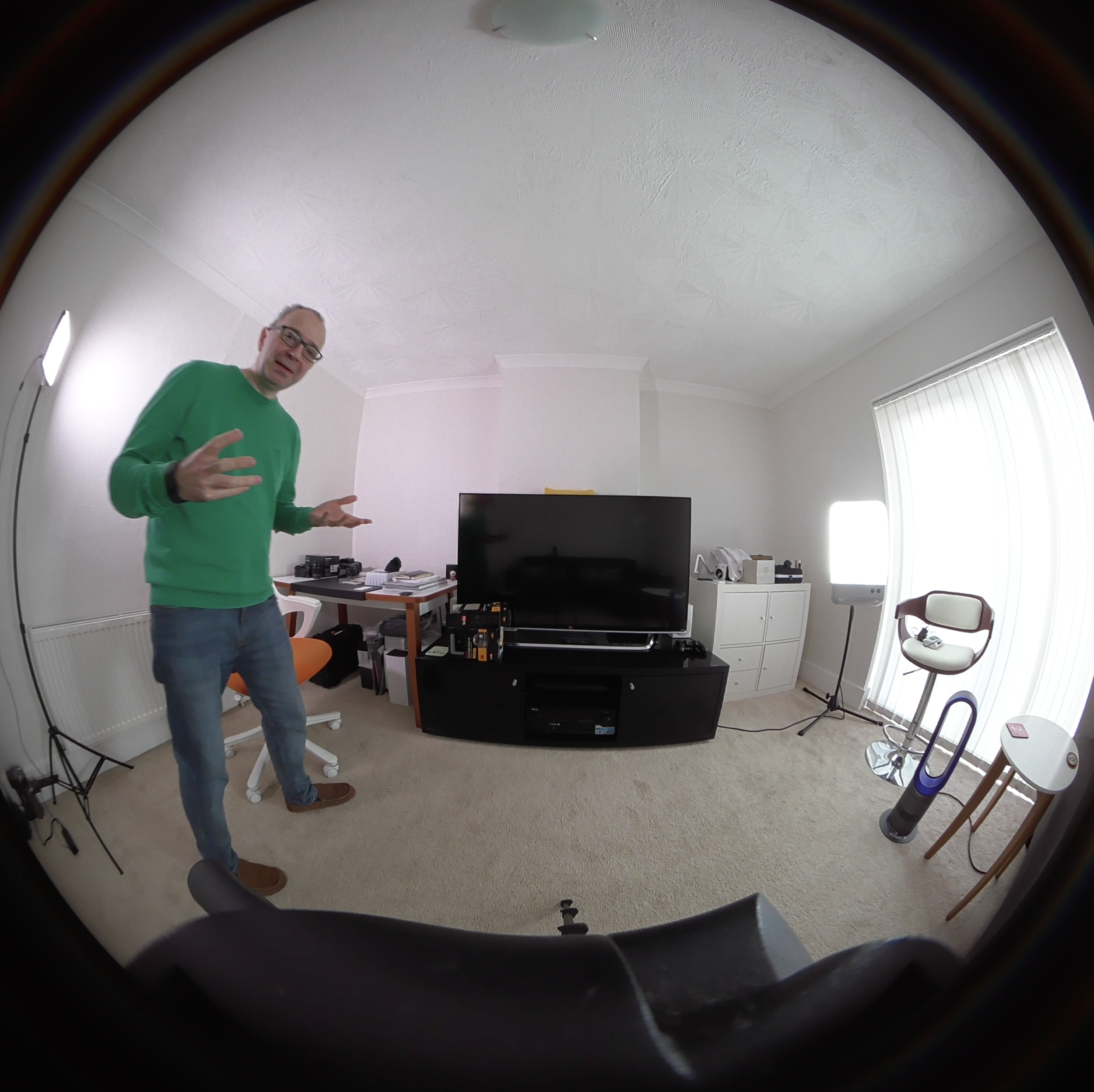
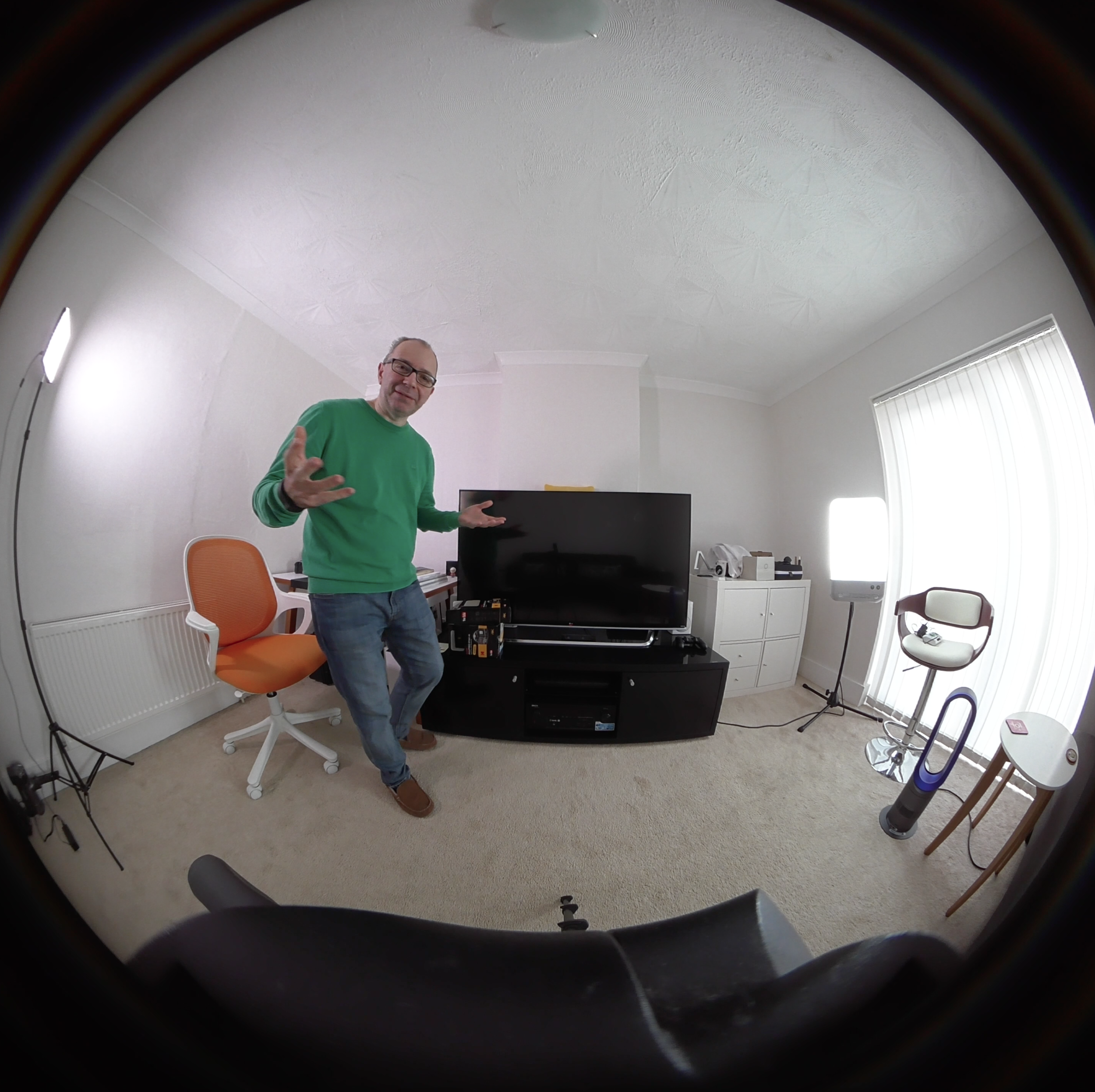
Supplied by Kodak
MEE Audio M7P Sports In-Ear Earphones Review & Giveaway
Today we are very please to team up with MEE Audio and GadgetsBoy to give away two pairs of awesome M7P Sports In-Ear Earphones.
Check out the video below for the review.
Enter the Giveaway here or use the entry methods below.
Check out the Luxury Lifestyle channel …
http://bit.ly/Luxury_Lifestyle
Please use our Amazon links ... it doesn't cost you a penny extra & helps support Geekanoids -
UK http://bit.ly/GeekUK • USA http://bit.ly/GeekUSA
Canada http://bit.ly/GeekCa • France http://bit.ly/GeekFR
Germany http://bit.ly/GeekDE • Spain http://bit.ly/GeekES
Italy http://bit.ly/GeekITA
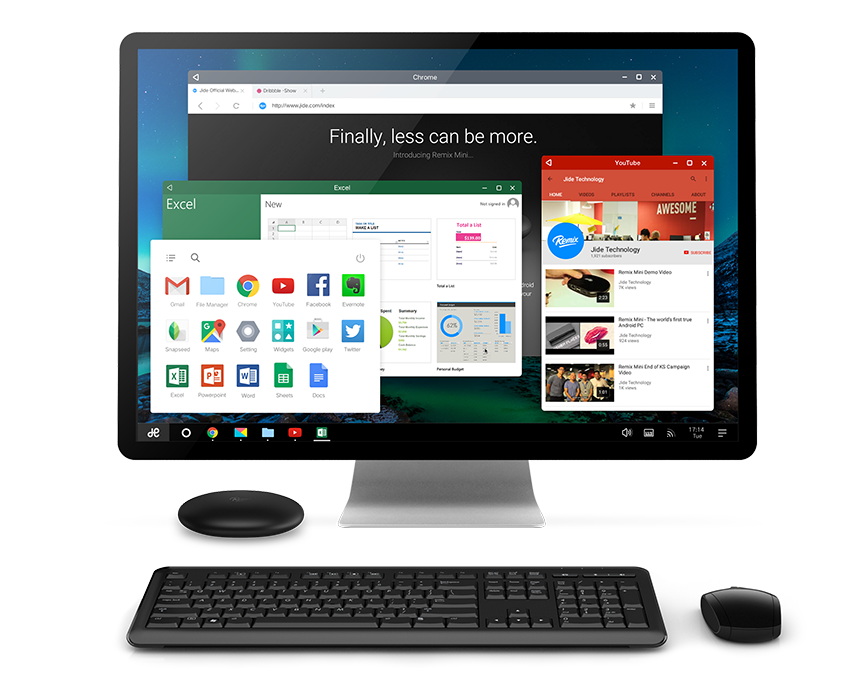
Image Credit: Jide Technology Co Ltd.
Remix Mini Review
Lets face it whether you like it or not these days Android is pretty much everywhere, its in your smartphone, tablet, watch and even in your car and with it you can control your home heating & pay for your take-away, but Android in your home computer? The humble home desktop PC has always been the domain of Windows the behemoth from Microsoft with a smattering of those using OS X computers and various Linux distributions. But now there is a new upstart joining the fray in the form of Jide Tech a small start-up based in China with a record breaking Kickstarter campaign that created the Remix Mini, a (very) small form factor desktop PC which runs the latest iteration of RemixOS an operating system bringing Android to the desktop. Jide Tech claims that the Remix Mini is ‘the worlds first true Android PC’. Lets see if those claims are justified.

Tech Specs & Benchmarks
Firstly lets look at what is under the hood, according to the Jide Tech website the Remix Mini is powered by a 1.2 Ghz Quad Core Cortex A53 processor with 2GB RAM, has a 1080p HDMI output with support for H.265 4K hardware decoding and multichannel audio, along with 2 USB 2.0 ports, a Micro SD card slot, an ethernet port & a 3.5mm headphone audio out socket. As for wireless connectivity we have Wi-Fi 802.11 b/g/n along with Bluetooth 4.0.
As with any review before we talk about what the Remix Mini is like to use lets look at some performance benchmark tests. Each test was run directly after a cold boot to ensure that the computer had the minimum of software running to maximise its performance
Benchmark Scores
Antutu 20830
GeekBench 3 Single Core - 430, Multi Core - 1084
Quadrant Standard 6078
Looking at these results we can see that the Remix Mini isn’t setting the world on fire, in fact I found these results quite disappointing even for a low cost device that runs a mobile operating system, I expected somehow that the Remix Mini would perform better than it did, I ran the same tests on a 2014 Moto G and the scores were very similar which helps put the results into perspective but benchmarking scores only tell one side of the story as we will discuss a little later. One thing that the benchmarking tests revealed (that Jide Tech kept quiet) was that the Remix Mini’s GPU is a rather ancient Mali-400 MP2, this chip has been around since 2008 and can only be described as entry level. Compared to most ‘normal’ PC’s this computer is very under powered yet as we move on to the next part of the review it seems to have just enough horsepower to get the job done.
User Experience
Lets get down to the nitty gritty of what the Remix Mini is like to use. The Remix 2.0 operating system (which is built on Android 5.1 Lollipop) is lets say ‘inspired by’ elements of both Windows and OS X along side the usual features of Android, the parts of Android that make Android good, there is a Windows style start button which opens an Android style app tray along with a task bar that Windows users would be very familiar with. One addition to the task bar is the notification icon which opens the notifications area in a very OS X like manner and the File Manager again looks and feels like the Finder application in OS X. Another area that is ‘inspired by’ OS X is the settings app. This means that the OS is not only familiar to new users but is also very easy to use and users will be up and running in no time. Remix OS is more than a simple overlay such as Samsung’s Touchwiz or a custom Android Launcher such as Nova or Solo, Jide Tech have got right in there and designed a very attractive operating system that would feel at home on a computer ten times the cost of the Remix Mini. Add that to the fact that there are thousand upon thousand of apps available as it has the Google Play Store pre installed. This makes this PC suddenly very attractive to someone who lives in the Android eco-system.

Jide Tech promote the Remix Mini as a productivity PC and with using apps such as the included Google Doc’s suite or Microsoft’s offerings (Word, Excel & PowerPoint which are free from the Play Store) for day to day office type documents the Mini performs very well. As the apps run in a windowed format rather than full screen as they would on a tablet or smartphone this makes multitasking a breeze and switching between apps and having the ability to move apps around and see data from different apps at the same time is a breath of fresh air on the Android platform. When using the Mini for productivity you could forget that this computer is running Android.
Surfing the web on the Remix Mini wasn't the best surfing experience I've ever had, performance was on par with that on a low to mid range tablet device and that wasn't very surprising, after all I was using web browsers (Chrome & Dolphin Browser) that were designed for a tablet device. Using Social Media apps however was a better experience, all the twitter clients I used worked well (except Twicca which lost its Menu icon) and Facebook worked faultlessly.
Playing media on the the Remix Mini was a generally positive experience, I tested a range of UK streaming services such as BBC’s iPlayer, both of Sky TV's offerings (SkyGo & NowTV) along with Netflix and YouTube. All of these performed reasonably well and despite all of the apps being designed for a touch screen interface I was able to navigate and watch programmes without too many issues. There were a few niggles here and there but that was more often due to the poor design of the apps rather than the Remix Mini not performing. Jide Tech claim the Remix Mini can play 4K video which given the specifications I started to doubt it could but I’m glad to say my fears were unwarranted. I was able to play a 4K MP4 file without a single glitch or stutter. Using the Remix Mini as a living room media computer the experience was somewhat different experience. Hooking the Mini up to my 32” TV was simple enough but in order to read any text to navigate around the in-app menus I had to drop the screen resolution from 1080p to 720p as there is no way to upscale the size of the text within the apps which was way too small to read whilst sitting back on the sofa.
When it comes to running games this is where the Remix really starts to show its limitations, playing casual games such as Candy Crush Saga, Angry Birds or Badlands the Remix Mini copes reasonably well but give it something more graphically challenging this is where it struggles, I tried playing Real Racing 3 & Despicable Me Minion Rush and the frame rates plummeted to the unplayable! One real positive however was that you can use a hand held gaming controller (the Remix Mini recognised my AfterGlow Xbox 360 / PC USB controller) in place of on screen controls which made playing games that did run much easier
Conclusions
So has the Remix Mini from Jide Tech lived up to the billing of ‘the worlds first true Android PC’? Yes I would have to say it has, It will do most of the things a low end budget PC will do, it will run productivity apps, you can stream films, watch 4K videos, play music and you can even play games as long as you're happy playing titles that aren't requiring a higher end GPU. The only thing it can't do (that a normal PC can do) out of the box is join a local network and browse shared drives.
However my testing time hasn't been smooth sailing, in the 2 weeks of testing I have had quite a few system freezes and when the system was pushed hard did get a bit slow however the same could be said of any low end Windows PC. The Remix 2.0 operating system despite doing a fairly good job felt like it isn't quite ready, not quite complete, it felt like a mid Beta release and couple that with the low spec hardware then the Remix Mini seems like a bad proposition, but then remember the price, it only costs $69 (£45.66 + taxes) then suddenly I can forgive the Mini for all its flaws. Jide Tech have promised there will be software updates so I would imagine the OS will improve. One frustration you will have to endure is that all the apps available in the Google Play Store are designed for touchscreens rather than mouse & keyboard input, this means it can be a bit hit and miss as to how well the apps will work within the desktop environment. Another is that when you unplug the Remix Mini from the mains power the clock defaults back to its original programmed time as there is no CMOS battery to keep the clock running which caused my router to reject the computer from accessing the internet.
I really wish that Jide Tech would consider making a much higher specified version with hardware comparable to that used in flagship tablets then we will see what Remix OS can really do. I do see this computer as a bit of a concept computer, much in the way a car manufacturer will make a concept car. The concept of using Android to run a desktop PC has been proven and it can do it quite well. Maybe in the future Android can be the one operating system for all devices that (despite the rhetoric from Microsoft) Windows so far has failed to do. Could Remix OS be a prophecy of what Google means when they said they are converging Android & Chrome? Only time will tell.
Retail Price (at time of review) $69
Check out the product page here.
Reviewed by John White - Twitter
Charge your Smartphone & Tech Safely
After a rather scary experience with my iPhone 6 charging cable, I really wanted to investigate how I could charge my smartphone in a safer way. In the video below I take a look at various USB-to-Lightning cables, including a rather impressive one from TYLT. To take things one step further, I wanted to take the guesswork out of over-charging, so got hold of a Belkin WeMo Insight switch. Check out the video and let me know what extra precautions you take when charging your technology.
Samsung Galaxy S6 Edge Photos
The Samsung Galaxy S6 Edge arrived at Geekanoids HQ this morning. Initial impressions are very good indeed, a svelte, well made smartphone with a gorgeous screen. There certainly are some nice features and amongst those is a rather impressive camera.
Check out my World's Fastest S6 Edge Unboxing below and a selection of photos captured so far. Any comments are always welcome.





Fone Salesman iQi Mobile Chargers
Adding wireless charging functionality to the likes of the iPhone 6 and iPhone 6 Plus normally involves added a bulky case. With this solution from Fone Salesman, you get a super thin charging card and connector, which can be paired with a choice of Qi wireless chargers. Check out the video below to see how it all works.

CalDigit T4 Quad Bay RAID Storage
Storing files is pretty easy nowadays, but doing this on a high performance drive is essential if you plan to edit video, especially at 4K resolutions.
I was given the opportunity of reviewing the CalDigit T4, a very high quality four bay RAID storage device. Available in a variety of capacities, in the video below I show you the performance and talk about the features of this 4K workflow solution.
Supplied by CalDigit
