
Windows 8.1 Preview: What you need to know

Those of you eager to check out the new Windows 8.1 Preview have a few choices as to how and where to install it. Let's cut right to the chase and review the different options.

Update Windows 8
If you're already running Windows 8, you can simply update it to Windows 8.1 via the Windows Store, as CNET's Jason Cipriani explained earlier this week.

One word of warning before you proceed, however. The Windows 8.1 preview is essentially a beta of the new OS and is by no means a finished or polished version. Therefore, you shouldn't update to Windows 8.1 on your main or only PC. Instead, reserve the update for a spare or non-essential device outfitted with Windows 8.

Your first step in Windows 8 is to browse to Microsoft's Windows 8.1 preview page. Click on the Get it now button. At the Download Windows 8.1 Preview page, click on the Get the update button. You're prompted to open or save an msu file. You can open it directly or download it and then double-click on it to install it. You're then asked to install an update for Windows. Click Yes. After the installation completes, you're prompted to restart your PC.

Windows restarts to install the new update. Log back into Windows 8 at the lock screen. You should see a message inviting you to get Windows 8.1 Preview for free. Click on the link to Go to the Store where you can download the update...

Read the full story here. Source: CNET
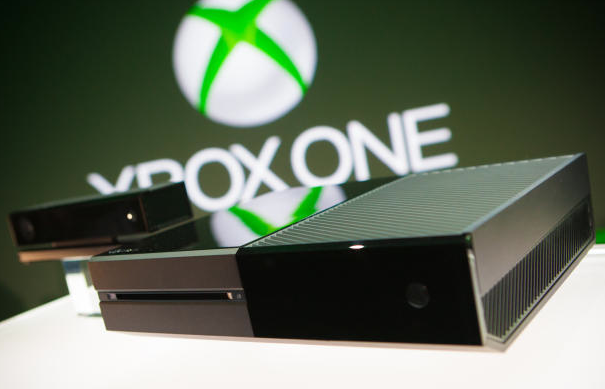
 

Microsoft talks Xbox One naming, privacy and more (Q&A)

REDMOND, Wash. -- Microsoft's got a new Xbox on the way, and according to the company, it's the foundation for the next 10 to 20 years of home gaming and entertainment.

The console, which has not yet been given a price, release date, or live game demos was shown off here on Tuesday and left just about as many questions as it did answers about where Microsoft is taking one of its most popular products.

CNET sat down with Jeff Henshaw, the group program manager for Xbox Incubation, to try to get some of those answers. That includes whether the company thinks naming a console "One" when it's technically the third-generation is confusing (spoiler: Microsoft thinks it won't be), whether the company will keep its much-disliked Microsoft Points currency around, and whether there will be hardened privacy for a system that depends on a camera designed to watch your every move...

Read the full story here. Source: CNET
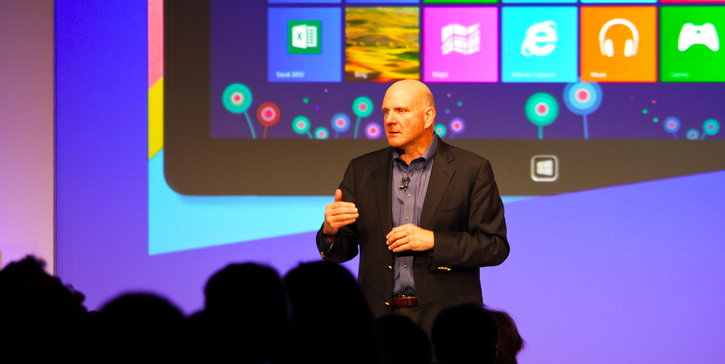
Windows 8.1 update official and dated, Microsoft no longer Blue

As expected, Microsoft has ditched the "Blue" codename for its forthcoming free Windows 8 update. Windows 8.1 will be available "later in the calendar year", but a preview version will be opened up for public download on 26 June.

Revealed during JP Morgan's Technology, Media & Telecom Conference in the US, Windows 8.1 will address many of the issues users of Windows 8 have put forward since its launch last year. Its release confirmation was discussed by Microsoft's chief financial operator Tami Reller, who previously spoke about the update on a Microsoft blog posting.

She revealed some of the features of Windows 8.1. "It will deliver the latest new innovations across an increasingly broad array of form factors of all sizes, display, battery life and performance, while creating new opportunities for our ecosystem. It will provide more options for businesses, and give consumers more options for work and play," she said.

"The Windows Blue update is also an opportunity for us to respond to the customer feedback that we’ve been closely listening to since the launch of Windows 8 and Windows RT. From a company-wide perspective, Windows Blue is part of a broader effort to advance our devices and services for Microsoft."

Reller also dropped the hint that the Windows 8.1 update will allow for smaller devices, as Microsoft has long been rumoured to consider 7- and 9-inch tablets.

As reported on Engadget, she said that Windows 8 was great for everything from the "smallest tablets" to desktops.

Source: Pocket-Lint 

Microsoft announces Office 2013 and 365 pricing, nudges users towards annual subscriptions

While we still don't know exactly when Microsoft will unleash Office 2013 and Office 365 upon the world, we do know how much they'll cost. While standalone versions, licensed for use on a single computer, will still be available, the new strategy makes it more affordable for many homes and business to opt for a subscription package instead. Office Home and Student 2013 (with Word, Excel, PowerPoint and OneNote) will cost $139, while Home and Business adds Outlook for $219, and the top of the line Professional package includes all of those along with Access and Publisher for $399. Compare those to the two Office 365 packages, which promise customizations that follow their users around, expanded cloud storage, access to all of the apps and automatically receive any future updates that come out for them.

[Source: Engadget- Read more there]