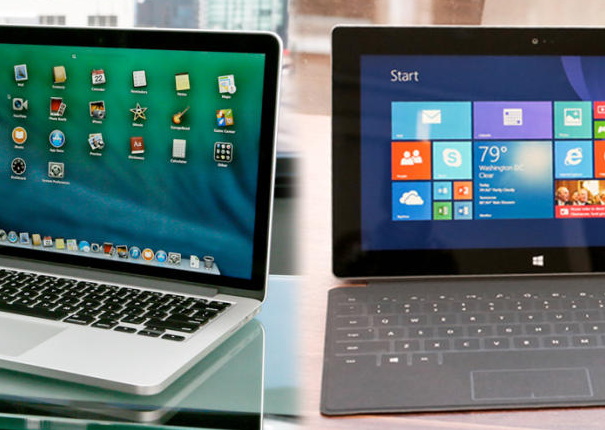
OS wars 2013: How the latest Mac and Windows upgrades compare

Last year when Mountain Lion and Windows 8 were released, I wrote a piece comparing the Mac and Windows operating systems, and concluded that Apple took the better path by keeping its tablet and desktop operating systems separate. With Windows 8 Microsoft gave its operating system a complete makeover, asking that people change the way they use their computers. Now that the two operating systems have updated with Mac OS X Mavericks and Windows 8.1, I thought I should take another look at both to see if the update did anything to change my mind...

Read the full story here... Source: CNET

Virus Protection on Windows

It is a well known fact that viruses are more common on the Windows platform. This is purely because of the larger user-base. There are many steps you can take to protect your computers & devices from these threats. In the video below, not only do I share some advice, but also some interesting real-world examples.


I am the 'Geek Ambassador' for Hotspot Shield ...
Get behind the Shield here.


Windows 8.1: Signs point to October

Microsoft is closing in on its publicly stated target of the end of August for releasing to manufacturing Windows 8.1.

But many of those waiting for the new release are less interested in the RTM date than the date when they'll be able to grab the final bits. And Microsoft officials still have said nothing about when that will be...

Read the full story here... Source: CNET

Virus Protection on your Mac - Do you need it ?

For many many years I have used an Apple Mac, my platform of choice. This is not for any reason other than it seems to disappear into the background and allow me to get my work done. Having used Windows based computers for many years and having worked as an IBM Engineer, my feelings were somewhat tainted with ongoing support issues for many co-workers experiencing downtime due to viruses. This is not to say that things have not improved a great deal for Windows users, with many solutions out there.

Back on track now… I want to cover the subject of Mac OS X users and if we are now under threat like our Windows friends and users? Well, to a certain degree yes we are. As the Mac platform has grown in popularity there are definitely virus & malware threats out there. In addition to this, there are also concerns about people snooping on our data and phishing for personal information. For virus protection, we have limited choice on the Mac and I personally am still not convinced we need to load up our Macs with virus software. There is another solution out there though, that can certainly protect us from a lot of online threats and that is a VPN. In the video below I discuss my thoughts further on this subject and invite you to share in the comments any Mac virus experiences you have had.

You can check out HotspotShield here … a great VPN option.

Evernote starts testing Evernote 5 for Windows desktop

Evernote has released its Evernote 5 beta for Windows, allowing users to try out the productivity desktop app and its slew of new features.

The app has been redesigned with features similar to the Evernote 5 for Mac app released in November. New features include shortcuts, dedicated buttons, expanding lists, and a redesign of the note list and note editor. Users will also be able to view notes as cards and edit the metadata on notes. Premium customers get an additional feature: related notes. With this feature, Evernote will automatically pull up notes that may be related to notes you're currently editing or viewing.

Andrew Sinkov, Evernote's VP of Marketing, warns that the app may be glitchy because it's in beta, or testing, mode.

"Evernote 5 is currently in beta," he wrote in a blog post. "In fact, this is the first of several betas that we'll be releasing. Before installing it, please be sure that you're comfortable using early software. While unlikely, you may experience various issues and possibly even data loss. Also, certain features, like Reminders, are yet to be implemented."

Source: CNET

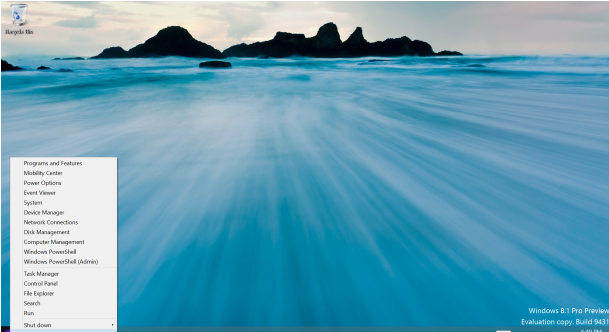
Windows 8.1 Preview: What you need to know

Those of you eager to check out the new Windows 8.1 Preview have a few choices as to how and where to install it. Let's cut right to the chase and review the different options.

Update Windows 8
If you're already running Windows 8, you can simply update it to Windows 8.1 via the Windows Store, as CNET's Jason Cipriani explained earlier this week.

One word of warning before you proceed, however. The Windows 8.1 preview is essentially a beta of the new OS and is by no means a finished or polished version. Therefore, you shouldn't update to Windows 8.1 on your main or only PC. Instead, reserve the update for a spare or non-essential device outfitted with Windows 8.

Your first step in Windows 8 is to browse to Microsoft's Windows 8.1 preview page. Click on the Get it now button. At the Download Windows 8.1 Preview page, click on the Get the update button. You're prompted to open or save an msu file. You can open it directly or download it and then double-click on it to install it. You're then asked to install an update for Windows. Click Yes. After the installation completes, you're prompted to restart your PC.

Windows restarts to install the new update. Log back into Windows 8 at the lock screen. You should see a message inviting you to get Windows 8.1 Preview for free. Click on the link to Go to the Store where you can download the update...

Read the full story here. Source: CNET


Microsoft Ending Windows XP Support on April 8, 2014

Microsoft is finally closing the book on Windows XP on April 8, 2014 as it closes down support for the aging operating system.

Despite Windows Vista, Windows 7 and Windows 8 having all hit the market, there are stillcomputers out there running around with Windows XP as the operating system. Microsoft has already carried on support for the OS launched in 2002 longer than it normally would due to the popularity of the software, but all good things must come to an end.

Microsoft reminded everyone today that only 365 days of Windows XP support remain, and after that it will be a wild frontier for those who still continue to use the software. April 8, 2014 will mark the end of extended support which means that corporations will no longer be able to pay for support and that there will be no further software patches issued.

Considering we are in the 11th year of Windows XP, you can’t really blame Microsoft for finally shutting this down. It is honoring the support window from the release of SP3, and the 2014 date will mark a 12 years since the initial release.

If you’re still using Windows XP, and plan to do so past the cut off date, remember you will be doing so “at your own risk.”

[Source: TechnoBuffalo]

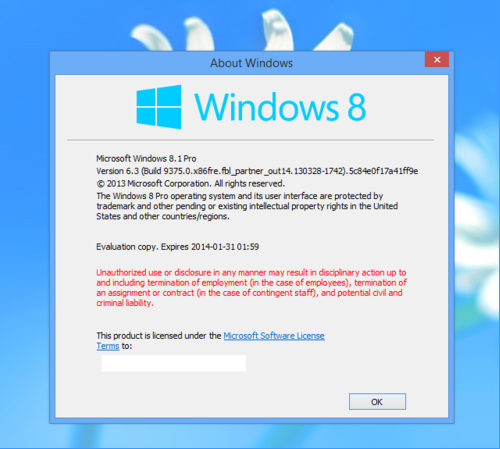
Windows 8.1 is Official Name for Microsoft’s Project Blue


Microsoft recently confirmed that it’s working on new developments for its Windows Phone and Windows 8 platforms under the code name “Project Blue.” The company hasn’t revealed much about what Project Blue will entail, but ZDNET’s Mary Jo Foley has learned from inside sources that the Redmond-based company will ultimately call the release Windows 8.1. A similar update called Windows 8.1 RT is also scheduled for Windows RT.

Foley said Microsoft is currently planning to push the update in August, but that Microsoft will continue to call the operating system “Windows 8″ to avoid confusion among consumers. That’s a similar approach that the company took when it released service pack updates to its earlier operating systems. Foley isn’t aware of any pricing for the cost of the planned upgrades, if there’s any cost to consumers at all.

It’s unclear how Windows Phone will play a part of Project Blue, although we suspect an update for the platform is also in the works.

[Source: TechnoBuffalo]

Windows Blue confirmed as Microsoft hints at yearly updates

Windows Blue, the heavily rumoured update to Windows 8, has been confirmed by Microsoft -- but the software behemoth says the "chances of products being named thusly are slim to none."

In a post on the corporate blog, Frank Shaw, corporate vice president of corporate communications (none more corporate!), wrote, "product leaders across Microsoft are working together on plans to advance our devices and services, a set of plans referred to internally as 'Blue'."

What Microsoft hasn't yet announced -- and what Shaw heavily hints at here -- is that Windows will become a regularly updated service, instead of a major purchase once every three or four years. This would make it more like Mac OS X, which typically costs around £15 to upgrade to the newest version (going from Lion to Mountain Lion currently costs £14).

"Our customers have already experienced the ongoing rhythm of updates and innovations over the past six months, including new devices, new apps and services, better performance and new capabilities," Shaw explains. "This continuous development cycle is the new normal across Microsoft -- we'll tune everyday experiences as well as introduce bold, connected and exciting new scenarios."

Windows upgrades have typically been a big deal. Bouncing up a notch from Windows 7 will set you back £100, or £190 for the Pro version, after an introductory offer of £25 ended in February.

With take-up of Windows 8 so far below expectations, Microsoft may feel the time of the big-box upgrade has gone the way of the box itself. Smart phones have accustomed us to free, instant OS upgrades -- and we're mad as hell when we don't get them -- so paying £100 for new PC software is just archaic.

Windows Blue is expected to bring more subtle and detailed touchscreen control, as hinted at in a recent leaked demo video. It's due out in August, according to sources speaking to our sister site ZDNet.

[Source: CNET]

Microsoft to Enable Flash by Default in IE 10 on Windows, Windows RT Tomorrow

Microsoft announced Monday that it will automatically enable Adobe Flash content inside of its Internet Explorer 10 browsers on Windows RT and Windows 8 machines beginning tomorrow, March 12. The company suggested that there was a compatibility issue before now that prevented it from wanting to leave the option on by default.

“As we have seen through testing over the past several months, the vast majority of sites with Flash content are now compatible with the Windows experience for touch, performance, and battery life,” Microsoft said on its website. “With this update, the curated Compatibility View (CV) list blocks Flash content in the small number of sites that are still incompatible with the Windows experience for touch or that depend on other plug-ins.”

The update should be available to all users running Windows RT and Windows 8 tomorrow.

[Source: TechnoBuffalo]

Microsoft landed with £486m EU fine in browser-choice row

Microsoft has been landed with a staggering €561m (roughly £486m) fine, after European regulators found the software giant hadn't offered PC owners enough of a choice when it came to their browser.

The fine was handed down by the European Commission, as punishment for neglecting an anti-monopoly settlement from 2009, the New York Times reports. In that settlement the company behind Clippy vowed to offer Windows users a choice of which browser they wanted to use, instead of simply defaulting to its own Internet Explorer.

The result was 2010's browser ballot, which you may have spied yourself if you've started up a new Windows PC in the last couple of years. The ballot offered rival operating systems such as Firefox, Google Chrome and Apple's Safari browser.

The order in which rival browsers would appear on the ballot was a subject of heated debate, but eventually Microsoft plumped for the five most popular Web browsers appearing in random order.

Good stuff, but Microsoft seemingly dropped the ball, with a version of Windows 7 (SP1) not offering users the choice. The company reportedly says it has updated both Windows 7 andWindows 8 to include the ballot, but that hasn't stopped anti-monopoly officials sending the firm a monstrous bill.

Microsoft's Internet Explorer browser remains popular, though critics say a huge part of that success is because it's been the default software on Windows PCs for a long time.

[Source: CNET]

Microsoft reverses course, says Office 2013 licenses can now be transferred to new PCs

There were plenty of Office users none too pleased with Microsoft's recent decision to tie Office 2013 retail licenses to the PC they were originally installed on, and it looks like the company has been listening to them. Microsoft announced in a blog post today that it's changing the policy, and will now allow users to transfer the license if they get a new PC or the old one fails. The company says that it will update the actual license agreement included with the software in a future release, but makes it clear that the change is effective immediately. Of course, there are still some limitations. You can't transfer the license more than once every 90 days unless there's a hardware failure, and you still can't have the software on more than one computer at the same time. You can find the full text of the new license at the source link.

[Source: Engadget]