Android 4.2.2 code now pushing to Android Open Source Project

Google open-source guru Jean-Baptiste Queru has announced on the Android Building group that theAndroid 4.2.2 source code will shortly begin pushing to AOSP -- the Android Open-Source Project. The build number is the same as what's now being pushed to Nexus devices -- JDQ39  -- and the tag is android-4.2.2_r1.

In addition, proprietary bits for all supported devices have been published online, and Android 4.2.2 factory images are also available from Google's developer site. Significantly, JBQ points out the Nexus 4 and Nexus 7 (all variants) now have a full set of proprietary binaries available online, bringing full AOSP support to these devices.

[Source: AndroidCentral]

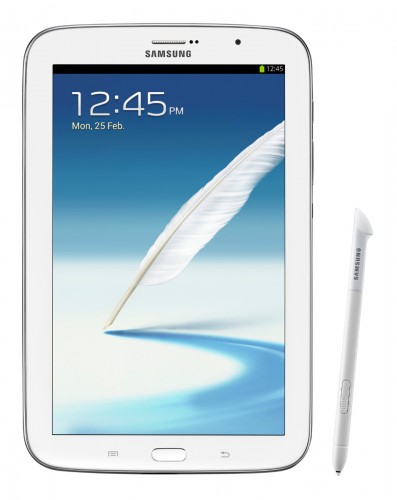
Samsung Galaxy Note 8.0 now official

Samsung has stepped forward and officially announced the Galaxy Note 8.0. We've sen and heard enough leaks and rumors to know that we would be seeing an 8-inch version of the popular Note series, but tonights' news clears up al the speculation and replaces it with information direct from Seoul. 

The Note 8.0 takes everything you love about the Note series, adds some great new features, and packages it all into a solid tablet form factor. The Note 8.0 will still be able to make phone calls in some countries, but the 8-inch screen puts this one squarely into the portable tablet genre. And that's a good thing. Users who didn't want a full-sized 10-inch tablet, but still wanted access to the great S Pen technology now have that option.

We've spent some time with the Note 8.0 on the eve of Mobile World Congress 2013, and have the answers to all your questions covered. The Samsung Galaxy Note 8.0 will be available world wide (Europe, Korea, North America, S.E. Asia, S. W. Africa, the Middle East, China, Taiwan, and Latin America) in Q2. Keep an eye on Android Central for exact dates and pricing. The full press release, press photos, and a Chat-On video featuring the Note 8.0 are after the break.

[Source: AndroidCentral - Read the full story here]

Pinterest update improves group board management

Pinterest has just updated its app offering to improve the experience of managing community boards from your Android device. The new update -- version 1.3.1 -- lets users properly view the contributors to a community board, so you can see who is pinning items with you. The update also lets you accept or reject board invites, as well as leave boards you're already a member of.

You can grab a download or update of the new Pinterest app from the Play Store link at the top of this post. Users looking to grab the update on the Amazon Appstore will see the update appear soon.

[Source: AndroidCentral]

O2 pushing out Xperia T Jelly Bean update

Following Sony's official announcement yesterday, British network O2 has revealed that it's now pushing out the Xperia T Jelly Bean update. As well as bringing the device up to Android 4.1.2, the upgrade brings various Sony software improvements, including new music player, gallery and video apps, and some tweaks to the stock launcher.

It's a quick turnaround for O2, which in the past has spent weeks certifying major Android OS updates for its branded devices. If you've got an O2-branded Xperia T, head to Settings > About > Software Updates to grab the latest OTA.

[Source: AndroidCentral]

4oD Android app finally arrives, streaming limited to Wi-Fi

Channel 4 has finally brought a dedicated 4oD app to Android, a whole 16 months after making its grand debut on iOS.

The app is extremely similar to the iPhone version, and lets you locate and stream programmes from Channel 4's hoard of shows, including but not limited to, The Undateables8 out of 10 CatsHow I Met Your MotherUtopia (above) and Black Mirror.

You also get access to older shows like Black Books or Brass Eye (yes, the list was alphabetical, what of it?), so you should find plenty to keep you entertained.

Like the iOS version however, the app won't let you stream video over 3G, instead limiting you to viewing over a Wi-Fi connection, like the one you probably have at home. Where you probably also have a telly. Hmm.

There's no live TV, or the ability to download shows and watch them offline, both of which are present in the BBC's iPlayer app. Channel 4 has promised that those features will be coming to both iOS and Android in early 2013, so stay tuned for an update.

The app will work on "most Android devices running version 4.0 (Ice Cream Sandwich) and above," Channel 4 says, and is apparently optimised for popular 'droid devices like the Nexus 7,Nexus 4 and Samsung Galaxy S3.

The app gets around the thorny issue of recent Android gadgets having trouble running Flash. If you've got an older Android gadget (as many people do), then your only hope for now is to use the in-browser viewer, which you can find here.

The app has frustrated some early downloaders, with some complaining about only being able to view video over Wi-Fi, glitches spoiling their fun, or an inability to make the app play via a TV. "'Video not available. Please try later' on every single video," one review reads. "'Makes no sense... one star until it works properly," says another.

[Source: CNET]

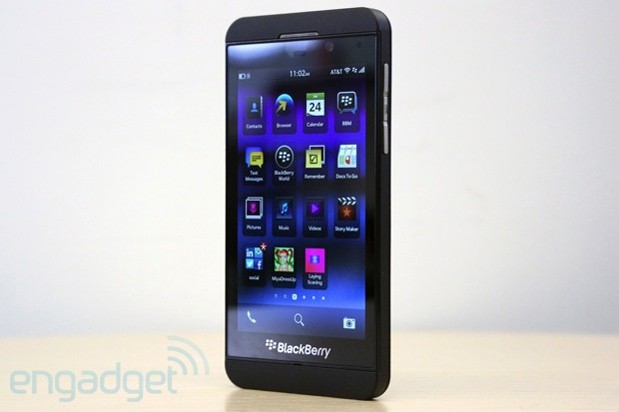
Confirmed: Jelly Bean update planned for BlackBerry 10 Android runtime

It's official: BlackBerry 10's Android runtime layer will be updated to Jelly Bean. Reports of the announcement, which should please users looking to shore up the platform's app selection, surfaced this morning, apparently stemming from the company's developer-focused BB Jam Europe event in Amsterdam. We've since reached out and received confirmation that it is indeed true, although no timetable has yet to be announced. In the meantime, current Z10 owners can continue to sideload Gingerbread-based apps -- which the runtime layer currently supports -- while they wait for those big name, third-party apps to land in the BlackBerry World store.

[Source: Engadget]

Beta version of Tesla Model S app comes to the Play Store

After being iOS-only for some time, Tesla owners can now control their car with an Android app as well. One perk of having an all-electric cardesigned for a consumer electronics-focused market is great integration of systems, and there's no better way to show it off than with an app that controls your car. The Tesla Model S Android app lets you check your remaining range or charge state, control heat or A/C before you get into the car, open/close the roof and unlock/lock the doors from a distance.

The app has just been released and holds a "Beta" tag, citing occasional UI glitches, but we're just happy to see it released publicly. If you're lucky enough to have your hands (and a good chunk of your bank account) on a Tesla Model S, you'll want to head to the Play Store and grab this app right away.

[Source: AndroidCentral]

Skype update adds portrait calling on tablets, rest of the app locked in landscape

The latest update to Skype improved the UI and added a much asked for feature in portrait calling, but unfortunately the rest of the app is locked in landscape. The portrait calling seemed like a no-brainer fix, especially considering many smaller tablets -- like the Nexus 7 -- have camera setups meant for portrait orientation. The unfortunate bug (or at least we hope it's a bug) is that for now the rest of the UI is locked into landscape orientation. This means that browsing your contacts and initiating calls is all in landscape, then you have to rotate the tablet to hold the call.

Overall the new UI is great and pretty well mirrors the styling of the phone UI, but the perpetual landscape really puts a damper on things. Let's hope Skype pushes out a new update to add back in the portrait support, and in the meantime we can at least enjoy portrait video calls.

[Source: AndroidCentral]

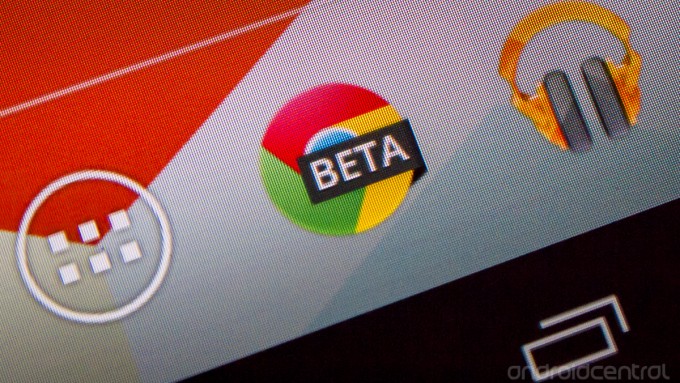
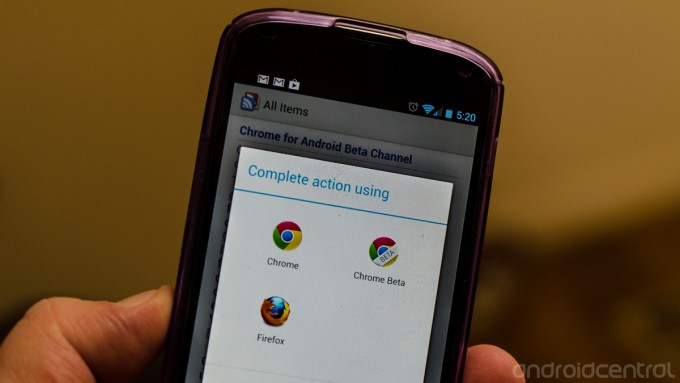
Chrome Beta update fixes issues, has a new icon

Since a proper Chrome Beta channel app came into the Play Store, we knew we'd be in for some frequent updates. Alongside a new icon that has a black/white "BETA" tag on it, rather than the angled grey/white one before, this update brings many small fixes:

  • 165783 - Enable compositing scrollable frames on Android
  • 168368 - Chrome progress bar should be displayed as soon as the user clicks a link
  • 165244 - Text handler jumps or disappears when moving
  • 162486 - iframe scrolling broken

There are still some glaring bugs, as is the case with Beta releases, such as yahoo.com page links not working and some intense graphical glitches on certain devices. This is all part of the fun though, and we know what we're getting into when moving to the Beta channel of a browser.

[Source: AndroidCentral]

Instapaper updated with pagination, tilt scrolling, and more

Instapaper for Android has been updated to version 1.2, bringing bug fixes, performance enhancements, and a couple new features. We're not sure which bugs and performance issues were addressed, but we do know which features were added.

Pagination allows you to scroll an entire page versus line by line. If you're used to this type of scrolling, it's quite nice in any app that's built for reading. It's now available in the settings menu for those who want to give it a shot. In addition, you can enable tilt scrolling, which is just what it sounds like -- tilt your device to scroll the page. If you're the type who likes gestures and such, this one is for you.

On the visual side, Instapaper now supports in-line footnotes, and a new sepia mode that should prove easy on your tired eyes, 

Probably the biggest new feature is actually called The Feature -- a section of curated, editor recommended articles. While not for everyone, often times it's nice to have a place where quality content is the norm. 

Grab the update from Google Play, or install Instapaper ($2.99; Android 2.3.3 or higher) from the link above.

[Source: Android Central]

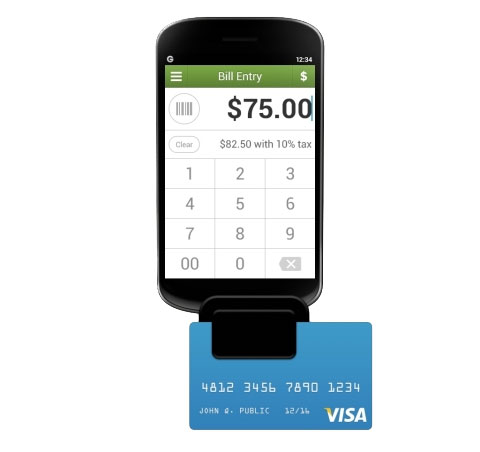
Groupon Payments comes to Android, starts catching up to Square

Use Groupon Payments for your business? You just got a little more choice -- the popular deal broker just updated its Android app to support credit card transactions. The update brings the fledgling payment service a little closer to Square, which has been available on Android since 2010. If the iOS rates hold, swiping plastic through Groupon Merchants will set retailers back a mere $0.15 per transaction, plus 1.8 percent of the charge for Visa, MasterCard and Discover, or three percent for American Express. The update also boasts improved analytics, giving retailers the ability to check transaction history, daily sales reports and peek at revenue trends.

[Source: Engadget]

Chrome Beta channel now available for Android

Good news everyone! The Chrome Beta channel for Android kicks off today with version 25.0.1364.8. Like the Beta channel for the computer, it's a preview of features and fixes that has already passed the development channel and is running through the final testing before it makes its way into the final version. That means it's a great way to try out things that may be broken, but still allow the software to work as a whole. Today's release comes with the following bugs:

  • Performance is sluggish, noticeably on Galaxy Nexus and Nexus S
  • Frequent freeze on devices with specific versions of Qualcomm GPU driver
  • Text autosizing may break formatting on some sites
  • 164632 - Editing bookmark feature is broken
  • 165244 - Text position handler jumps or disappears when moving
  • 163439 - Clicking on links in yahoo.com not navigating on Nexus 7
  • 166233 - Unable to submit comments on Facebook posts in desktop version of Facebook
  • 165244 - Text handler jumps or disappears when moving
  • 167351 - Youtube video controls are lost after returning from fullscreen video mode
  • 162486 - iframe scrolling broken

Scary, but you get used to it if you run the Beta channel on the desktop. On the plus side, Chrome 25 brings huge improvements in HTML5 support and JavaScript performance, so it's worth it to many.

To get on the Beta track, you'll need to directly click this link, as it's not publicised or available via search in Google Play. It installs along side your current version of Chrome for Android, so you always have a fail-safe. Grab it, and have fun!

[Source: AndroidCentral]

XX