
Chrome for iOS Now Lets You Share Pages on Facebook and Twitter

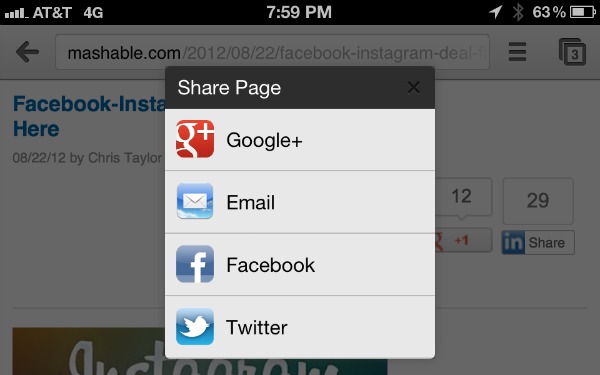
Google has announced its first update to Google Chrome for iOS, adding the ability to share pages from the browser directly on your favorite social network, including Facebook and Twitter.

Google Chrome for iOS was announced and launched at the company’s annual developer’s conference in June.

The mobile browser offers a number of features already available in its desktop version, including synched tabs; if you’re checking out a website on your iPhone, you can open it on your desktop computer, and vice versa. Users can also share saved passwords between devices, bookmarks and search history.

Wednesday’s update allows you to share webpages via email, Google+, Facebook and Twitter. It also offers a number of other bug fixes, and stability and security improvements.

The updated version of Chrome for iOS is now available in the App Store.

[Source: Mashable]

Blinq Photo will save and share your images

Blinq Photo lets you access, share and edit photos on a home computer remotely. Its purpose is to provide users with a free solution for creating and sharing photos and albums. I found it to be simple and effective and requires very little fuss.

Let me walk you through the process of getting Blinq Photo set up:

  1. Install Blinq Photo on your Mac. It's free in the Mac App Store.
  2. Create an account.
  3. Watch as Blinq Photo scans your iPhoto and/or Aperture Libraries, tagging each photo and album with a unique URL.

Next, install the iOS app and log into your account. You'll see the albums and photos on your home computer (via Wi-Fi or 3G) as long as the host Mac is running and has an active Internet connection. From there you can share a photo or album via email, Facebook or TwitPic, order prints or save an image to your Camera Roll. Once you have the photo on your iPhone or iPad, you can edit it or modify it with any photo editor you have.

[Source: TUAW - Read the full story here]