Iomega Professional Desktop Hard Drive Review

Storage is all important, whether you need it for your day-to-day work, or for backing up those important files, you can never have enough of it. A lot of users are now turning to off-site storage solutions, such as Amazons S3 service. However, if you need something fast and reliable, then there is no other option that a desktop hard drive.

Iomega have been in this game for a long time. I remember with a warm glow, the day when the original Zip Drive was released. Wow, all that data on a tiny little disk, the size of a fat 3.5-inch floppy. Well, they kindly sent me there Professional Series Desktop Hard Drive, with triple interface to review. Offering up 500GB of storage, with USB 2.0, FireWire 400 and two FireWire 800 ports lined up across the back panel. It is also nice to see an on/off switch on the back too (many drives don’t come with one now, they just turn on and off with the computer system they are connected to).

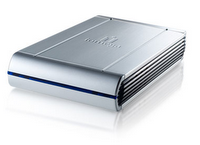
There is not normally a lot to get excited about with devices of this nature, but I must say that the feel of this unit is superb. Plastic front, back and sides, but a lovely brushed aluminum top and underside panel, gives it a really nice solid feel. It also comes supplied with all the cables you need (although my sample was missing the FireWire 800 cable), you should get USB, FW400 and FW800 cables in the box. The power supply is a small brick type affair, into which you plug a figure 8 cable for your particular country. A Quick Start Guide is also enclosed in printed form, along with a software CD that also includes EMC Retrospect backup software. There is also a small plastic stand included, so you can stand the unit on its side to save valuable desk space. If you prefer to put the unit down flat there are four small rubber feet to dampen any vibrations.

In use the Iomega drive performed flawlessly. The noise generated is pretty darn good, seeming quieter than some hard drives I have previously tested. This has a lot to do with the decent enclosure, build quality and no doubt damping on the hard drive. On the speed front, it performed as expected on USB 2 and FireWire 400. Using the FireWire 800 connection (if possible) is definitely the way to go. Data transfer was very fast indeed, and although this is not a comparative review, the Iomega was faster than a Freecom Pro hard drive, but a little slower than the Western Digital MyBook Studio edition.

The flexibility of the triple interface on the Iomega Pro Desktop Drive, coupled with the rock solid build quality, make this a very sensible choice. If it comes down to brand, then you cannot go far wrong with a manufacturer that has been around for so long. If you need 500GB or more of storage (this particular drive from the professional series goes up to 750GB with the triple interface, or 1.5TB with eSATA and USB2 interface), then this drive should definitely be on your shortlist.

Product: Iomega Professional Desktop Hard Drive (#33648)
Price: £119.99
Supplied by: Iomega Europe
Contact form here
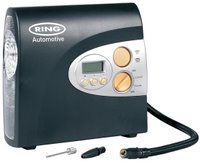
Ring RAC600 Automatic Digital Air Compressor Review

From time to time we bring you alternative reviews, and whilst this one is far out wide to the left, it is worth covering. Over the next month, we will also bring you reviews of two other great products from the same company, that cross over nicely into the tech world, so stay tuned.

The Ring Automotive RAC600 is a automatic digital air compressor. You can use it to pump up all your inflatable toys (footballs, swimming pools etc), guest beds and much more. Where it really excels is the units accuracy when used for car tyres. Plug it into a 12V accessory socket in your vehicle, predial the psi/bar setting, press the big yellow button and the RAC600 springs into action. Whilst it is doing its inflation the noise is a bit of an eye opener, but it it no noisier than other units on the market. Once inflated, the unit stops, and upon checking the results the RAC600 was spot on in ten out of the ten tests I performed. So top marks there.

The 12V (cigarette lighter) plug is fitted with a 3.3m cable, plus the air hose length is pretty good. This means that even on larger vehicles you should have no problem in reaching the four corners. There is also a white directional torch light and a red light that could be used if you find yourself stranded at the roadside. When your finished, the power cable and air house wind up and pack neatly inside the main unit. The whole thing then packs nicely into the supplied zip case.

For around £25 the RAC600 is very good value, and will certainly save you a lot of time and effort. Great for motorists and equally as useful for those holiday beach trips with the rubber dingy.

Product: Ring Automotive RAC600 Digital Air Compressor
Price: £25 average
Supplied by: Ring Automotive
Contact: +44 (0)113 213 7389

Fuji Finepix Z100fd Digital Camera Review

Finding a good digital camera nowadays is pretty easy. If you do your homework, good photos on a budget can be achieved. If you need to find a really compact camera, then sometimes things like lens quality and features are compromised. The Fuji Finepix Z100fd reviewed here really feels well made and most certainly delivers excellent images. Check out the video review below.

Product: Fuji Finepix Z100fd
Price: £134.99 (Amazon UK)
Supplied by: Fujifilm UK
Contact: +44 (0)870 084 1310

Proporta Protective Laptop Sleeve Review

If like me, you want to take care of your laptop, then you should check this review out. Thickly padded laptop cases are all well and good, but sometimes it is nice to see some sleek design lines, in a case that does not add too much bulk. The Protective Laptop Case from Proporta does just that. Check out the review below.

Product: Protective Laptop Case
Price: $40 (£20 approx)
Supplied by: Proporta UK
Contact: +44 (0) 845 123 2848

Teach Yourself Visually Mac OS X Leopard Review

I consider myself a whizz when it comes to Mac OS X Leopard, so don't really like to read books. However, this book from Wiley caught my attention. It is one of many in the 'Teach Yourself Visually' range and the reason it differs from other so called Missing Manuals, is the full colour pictures. The way it is presented is superb and I learnt some new tricks too. Check out the video review for a taste of what a bargain this book really is.

Product: Teach Yourself Visually Mac OS X Leopard
ISBN: 978-0-470-10167-4
Pages: 352
Price: £19.99
Supplied by: Wiley Publishing
Contact: click here

Epson P-5000 Photo Viewer Review

If you are a keen photographer, then you will know how important it is not to lose your data, or to run out of space whilst out and about. The Epson P-5000 Photo Viewer allows you to free up some space on your compact flash and secure digital memory cards. It also plays movies and MP3 files, so you really should check out the review below.

Product: Epson P-5000 Photo Viewer
Price: £390 (Amazon)
Supplied by: Epson UK
Contact: 08702 416900

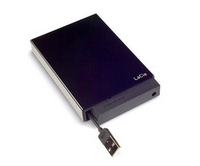
LaCie Mini Disk Hard Drive Review

They say that 'good things come in small packages', but in contrast 'size doesn't matter'. The Lacie Mini Disk hits home on the first, but proves that size does matter, with its small proportions delivering a very handy portable hard drive that just oozes style and performance. Check out the video review below.

Product: LaCie Mini Disk 160GB Dual Interface
Price: £89.90 (was £99)
Supplied by: LaCie UK
Contact: sales.uk@lacie.com

iSkin Cerulean X1 Earphones - Blissfully Good

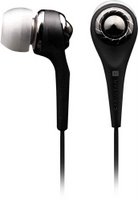
Pumping those iPod sounds into your brain is an easy task, but to do it with style you need to invest in earphones other than those supplied in the box. The iSkin Cerulean X1 in-ear style earphones offer superb construction, some impressive specifications, and they really can add some bling to your ears too.

For just under $100 (or £50 in the UK) you have a lot of earphones to choose from, so the Cerulean X1 really need to deliver. First impressions out of the box are that the X1's are really built very very well. They just ooze quality. The simple matte black design, accented by some polished black and silver details mean that you could easily mistake them for jewellery. But being pretty is only half the equation...

Getting in the comfort zone is very easy too, the silicone earbuds are very comfortable indeed. They do not go really deep into the ear canal (like some other manufacturers earphones), instead they go just far enough in to give a good noise isolation from your exterior surroundings. Playing simple elegant pieces of music, with vocals, results in a very pleasant sound. The vocals are warm and the detail is not lost in the slightest. Moving onto more complicated tracks with deep bass (for example Black Eyed Peas... yes I like them) and the X1's give an ultra deep response. they never sound muddy or distorted, even at high volumes they perform superbly. This sonic performance can really be attributed to the metal allow speaker house and the 9mm drivers that use, and I quote "rare neodymium earth magnets". I have listened to a lot of earphones in all my years reviewing and the X1's are certainly the most well behaved. That doesn't mean they are dull though, in fact they are very exciting and engaging to listen with.

If you want to update your iPod earphones, then the Cerulean X1's from iSkin are a must buy.

Product: iSkin Cerulean X1 Earphones
Price: £69.99
Supplied by: iSkin Inc.
Contact: click here

Griffin Technology RoadTrip with Smartscan Review

Having always loved my music, listening whilst on the move is a pleasure with my iPod. When driving though, it has been problematic. You can't really wear earphones whilst driving, so getting my iPod to play through my car stereo is the only option. I have used many products in the past, some of which charge my iPod whilst in the car, others that transmit the signal to my car stereo, and some that do both. With so much to choose from, when the Griffin RoadTrip popped through my letterbox, I knew it would be good, but why should you spend your money on this rather than another product? Let's take a look to find out.

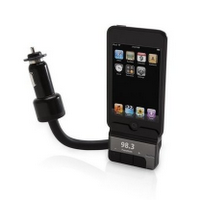
Griffin Technology have made FM transmitters for the iPod for a very long time. This new version has been updated for the very latest models, including the 'touch' and the 'classic'. It is finished in a nice matte black colour, with very tactile buttons for operating the unit. The RoadTrip plugs directly into the 12V socket in your car and has a steel gooseneck attached (also powder coated in black). This can be bent to give you easy positioning of your iPod, which is very important, you don't have to overstretch to reach your iPod controls. The other end holds your iPod in place, the fit is good due to the accurately size dock inserts for your particular iPod model. Three control buttons are neatly laid out underneath, with a small display just above them.

New to this model is SmartScan. Previous models had you searching for an empty frequency and then dialing in the same on your FM transmitter. SmartScan searches for you and in my tests I found it very accurate. SmartSound is also very effective and when this feature is engaged, the sound seems to sound a lot clearer, albeit dropping down to a mono output. Another really nice feature for iPod touch users, is the ability to skip back and forth through your music tracks using the RoadTrip's buttons, rather than fiddling with the touch screen whilst driving.

Build quality is superb, as is the functionality of the new Griffin Technology RoadTrip. It is this quality, coupled with the design features, in a device that works superbly, that keeps Griffin ahead of the game. Yes, you can buy cheaper, but is you want something that works flawlessly, then get a RoadTrip (with SmartScan) and enjoy your iPod sounds whilst on the move.

Product: Griffin Technolgy RoadTrip with SmartScan
Price: $100
Price: £39.99 (average UK)
Supplied by: Griffin Technolgy
Contact: +1 (615) 399-7000

Red Maloo Laptop Sleeve (MacBook Pro) Review

If you want to protect your MacBook Pro with something a little different, then check out this offering from Red Maloo. Their laptop sleeve certainly offers a lot of design thought, and a sleeve that is very pleasing to the eye. With matching iPod sleeves also available, this is definitely worth checking out.

Product: Red Maloo Laptop Sleeve
Price: £75
Supplied by: Red Maloo
Contact: link here

Asus EeePC RM MiniBook Review

If you need something nice and compact for your children (or yourself) without spending too much cash, then take a look at our review of the Asus EeePC (also know as the RM MiniBook). This tiny wonder is so cheap and very well made, it certainly impressed me with what you get for your money. There are a few of these popping up nowadays, but the Asus version feels like a proper laptop, with excellent build quality and a nice crisp clear screen.

Product: Asus EeePC - RM MiniBook
Price: £169 (from)
Supplied by: RM
Contact via online form

Matias USB 2.0 Keyboard Review

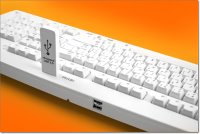
When you are in the market for a new keyboard, or perhaps one for that Mac Mini (an essential additional purchase), there is certainly a lot to choose from. The natural direction to look is at the skinny Apple keyboards. However, if you have used a Mac for a long time, you will yearn for that Classic keyboard look and more importantly something that gives you proper tactile feedback. The USB 2.0 Keyboard we look at here from Matias, could be just the ticket.

This offering from Matias has some superb advantages and features, all of which can be had for a little over £25 in the UK and around $35 in the US. For this sort of price you certainly do get a lot for your money.

First of all you get what I would term as a proper keyboard. The keys are raised in such a way that it resembles that old Apple classic. The spacing is just right and the tactile feedback you get from each key is just right. There is also a full numeric keypad (which you would expect on a full size keyboard), but Matias go one step further... How often have you found yourself searching for that Euro symbol (€)? Well, I don't mind admitting that on more than one occasion that illusive symbol has escaped me. The Matias USB 2.0 keyboard has extra symbols printed on the keys. You get things like the @ € and ™ signs actually printed onto the number 2 key. This is repeated over the whole keyboard, with the relevant symbols printed on each key. Thanks Matias, this is a great time saver and worth the asking price for this alone.

You also get a full whammy USB 2.0 hub on the back of the keyboard. Older offerings from Apple let the side down here, with only USB 1.0 ports on their keyboards. Matias give us two USB 2.0 ports on the back and an extra one on the top of the keyboard, which is handy for USB keys, iPod syncing and the like... if you have an older generation iPod Shuffle you will find this brilliant. Over my test period this was really handy as I use USB flash memory keys quite a lot, so I did not have to stumble around looking for a spare port.

I like the USB 2.0 Keyboard from Matias a lot. It feels lovely to type on, compliments my Mac perfectly and puts those invaluable extra symbols at my fingertips. If you need a keyboard for your Mac, make sure this is on your shopping list.

Product: Matias USB 2.0 Keyboard (Mac)
Price: £25 (typical UK)
Supplied by: Matias Corporation
Contact: 1-905-265-8844 or info@matias.ca

Iomega Storcenter Review - 1TB of Network Goodness

With more and more people opting for laptops nowadays, it is of ever increasing importance to have a flexible way of storing files without the hassles of being tethered to a desktop external hard drive. Yes, we all know that laptops can now accommodate quite large hard drives, but what about backing up, or storing files in a central location so other users can access them. This is where Network Attached Storage (NAS) comes into play. I had some experience to this medium of storage before, and came away a little disappointed, so when Iomega sent me their lastest Storcenter device I was a little concerned over what I may find.

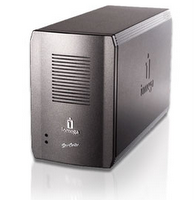
Opening the box gave me my first (positive) surprise. The unit felt really robust and looked very professional too. In an understated gunmetal colour, this robust little box housed 1TB, yes one terrabyte of storage. On the back of the unit is a kensington lock port for securing this baby to a desk, the all important Gigabit ethernet port, and two USB ports. The USB ports can be used for adding more storage by way of external USB drives, or connecting a printer for sharing over the network. There is a tiny power button (and I mean TINY), so I connected the unit into my gigabit ethernet switch and fired it up.

Other NAS devices I have tested have been pretty noisy, but I am happy to say that the Storcenter is pretty darn quiet. Just the slight whisper of the hard drives spinning and a very quiet fan is all that you can hear. Back at the computer end it is just a matter of popping in the supplied CD and installing the 'Discovery Software'. I was doing this test with both a MacBook Pro and a Mac Mini running the latest version of Leopard (10.5.1) and both systems found the drive first time. This allows you to mount a public share folder, or to carry out extra configuration, such as adding users and extra folders to the drive. Everything worked flawlessly, and once you have 'discovered' the drive, you can then access and connect to it via the Finder.

There is a lot more you can do to the Storcenter in the configuration options, such as scheduling backups to another share, or to a connected USB drive, and once set up the device can be left to perform the task unattended. I tried this with a 250GB external USB drive and it performed admirably. The drive also supports JBOD, RAID 1 and RAID 0, which gives great flexibility in how you can put it to good use. The important part of any drive is performance, so copying across a series of 4GB files, I found that it was achieving just under 6MB/second, peaking at around 8MB/s. Changing the connection over to a 100Mbs ethernet switch did not effect performance a great deal, giving an average of 4.2MB/s. This is more than acceptable in my opinion, not groundbreaking, but it is very easy to work with these speeds.

Where the Storcenter wins is on two counts. The stunning rock solid build quality, and the price. It starts at 320GB for under £100, 500GB starting at £120, right up to the model reviewed here which is only £269. There is also a wireless version, but with most users having wireless routers, you could just plug into a spare ethernet port (like I did) and negate the need to spend any more money. For those that don't have this option, the 1TB Wireless Version costs just under £400. Back to the 1TB version reviewed, for £269 you get a stonking piece of kit, it comes highly recommended.

Product: Iomega Storcenter 1TB
Price: £269
Supplied by: Iomega Europe
Contact form here
Brenthaven ProLite II Review - SPACIOUS BAGIOUS!

If you look back at my preferences in bags, perhaps two or three years ago, I would never have considered a Brenthaven offering. I won't name and shame here my bag of choice, but I must hasten to say that it was sold off the back as being designed for the Mac Crowd and a lot more expensive to boot.

The ProLite II from Brenthaven is a big surprise to me on lots of counts. It looks very understated, so does not scream "Laptop" to passers-by. It fits laptops up to 15.4-inch widescreen, so was perfect for my MacBook Pro. The main compartment does not have a removable sleeve, instead it padded strips to the bottom and sides. I was happy to slip my MBPro in there without any other case, but if you are the type that wants to stops any type of scratch this is not a problem. With my 15.4-incher inside a slip case, or a corduroy padded case, or second skin, it still fitted nicely inside the ProLite II.

The good things don't end there... on the front of the bag there are three zipped compartments. One is lined in a nice soft material and would accommodate the likes of an iPod, slimline compact camera etc. The second zip down opens right up to reveal some pen pockets, mesh pockets, credit card holder and key holder. The final full length zip toward the bottom of the bag is ideal to put some cables in and perhaps a charger or two.
Round the back there is a further two compartments, large enough to fit loads of paperwork, a mousepad, and yet more mesh pockets. There is also a strap across the back, this allows you to attach the ProLite II to wheeled baggage, freeing up your hands.

Carrying this around is also pretty comfortable. The obligatory shoulder strap is nicely padded, as are the two shorter carrying handles on the top of the bag. Where the ProLite II really scores for me is in three main areas. Firstly, the build quality is really nice. Everything feels as though it will last for a very long time. Secondly, the looks... yes I know a lot of you will say it is just a plain old black bag, but I think in connection to the build quality and the stitching, it just looks really nice. The final winning point is the price... and again, I can hear you say that you could buy cheaper, but I would argue that for just under £70 you get a really useful, well designed bag that is guaranteed for life. Well done Brenthaven, you get my vote!

Product: ProLite II
Price: £69.95
Supplied by: Brenthaven
Contact: +44 (0)20 8400 1275

Pure Chronos iDock Review - Wake to DAB!

It seems like I cannot sing the praises of Pure Digital enough lately, but when a company continually produces such high quality products, I think I am excused. The Chronos iDock combines a DAB/FM stereo clock radio, with an iPod Dock, plus a certain style that just shouts quality, so let's take a closer look.

When first unpacking the Chronos iDock, the shape stands out as a little different. Rather like your favourite Quality Street, the triangle shape has smooth rounded corners and feels like it will melt in your hand. The build quality really is superb, everything fits nice and flush, and the buttons are well arranged and very tactile indeed. Available in white or Black, we were sent the latter version. It has a silk finish to it, so does not attract the usual fingerprints. In the box you get dock adapters suitable for all dock connecting iPods, even the latest iPod touch is catered for. You also get a nice little remote control.

The first time you switch on, the unit auto-tunes, grabs the time from the DAB signal and sits there waiting for you to play. The first thing I tried was docking and playing back some music from our iPod touch. The audio reproduction is very rich and full bodied. Some cheaper docking affairs sound tinny, but the Chronos iDock really sounded great. A nice amount of detail int he sound, good mid-range, and plenty of bass tones. Switching over to DAB delivered much the same and proved to be a really nice listening experience. The FM tuner is put in for good measure (in my opinion) for those who cannot receive DAB broadcasts. That said, I did try it and it sounded very good indeed, with the odd crackle that is inherent with FM.

With the Chronos iDock you can chose to wake up to the radio (DAB or FM), or to your docked iPod. Setting the alarm is very easy, as are all the other controls on the unit. Having your iPod docked, not only means that you can wake to your fave tunes, but also that you can grab your iPod and it is fully charged every morning. A nice large snooze button is located on the top of the unit, which is easy to find and press when you are half asleep. The display is really nice too, it shows the time, signal strength, volume, DAB text, now playing etc. and even has an auto-brightness sensor, so it dims when you switch the lights off... it is nice touches like this that make it stand out from the crowd.

For £99 you get a really polished product. I would pay this sort of money for a dock/speaker combo of this quality. The fact that you also get DAB/FM and alarm features too, make the Chronos iDock a real bargain. This superb combination certainly deserves our prestigious Gold Award.

Product: Chronos iDock
Price: £99.99
Supplied by: Pure Digital
Contact: +44 (0)1923 277488

Xerox Phaser 8860 Review - Raised Prints !

There are stacks of choice when it comes to buying a printer, but if you are looking toward the higher end, something for a professional graphics market, then a lot more has to be considered. Speed plays a big part, as does quality of the prints, but if you are churning out volume then running costs are very important. The Xerox Phaser 8860 that we take a look at here, is right up there with all the superfast lasers, but it offers something a little different... just what makes the prints from this machine stand out from the crowd?

I am going to deal with the 8860's main features, and deal with the question of how each feature performs as we go. This is a slightly different way of doing things, but it means I can give you instant answers to your questions as they come along. The 8860 ADN costs £1,699 and offers 10/100 Ethernet connections and USB2. I tested the machine on an Intel based Apple Mac, and the software install and connection over both ethernet and USB performed admirably. There were no set-up problems at all.

This printer included automatic duplexing (double-sided prints) from the box. This is a really useful feature when report printing, so was a welcome addition. IT also gives you the ability to save paper (more on the money saving later). With a duty cycle of 120,000 prints per month and a quoted speed of 30ppm in both mono and colour, this reads like a true powerhouse. I cannot vouch for the duty cycle, but the speed is pretty much spot on. Black text resulted in an average of 27ppm, add in some graphics and after processing time we got 25ppm. Colour pages mainly consisting of text came in at 26ppm, with graphics added this dropped to a respectable 24ppm. So if you need speed, the 8860 delivers.

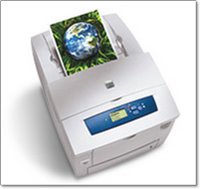
Quality is also very important and at 2400dpi the resolution should be superb. I found text to be great at point sizes 8 and above, but below this, not as crisp as some cheaper laser printers. When printing business graphics and photos the 8860 shone. Smooth gradations, very colour accurate, punchy graphics, all the traits of a high class printer. Now we get to the exciting part, and where the 8860 really stands out from the crowd. This printer uses a solid ink technology, instead of normal laser toner. It uses wax type blocks that you drop into the top of the printer, so loading it is very clean and easy. It then heats the wax and melts it onto the page. Two minor problems with this are the smell, which is not that nice, plus you cannot overprint your printouts on a standard laser or laminate them. If you try this, the print will smear into a gooey mess. That aside, the quality is outstanding. The print is laid onto the page in such a way that you get a slightly raised feel to it. When printing large areas of solid colour or photos this also shows off the finish which has a nice gloss look to it. So the 8860 delivers again, with awesome quality printouts.

The Phaser 8860 offers true Adobe Postscript 3, Mac and PC compatibility, speed, cheap running costs and quality prints. I would not recommend it for the home market, due to the smell, but then it is not aimed at this sector. For small to large office based companies, or graphic design pros, the 8860 really is worth the money. You will be amazed at the consistently good prints, and that raised effect that jumps off the page at you, has to be seen to be believed. This is a lot of money to invest, but well worth it.

Product: Xerox Phaser 8860
Price: £1699
Supplied by: Xerox UK
Contact: 0870 873 4519