
Yes, I have this new device in my hands already. The new 2nd Generation iPod touch was launched last Tuesday, 9th September 2008. Steve Jobs showed us this new ultra-thin offering, plus multi-coloured 4G iPod Nano (review coming soon). Check out my video review below.
Macally Turtle Mouse Review
It is that day of the week again, 'Review Tuesday'. This time around you can take a look at the video review of a cleverly designed mouse from Macally. The Turtle has a tale, yes a wired portable mouse, with a trick up its sleeve. Enjoy!
Product: Macally Turtle Mouse
Price: £21.59 (average)
Supplied by: Macally Europe
Contact: + 31 24 373 14 10
Griffin Nu Form Case for iPhone 3G Review
Protect your new baby, but remember this must be done in style. The Nu Form case from Griffin Technology does just that. It also offers something a little different. For a long time I have hated cases that I have to remove my iPod or iPhone from to dock it. Well, the Nu Form addresses this problem. Check out the video review below.
Product: Griffin Technology Nu Form for iPhone 3G
Price: $24.99
Supplied by: Griffin Technology
Contact: +1 (615) 399-7000
Sony Ericsson W890i Review
I love my iPhone, there is no denying that. To compliment it, I was really looking for an ultra-thin mobile phone with loads of features. One essential feature on my list is Skype, as I am a bug user of this application. The latest mobile in my hands is a Sony Ericsson W890i, purchased from Hutchison 3G or 'three' as they are better known. The cost to me is £15 per month for 300 minutes/texts, plus 300 bonus 3-to-3 minutes. The handset was an additional £3 per month, so a total of £18 per month.
Read MoreMake and Craft Magazines Review
If you fancy getting away from the screen for a while and to work on a tech or craft project, then you could be in for a treat here. Check out the video review below of two superb magazines.
Product: Make Magazine & Craft Magazine
Price: Various (single & subscription)
Ring Automotive 12V Can Multisocket Review
If you have a lot of gadgets (don't we all?) that need charging, then why not tackle some of that whilst on the move. The 12V Can Multisocket with twin USB sockets from Ring Automotive offers up a handy solution. Check out the video review of this bargain product.
Product: Ring Automotive 12V Can Multisocket
Price: £12.99 (average)
Supplied by: Ring Automotive
Contact: +44 (0)113 213 7389
Sennheiser MM 50 iPhone Headset
 This classy looking headset will in fact work with any iPod or MP3 player, though it was specifically designed for the iPhone. It'll work with either the original generation or the new iPhone 3G. The MM 50 iP from Sennheiser is an all black affair and I must say it looks really classy. They are supplied with a useful 1.3m cable length, that seems less prone to tangling than other offerings.
Using an in-ear design, to both help acoustics and block out unwanted noise, you get three different sized silicone ear sleeves. They do not go too deep into the ear canal (I hate deep fitting ear phones), so they feel really comfortable. In use they block out a decent amount of noise from the outside world. The acoustics when listening to music or watching a movie are sublime to say the least. With a frequency response of 18-22,000Hz you really do get a deep bass response, very rich and full bodied. Midrange is very good too, with only the higher end lack (but only by a cats whisker).
The MM 50 iP does not stop delivering there... the 'iP' at the end of the model number should give the game away. As I mentioned earlier, although you can use this with virtually any MP3 player that sports a 3.5mm connector, they were designed for use with the iPhone. They have a slimline 3.5mm plug, so they will work with the original iPhone without the need for an adapter, or of course with the iPhone 3G which negates any of these special needs anyway. They sport an intergrated in-line microphone, which has a button to start/end calls. Acoustically, the microphone delivers yet again with a wide frequency range. I performed a lot of test calls and the recipients reported a nice clear voice quality, with no distortion. When on the receiving end of a call I experienced this first hand... voices sound very natural and accurate, I could definitely tell the difference between the Sennheiser mic and the one that Apple supplies with the iPhone.
Everything about the Sennheiser MM 50 iP ooozes quality. The physical feel of the headset, the comfort factor and the superior audio and mic quality all add up to a superior product. It delivers on all fronts.
Product: Sennheiser MM 50 iP earphones
Price: £59.95
Supplied by: Sennheiser UK
Contact: +44 (0)1494 551551
Razer Destructor Gaming Mouse Mat Review
Don't let the title deceive you. If you are not into gaming, then this pro level mouse mat might still be of interest. As a graphic designer I really appreciate the precise tracking on offer here. Check out the video review below.
Product: Razer Destructor Gaming Mouse Mat
Price: £25.99 (average UK)
Supplied by: Razer USA Ltd
Contact: saleseu@razerzone.com
Belkin Active Battery Backup UPS Review
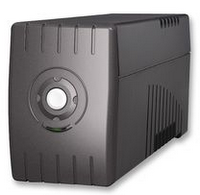 When it comes to protecting your computer kit there are various steps you can take. Most users go along the route of a surge protector, that plugs into their main socket and takes the hit of any electrical surges or spikes before they hit and damage your equipment. One potential hazard that many overlook is that of a power outage or powercut (as we refer to them in the UK). Uninterruptible Power Supplies (UPS) are just like big rechargeable batteries. You plug them into your main socket to recharge and in turn you plug your equipment into the UPS. If the power goes down, then the UPS takes over and gives you a window in which you can save you work and shut your system dow in a safe a proper manner. Some of these units also protect from surges and spikes too. Equipment suddenly shutting down is very important to protect against and can sometimes do just as much damage as a power surge.
In this review I take a look at the Belkin Active Battery. I place UPS units into two categories, those that can protect complete systems and those that are good for maybe one or two peripherals. The 'Active Battery Backup' unit (Part # BU308000ukDB) that I am testing here, just about fits into both categories, let me explain why... all UPS units are rated by Volt Amps (VA) or Wattage (W) and the Active Battery comes in three flavours. A 400A/240W, 600VA/360W and 800VA/480W. The first two in this series I would say are only really good for peripherals or maybe older less demanding computer systems. If you take into account that a 20-inch iMac draws 200W then you would barely expect three of four minutes of battery use from the entry level model if your mains power fails. Imagine you are using a Mac Pro drawing 360W and a separate monitor that draws 60W and you can see where I am going.
Well, although I tested the Belkin 800VA/480W model on our 24-inch iMac, my main test was in keeping my broadband equipment protected and running. I already have a beefier Belkin UPS (1200VA Universal UPS) which I will be reviewing next week for you, so my iMac is safe. What I need to ensure is that I can still communicate with the outside world when the power goes out. So, into the Active Battery I plugged the following. A Linksys WAG160N router, a Negear GS608 ethernet switch and my BT DECT landline phone. This presented me with the first stumbling block, but one that is very easy to overcome. Almost all UPS units have IEC sockets on the back, rather than 3-pin UK sockets. If you take a look at the image here, you will see what an IEC socket looks like. Well, this is east to overcome with a computer, you simply plug in with the supplied IEC cable, or purchase extra ones for a couple of pounds. They have an IEC plug on one end and a socket on the other that plugs into your computer. Well, all three of the products I wanted to plug in have their own AC/DC adapters, so I could not exchange these for new cables, nor could I chop their plug off and replace it.
 The solution was to get a two or three gang trailing socket, with an IEC plug on the other end. These are available from the likes of Maplin or CPC in the UK. Problem solved, I now had three standard 3-Pin UK sockets.
Once everything was plugged in, I left the UPS charging for a good 24 hours. It was then time to simulate a powercut. Switching the socket off that the UPS was plugged into was the easiest way. The Active Battery lets out a beep to warn you that this has happened. Then I carried on using my laptop with full network connectivity for a very useful 16 minutes. I must admit I was expecting longer, but I am no mathematician, so was part guessing the result. Just under an hour of continuous hard use, without mains power is fantastic. The results on the computer set-up were a lot different, but again they really impressed me. With a 24-inch iMac, external 21-inch Samsung monitor and ScanSnap S300M scanner plugged in, I flicked the switch off and was able to finish a few scans and post an article on the website. I also checked my emails one last time, then safely saved my open documents and shut the system down. This took around six minutes and no sooner had I shut down the iMac safely that the battery was depleted. In total this meant I in real use, you could expect around five or six minutes using this sort of system to save your work and safely shut down, this is more than enough time.
For your money you get a fairly compact UPS here, capable of protecting either just a few peripherals or a medium sized computer. The Active Battery Backup also protects from electrical surges and spikes, with a £40,000 connected equipment warranty too. Add to this a two year replacement warranty (including the battery itself) and this really puts the icing on top of the cake. This is fantastic value for money, it does exactly what it claims for a really great price.
Product: Belkin Active Battery (BU308000ukDB)
Price: £51.96 (Amazon UK)
Supplied by: Belkin UK
Contact: +44 (0)1933 35 2000
Pure Digital Highway DAB Review
If you want to get DAB into your car, it normally involves having a new head unit installed. Although this is not too expensive, in modern cars it is sometimes not possible, due to the mouldings and custom-made units they have. The Highway from Pure Digital is an option, allowing your to wirelessly send DAB broadcasts to your existing car stereo. Check out the video review below.
Product: Pure Digital Highway
Price: £59 (average price)
Supplied by: Pure Digital
Contact: +44 (0)1923 277488
Buffalo LinkStation Live Review
 In this ever-growing digital world, where for entertainment we rely on digital cameras, MP3 files and movie downloads, the need for more and more storage space is a weekly, if not daily problem. For those of you who produce projects, such as home videos, the problem is even more evident. Add to this that the average household will have more than one computer, the value of some sort of shared centralised storage device is very valuable indeed.
Network Attached Storage devices (or NAS as they are often referred to) are growing in popularity. In their simplest form, they are hard drives that connect to your network via ethernet, rather than locally to your computer via USB. The fact that they are attached to your network means that you can make the content accessible to computers that are also attached to your network. This even extends to wireless use, whereby if your NAS is attached to a wireless router, then the content can also be accessed wirelessly.
Over the past week I have been testing the LinkStation Live from Buffalo Technologies. It is availble in sizes up to 750GB. The model on test is the 250GB HS-DH250GL. This compact box contains a SATA hard drive and sports a nice front panel with informative status LED's up front. Around the back of the unit you plug in your power cable (the power supply is in the unit itself, so no external brick). The back also sports the 10/100/1000 Mbps ethernet socket, so it is nice to see that Gigabit speeds are supported. When viewing the back you can also see a vent, behind this hides a tiny fan for cooling purposes. In use, you can definitely hear the fan, but is is very quiet, so not intrusive at all. There is also a USB 2.0 port, which is great. It allows you to plug in another hard drive, so you can expand the amount of storage capacity on your network with a standard external hard drive.
Setting up the drive is really easy. Everything is configured via a standard web browser interface. You can set up users and passwords, folder shares, maintenance of the drive etc. It is also possible to schedule backups, so that USB 2.0 port around the back has a second use. Rather than using it to add storage, you can assign the connected hard drive to act as a backup drive. Once scheduled the LinkStation will backup files to this second drive, even when your computer is switched off... this is a very useful feature.
The flexibility of the LinkStation Live is where the added value comes in. Rather than me trying to guess what your use would be, let me tell you a little of how it helped me. In just 30 minutes I was up and running and had set up folders and shares on the drive to tackle two organisational tasks that I wanted to do with my iMac. Firstly, I have a large iTunes library, probably around 100GB including the downloaded video content. Having moved this all over to the LinkStation (which took a lot less time than I had anticipated), it solved two problems. Not only had it freed up 100GB of space on my iMac, but it also allowed me to wirelessly access my iTunes content on my MacBook Pro too. My second task was to move all of my video content. Producing the videos for Geekanoids eats up a lot of space. So I moved all of the completed movies I had made, some 120GB. Although they are uploaded to various sites already, it is essential that I keep them locally too. Again, the LinkStation handled the transfer with no problems, and also allowed me to stream them to my computers easily. On the wired network (the iMac) the streamed content played back with no hitches. Over the wireless connection (the MacBook Pro) there were a few stutters, but these were very minimal and once some buffering was done things ran very smoothly.
So in my tests the LinkStation Live gave me back over 200GB of space on my iMac. It also allowed for a much more useful and versatile experience. The single fact that it opened up my iTunes library to my laptop too is worth the spend alone. It is a very solid unit, good build quality, easy to set-up and as such offers superb value for money.
Product: Buffalo LinkStation Live (HS-DH250GL)
Price: £118.23
Supplied by: Buffalo Technology
Contact: +44 (0) 1344 381700
Aten CS1782 KVM Switch Review
If you own a couple of Macs, or perhaps a combination of a Mac and PC, then this product could be for you. The Aten CS1782 KVM Switch allows you to have two computers connected, but to tidy up your desktop by using just one keyboard, mouse and screen. It even handles the sound too, so one set of external speakers are suffice.
In use, the Aten CS1782 performed very well, with no degradation in video quality. It worked very well with two Macs connected and I assume equally as well when you add a PC into the equation. For the full rundown of what this device can offer, check out the video review below.
Product: Aten CS1782 2-Port USB 2.0 KVM Switch
Price: £118.66 (inc. VAT)
Supplied by: Aten UK
Contact: +44(0)1753 539121
iPhone 3G - First Impressions Review
So, it might be a day later than anticipated, but I finally got my iPhone 3G. After spending a tiring (but enjoyable) day at the Apple Store Bluewater, I returned yesterday to pick up my new baby. Many thanks again to Nick for bagging me up a shiny new version of what is likely to be the most successful device of 2008. Having now used it for almost a whole day, I am happy to say that it performs admirably. Take a look at my video coverage below to see exactly what I think;
The Pros for the iPhone 3G
Much faster data download speeds
Richer colours and deeper on-screen blacks
GPS is very accurate
Sleeker styling
The Cons
No dock included for the iPhone 3G's new shape
Plastic back seems as though it isn't as strong as the original iPhone
Asus Eee PC 1000H - Mini Review
 We were very lucky to get our Asus Eee PC 1000H today from Clove Technology. The version we have here in the Geekanoids office is a 10-inch Windows XP version, with 1GB RAM and an 80GB hard drive. Having only just unboxed the tiny wonder and played with it for around one hour, this is by no means a full review, rather a first impressions.
See the gallery at the end of this review.
Firstly, the accessories you get in the box make it seem a lot better value than other offerings. The stumpy, yet high capacity battery should yield much longer runtimes than the 3-cell batteries shipping with other netbooks. You also get a nice little manual, a polishing cloth, Support CD and MS Works 9.0 licence. There is also a slip case, which is functional and means you can get out-and-about with your Eee very quickly.
The 1000H unit is very very sexy. Our model is in black and it has a very high gloss finish. It looks as thought it'll really be a fingerprint magnet, but this does not seem to be the case. Touching the outer lid leaves no traces of smudges, which is a good sign. On first switch on, you get a feel for how the screen delivers a nice bright picture. It is not quite as bright as the Advent 4211 (MSI Wind), but it is bright enough, giving a just slightly off-white look (only very slightly) at its brightest setting. The keyboard is nicer than the Advent, it is better spaced, and you have a little room at the edges, so I like it a lot more. The feel of the keys is nicer too, giving a nice amount of travel and a very positive feel.
 Where the 1000H really wins my vote is the trackpad. It is a proper size and offers multi-touch, so you can do the two finger scrolling that makes navigating web pages and your other windows just so much easier. Yes, I know that this unit is an extra £70 over the Advent, but it does come in at almost the same price as the official MSI Wind. I think that the extra price is more than justified. It feels more solid, more like a real laptop and like I said, you will love the trackpad and the keyboard. When you think that those two features are the most used on any laptop, the Eee PC 1000H is certainly a very wise choice. Don't ride the 'wind', fly higher on the Eee.


Advent 4211 Mini Netbook - MSI Wind Rebadge
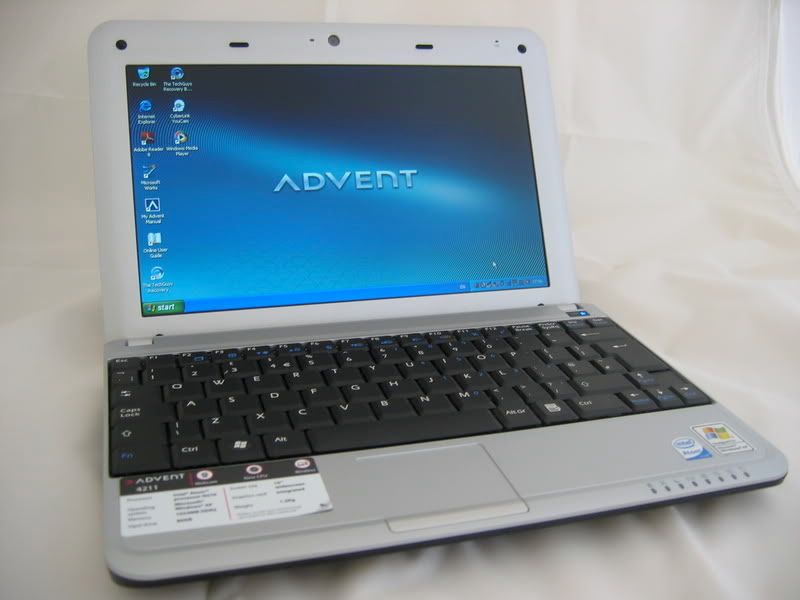 Always on the hunt for new toys, and primarily a replacement for my 12-inch PowerBook. I had been keeping my eye on the netbook front for the last month or so. Initially I was really tempted to wait for the Asus Eee PC 901 or 1000H, but then through the forums I heard of the MSI Wind U100. This little 10-inch screen notebook looked superb. The term being touted is 'Netbook' due to it being ideally suited to surfing and emails, with the odd office task.
A slideshow of this little netbook can be viewed at the bottom of this review.
Anyway, the MSI model seemed to be so hard to get hold of. Then the Advent 4211 appeared on the PC World website. It was a rebadge, sourced and manufactured by MSI, so really just a different colour Wind, except at £279 it is cheaper. The box is tiny and hides this little laptop inside. The laptop itself is very solid and has a nice build to it. The lid that houses the screen has very little flex which is encouraging. The screen itself is very hard, pressing a little causes no ripples, so it seems very robust. The battery is a slimline 3-cell, which proves a bit hard to fit and remove, but a snug fit, which does not protrude from the base of the laptop at all.
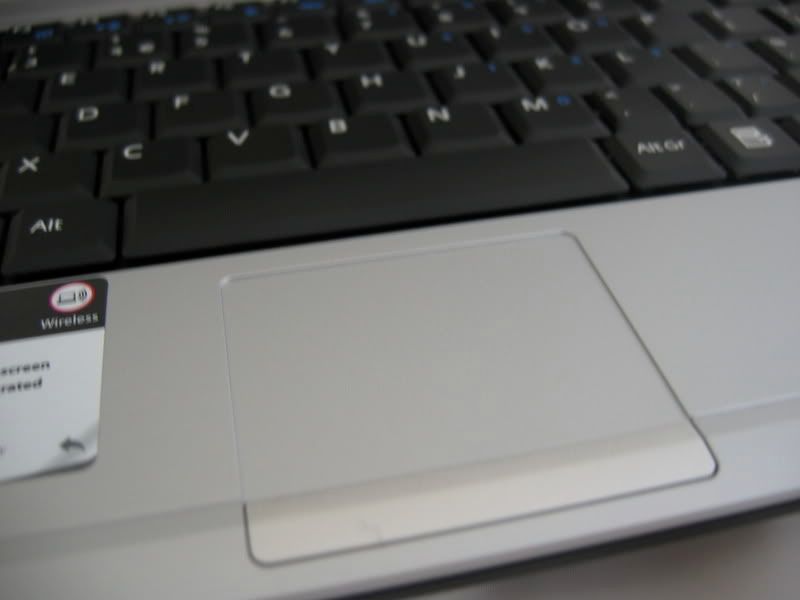 The keyboard feels nice and responsive, with the keys have just the right amount of travel. Size is good too, comparing to a full size notebook it is almost the same, just a bit more compact. The symbols on the keys are nice and clear too.
On first start up, you are asked a few set-up questions, but it lets you get underway with Windows XP SP3 pretty fast. I was certainly up and running within about five minutes. The only problem I have experienced is getting it to recognise my wireless network, but I am sure I will sort that out.
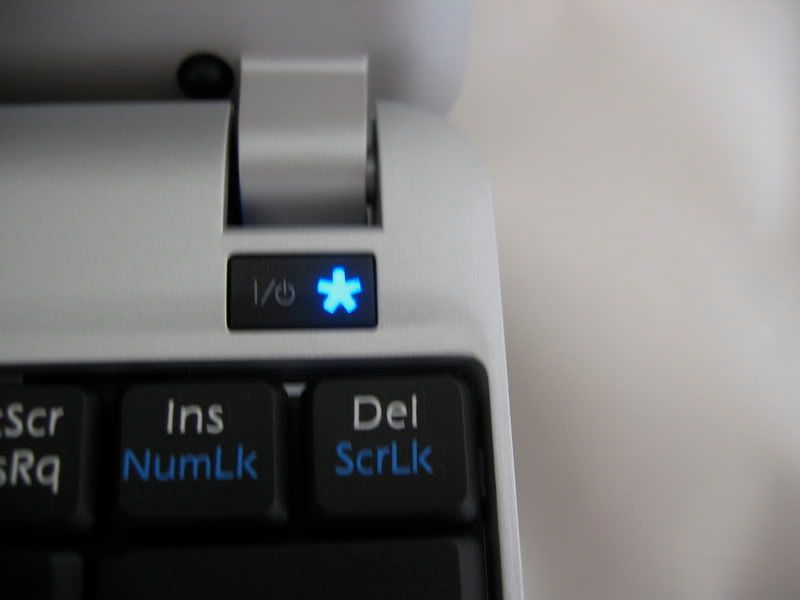 In use the screen is very crisp and clear. The backlighting seems very even and the brightness is pretty darn impressive. Normally my experience of PC laptops is that the screen never goes as bright as I would like. The Advent 4211 is the first that I have to say I am happy with. A white page is as it should be, white and not grey. After an hours use, the system is running very quietly. I created a restore backup following the instructions, using an SD card. This tooks about 12 minutes, and I suggest you do the same, as it means you have a copy of all the drivers you need too. Overall, the Advent 4211 has impressed. The trackpad is a little small, but again you will get used to it. If you need something really portable thought, then pop into a PC World and take a look. You will be surprised at what £279 gets you. For such a compact package, you can really get truly mobile, with the addition for a PAYG or contract mobile (such as the great offers from Three), you can add mobile broadband easily to this tiny package.
*UPDATE* I am happy to confirm that after an official BIOS update and updating the network card driver, the wi-fi connection is now OK and very stable.
Olympus MJU 850SW Digital Camera Review
Time for a digital camera that offers that little bit extra. With the Olympus MJU 850SW you can dive right in, literally. This compact digital can go underwater, with no additional housing required. Check out the video review and the digital photos taken with the 850SW.
Product: Olympus MJU 850SW
Price: £172 (average UK)
Supplied by: Olympus UK
Contact:+44 (0)1923 831100


Altec Lansing T612 iPod & iPhone Speaker Review
It took a while before iPods speakers could work properly with iPhones, but this unit, the T612 from Altec Lansing offers a fantastic build quality. It also offers features like auto mute when a phone call comes in, so really does cater for the discerning iPhone owner. Check out the video review below.
Product: Altec Lansing T612
Price: £139
Supplied by: Altec Lansing
Contact: +44 (0)870 458 0011
Prosoft Data Backup 3 Review
Backing up your files is very important. Imagine if you lost all of your photos, or those files and projects you have been working on. Prosoft's Data Backup 3 gives you a cost effective solution. Check out our video review below.
Product: Data Backup 3
Price: £39.99
Supplied by: Prosoft Engineering
Contact: 925-426-6100
Macally Pebble Wireless Portable Mouse Review
If you need a mouse for your Mac, and it needs to be portable, wireless and stylish, then you need to check out this review. The Pebble Wireless Portable Mouse might be just what you have been looking for.
Product: Macally Pebble Wireless Portable Mouse
Price: £22.00 (approx.)
Supplied by: Macally Europe
Contact: + 31 24 373 14 10
Kensington Slimblade Trackball Mouse Review
 If you need a mouse that is as happy on your desk as in your travel bag, then this could be just what you are looking for. The Slimblade Trackball Mouse from Kensington also has a trick up its sleeve. At the press of a button, you can transform this little rodent into a trackball. Check out the video review for a look at how it performs.
Product: Kensington Slimblade Trackball Mouse
Price: £61.99 (average price)
Supplied by: Kensington UK
Contact: +44 (0)845 603 1730