Android Cyber Monday 2013 deals roundup

Today is Cyber Monday, the day when Americans return to their jobs after a few days of family time, overeating, football, and, of course, deals-fueled shopping.

And what better way to get back into working shape than with some more deals? That’s the gist of Cyber Monday, and we’re here to fuel your gadget deals addiction with some handpicked Android deals. We have tablets, smartphones, and apps...

Read the full story here... Source: Android Authority

24-Inch 4K Display from Dell Priced at $1399, 28-Inch 4K Model Coming at Under $1000

Following the initial revelation of some details on a new 24-inch 3840 x 2160 "4K" Ultra HD display from Dell yesterday, the company has now officially announced that the display launches today in the Americas with a $1399 price tag. A 32-inch model at the same resolution is also available for $3499, while Dell will be introducing a 28-inch 4K display in early 2014 with breakthrough pricing of under $1000...

Read the full story here... Source: Mac Rumours

Tips to Reduce Email Spam

Spam has now become synonymous with e-mail, as it once was with the tinned foodstuff. If you have an email account, chances are that you’ve got a spam problem. These days, spam filters in email inboxes are far more sophisticated than they used to be. For instance, if you already had an email address back in say, 2001, you’ll have noticed the change in the amount of unwanted emails in your inbox.

However, as you also may have noticed, there are more and more ways spammers have found to bypass your email security, getting their junk into your inbox. With the swift evolution of the internet over the last five years, it’s important to know how you can keep your inbox safe from the pernicious ways of spammers.

Don’t post your email address on your website

This is a critical error that, surprisingly, a lot of web users still make. You should never post your email address or give it out freely online unless you’re sure that the site you are submitting it to is totally secure. Spammers utilise software that scans the internet for wayward email addresses that are hovering around freely.

If you own a website and you want to have your e-mail address on it, it’s best to use a form that visitors can fill out and email you instead. Never reveal your email address to the sender. Alternatively, you could post a graphic of your email address, so it cannot be scanned and ‘read’ by spam software.

Don’t reply to suspicious emails from Gumtree or Craigslist 

Public online classifieds sites like Gumtree and Craigslist are rife with spammers wanting to infiltrate your inbox. These websites try to get around spammers by creating a temporary email address for you when you post an ad, which then forwards any replies you get to your actual email address.

Unfortunately, spammers collect these temporary email addresses that are created for you and mail them, hoping to get a reply. The idea is that you’ll open the email, thinking it’s from someone answering your ad. The moment you reply to them, they’ll have your real email address.

Be safe when you use the internet

Being wary of spammers getting hold of your email address is one thing, but unfortunately, their methods evolve with extreme frequency. They design viruses that infect your computer with the sole purpose of collecting your email address, or even use your email address to send out spam without your knowledge. They can even collect the email addresses that are stored in your contact list.

To protect yourself, you should run virus checks regularly - every day if necessary. Make sure you have a firewall set up, too. Alternatively you can look to an email cloud security provider  that can accomplish all security tasks for you, like Mimecast.

Fighting spam successfully often requires a degree of instinct which you will build up over time once you start becoming accustomed to the various schemes employed by spammers. Armed with instinct as well as anti-virus software and sophisticated spam filters, you won’t have to worry about falling victim to their plans.

Vulnerability Scanning: How it Works

Vulnerability scanning protects your networks and applications from outside attack and should be a major cornerstone in the online security protection of any organisation. IT security is not an issue that you can afford to take lightly, but with the right precautions in place you can ensure that any risk is effectively minimised.

How it works

Vulnerability scanning techniques vary from company to company, but the basic principles are the same: a scan depth and schedule appropriate to the networks and software involved is worked out and then set to run automatically at designated intervals — click here for a more detailed breakdown of how the process works.

There are typically four different elements involved: the scanning itself, the analysis of the contents of the scan, appropriate alerts and then detailed reports. Again, the alerts and reports can be customised as required, to suit the needs of the business. Low-risk threats may not set off an alert at all, for example, but will be mentioned in any reports.

Benefits

By taking a pro-active approach to threats from the web, vulnerability-scanning software is able to significantly reduce the risk of internal and external breaches of a network. Any unauthorised access can be spotted and dealt with at the earliest opportunity. Penetration testing alone is not enough.

Getting a dedicated provider on board to take care of vulnerability scanning services means that your costs can be substantially reduced, both in terms of money spent on IT monitoring and the time and effort required keeping watch for vulnerabilities manually. What's more, a regular scanning schedule means that infrastructure changes are also flagged up and reported at the earliest possible opportunity.

The reports generated by your scanning software package of choice can be invaluable in identifying potential problems and weaknesses in your existing applications. As time goes on, you can use them to build up a comprehensive picture of your own systems and networks, which means that you're better prepared for any attack from outside.

Peace of mind

With the correct, validated vulnerability scanning procedures in place, you can enjoy the peace of mind that comes from knowing that your systems have been secured against outside threats. Once the initial assessment has been carried out, the scanning tools themselves run automatically and require very little in the way of maintenance or fine-tuning.

The nature of the threats arriving from the Web is changing all the time and so it's important to install a vulnerability scanning system that can change and adapt too. By finding a security provider who understands your network and its applications, you can get a bespoke solution designed to fit your protection needs exactly. 

Vulnerability scanning deals with a very real and present danger, but as long as you have a competent and reliable security solution in place, it's not a threat that should keep you awake at night. When choosing a provider, look for one that combines both top-of-the-range software solutions with expert human engineers who can be on hand to deal quickly with any issues that may arise.

HTC, Samsung release open source files for Google Play edition phones; KitKat OTAs should follow soon

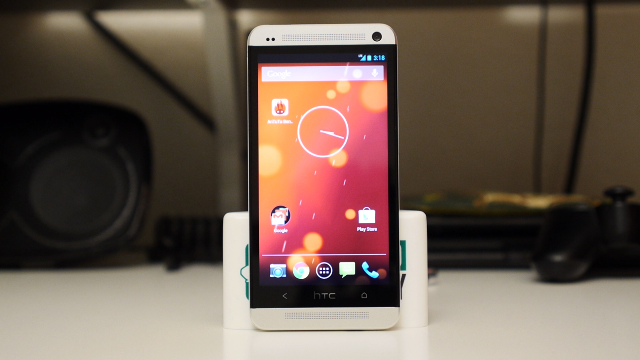
Ten days ago, HTC announced it delivered the KitKat code for the HTC One Google Play edition, and that it was up to Google to push out the OTA release to users.

Now it appears that the OTA is on its way, as both HTC and Samsung have published the kernel source code and framework support files for the HTC One GPe and Galaxy S4 GPe, respectively. The files contain the open source component of the ROMs for the two devices, that HTC and Samsung have to release to the public, as per their GPL licensing....

Read the full story here... Source: Android Authority

Some Nexus 4 users running into issues after installing KitKat

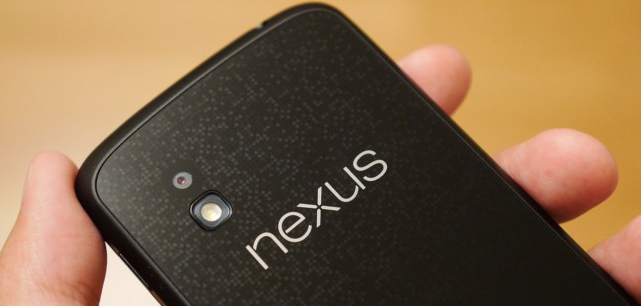
Last week the Android 4.4 KitKat OTA update finally started rolling out to Nexus 4 users, after a fairly long wait. Now that the update has arrived, it seems that some unfortunate Nexus 4 owners are reportedly experiencing issues including problems with the lockscreen, a broken dialer, a non-working home button, quick setting issues and more.

Not all of these issues are necessarily experienced all at once, with some folks reporting just one issue and others being plagued by several problems. Those that have ran into issues seem to have one thing in common — they used the OTA upgrade to go from Jelly Bean JWR66Y over to KRT16S...

Read the full story here... Source: Android Authority

Apple Retail's Effort to Boost Share of U.S. iPhone Sales Starts Paying Dividends

Over the course of the last several months, Apple has improved its in-store iPhone sales, according to a new survey from Consumer Intelligence Research Partners. Approximately 25 percent of iPhones are purchased within an Apple Store, up from an estimate of 20 percent earlier this year. 

The majority of iPhones in the United States are still sold through carriers, however, with AT&T responsible for 21 percent of sales and Verizon responsible for 18 percent. Best Buy's iPhone sales accounted for 13 percent of total sales, and Sprint, Amazon, and other mass retailers like Target, Walmart, and Costco accounted for 5 percent each...

Read the full story here... Source: Mac Rumours

Apple vs Samsung retrial: Samsung ordered to pay $290 million, for a grand total of $890 million

And just like that, the Apple vs Samsung partial retrial is over. The jury in San Jose reached a verdict today, after it began deliberations on Tuesday.

The verdict is in Apple’s favor: Samsung was ordered to pay approximately $290 million for infringing five of Apple’s patents, including one that referred to the design of the original iPhone. The jury found that Samsung infringed its rival’s intellectual property on 13 devices, most of them no longer on sale. While the $290 million award is significantly lower than the $380 million that Apple requested, it’s still a hefty sum and way more than what Samsung said it should pay, which was just $52.7 million...

Read the full story here... Source: Android Authority

Android 4.4 KitKat (KRT16S) download available for Wi-Fi, LTE and 3G Nexus 7 (2012 and 2013 models)

A fresh new Android 4.4 KitKat build is available for the all Nexus 7 models, the recently released KRT16S firmware version.

A few days ago, Google rolled out KitKat version KRT16S to address several bugs including an encryption bug that could have affected devices in the future – apparently devices would have remained undecryptable in the unfortunate even the users entered the wrong password after an update...

Read the full story here... Source: Android Authoity

Find the Best Holiday Shopping Deals With MacRumors' Black Friday Roundup

Black Friday, which is a major shopping day in the United States, marks the kickoff of the holiday shopping season. 

During Black Friday, retailers often offer significant discounts on popular products to lure customers into their stores, so we've gathered all of the best deals on Apple products and accessories into a comprehensive roundup

In the roundup, we've listed the best deals on popular Apple products at the top of the page, which is followed by a list of deals by retailer. There's also a list of notable discounts on accessories and software, as well as a section that covers broader holiday deals...

Read the full story here... Source: Mac Rumours