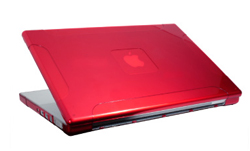
Speck See Thru Case protects your MacBook Pro

One of the first things Mac owners want to do after firing up their new purchase is to protect it from scratches. MacBook, PowerBook and iPod owners from all corners of the globe (if only it were square) spend money on cases, skins and bags. Well, in the form of Speck Products 'See Thru' case, I think they are on to a possible winner here, so let's take a look.

To date, the only shipping See Thru case for laptops is the MacBook Pro version, the Core2Duo revision and the MacBook will follow. This is a hard case, made of translucent plastic and is available either completely transparent, or as reviewed here in red. The red is a very punchy colour and really looks superb.
The case itself comes supplied in two halves. You fit the top half first to the back of your screen, it just slips on and four small clips hold it in place. The bottom half is a little more tricky, with four clips securing the back, near the heat vents on the MacBook Pro. The back has to be put in place first, then the rest of the case is held on with two smaller clips. These small clips do not prevent the MacBook Pro from closing in the normal way, so you don't even notice they are there.

Once in place you have to be ready for the wow factor. It really shines and makes the MacBook Pro look even sexier than it did before. All of the ports remain accessible with the case on, nothing is obscured at all. It even made the screen/lid of the MacBook Pro feel more rigid, so may go someway toward preventing any warping in the future.
If you are worried about heat, there are plenty of vents on the bottom of the See Thru case, so no worries there. Removing the case, if you really need to is a bit worrying. I suppose the fear is that one of the little tabs will scratch the MacBook Pro casing, but fear not, so long as you are careful, the See Thru case can be easily removed, leaving no damage at all.

Everything about the See Thru case made me smile. The fit is spot on, the finish is excellent, no sharp edges and it makes your laptop look really great. The all important factor of protection is also addressed, any knocks or scratches will be taken by the See Thru instead of marking the silver finish to your MacBook Pro.
I can highly recommend this product and hope to bring you a review of the MacBook version when available.

Supplied by: Speck Products
Price: $39.95
Contact: 650-463-8918
Link to product.

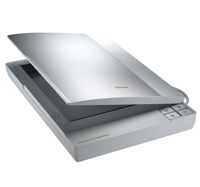
Epson Perfection V100 Photo Scanner Review

It brings me great pleasure to share with you the review of the Epson Perfection V100 Photo Scanner that I wrote over at MacNN.

"The V100 is a nice slim line off-white unit, with silver plastic on the lid. It sports four brushed metal quick buttons on the front that provide access to the Epson scan software, or to scan directly to print, email or a PDF file. A hinge opens the lid along the long edge, which is a little different from other scanners."

Head on over here to read the full review, enjoy !

Link to V100 product page at Epson UK.

Speck Canvas Sport Case for iPod Nano

With so many different iPod cases available on the market it is important to stand out from the crowd... with style. The Canvas Sport case from Speck for the iPod Nano tries just that with 'Converse' type styling.

This case is designed to accommodate both the 1st generation and 2nd gen iPod Nano. It is available in a variety of colours,light green, pink, black, silver and blue, all with contrasting white detailing. The combination of canvas and rubber grip areas around the edges make for a nice quality feel. On the front there is a hard plastic screen protector stitched in, with contrasting stitching around this and the click wheel. On the back of the case is a nice strong belt clip, again with stitch detailing.

access
Getting your Nano into the case is a breeze. A simple pop stud on the back to undo, then 3/4 of the back hinges down, iPod slips in and then pop it closed again. There is no access to the dock port whilst your iPod is in the case, but this didn't really bother me as it is so quick and simple to open the case. You do have full click wheel access (uncovered) and the top and bottom of the case have cutout for the headphone socket and hold switch. A minor niggle is that the top and bottom are quite thick textured rubber. This is nice to the touch, but it makes the hold switch quite difficult to switch on & off.

conclusion
If you want to carry your iPod Nano in style then you should definitely consider the Canvas Sport case. The quality is nice, the screen protection is nice and clear and the belt clip is nice a strong. Styling is also very pleasing to the eye, especially the stitch detailing. The simple access to get your iPod in and out of the case is also a big plus point. The Canvas Sport for iPod Nano, from Speck comes with a 8.5/10 rating.

Supplied by: Speck Products
Price: $29.95
Link to product: Canvas Sport for iPod Nano

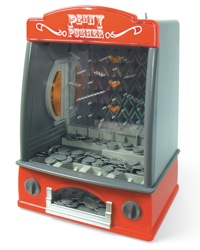
Penny Pusher - Great for Christmas Fun

Do you remember those trips to the seaside? "Mum, can I have ten more pence please?" would be heard from the crowds of children visiting the local arcade. They would be totally pre-occupied with pushing pounds worth of pennies into the machines and so happy when they got a few coins back. The feeling of winning that money and seeing all that extra cash hanging over the edge.

Well, this Christmas you can relive that experience, but with many added bonuses. The first real bonus of buying the "Penny Pusher" from firebox.com is that it costs just £19.95, so it represents a real bargain. Next up, you can claim it is for the kids, wait until they go to bed, switch it to silent mode and play all night.
The third real bonus is that you can never lose and although you know that, it is still very easy to get into the addiction mode, wanting to win some more pennies.

The Penny Pusher is approximately 35cm high by 25cm wide, it is made of plastic, but is very sturdy. Pop in some batteries and you are ready to go. The unit is supplied with 100 plastic pennies, but I found it worked fine with real 1p and 5p coins.
The two rotating switches at the bottom allow you to play with side lights on or off, music and to enable a tilt feature. If anyone cheats and tips the machine up, the ALARM sounds and things grind to a halt.

The only negative point about the Penny Pusher is that you win all the coins. It would have been nice if some fell down the sides into a secret money box. That should not detract from the 'fun factor' though. I had great fun playing with this and my kids loved it too (they were most disappointed it had to go back). The flashing lights, fairground music and just the whole concept is fun all the way.
If you want something for a great Christmas gift, fun with the kids at home, or an office party piece, then the Penny Pusher really is a bargain. It can be yours for just ninteenhundredandninetyfive of your little pennies !

Product: Penny Pusher
Supplied by: Firebox.com
Price: £19.95
Link to product.

iCon - Steve Jobs - A Good Read

Well, how can one make a review about a book exciting? Nowadays we all read our LCD screens and if it is not online we are not interested.
Maybe you should take some time out, as the title of this book contains the immortal words 'Steve' and 'Jobs'. Yes, I know it will mean you breaking away from your Mac for a while, but this engaging read takes a look at his Steveness and how he achieved his first great success, was subsequently sacked and then had his second coming ! (ahem). This provides a real insight into just what goes on in Wayne's World (sorry I mean Steve's world) and is a must read for anyone who claims to be a Mac Geek. The book is bang up-to-date, covering Disney's acquisition of Pixar and is a steal at just £9.99.

Supplied by John Wiley & Sons Ltd.
Published by John Wiley & Sons Inc.
ISBN 0-471-78784-1
Price £9.99
Link to product.

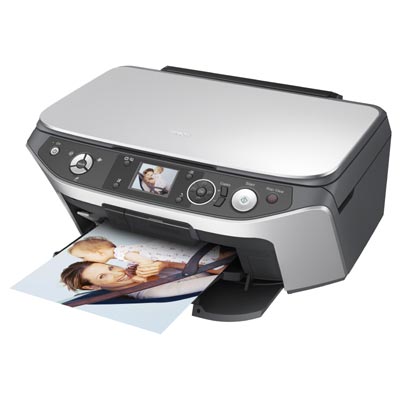
Epson Stylus Photo RX560 Review

Whenever I read about inkjet printers, more often than not, it is complaints about how expensive the ink cartridges are and that we live in a rip-off society. Over the years, I have come to learn (as some of you may have also experienced), that some manufacturers do in fact charge extortionate amounts for refills. Epson do not fit into this category, they have always touted how individual ink cartridges save you money and followed through with very good pricing. The Epson RX560 fits right into this category, using six individual ink cartridges, which can be replaced for as little as £6.99 each, so running costs for this all-in-one unit are going to be very good.

Now, I may as well admit it, but having reviewed many printers before, this is my first time to take a look at an all-in-one solution. The RX560 offers a six-colour inkjet printer, that fits into Epson’s ‘Stylus Photo’ range, it also has a flat bed scanner, so you can scan either in Epson’s software or in any twain compliant application, such as Photoshop, but wait, there’s more, you can also place something on the scanner glass and copy it, without even switching your computer on.
All this, plus there is also a memory card reader on the front of the unit, along with a 2.5 inch LCD screen for viewing settings and the photos stored on your memory card. So again, you can print out great looking photos without the use of a computer. There is also Pictbridge support, so you can connect you digital camera direct to the printer.
To top things off, the RX560 is also capable of printing directly onto CD’s and DVD’s that have a white printable surface. I have used an Epson R300 before and printing direct onto a disk is very handy. The RX560 delivers the sort of quality you would expect, with the only change here being the mechanism for sliding in the CD tray. Tucked away inside the paper output tray is a small blue lever, pop this down and the paper tray then adjusts to allow you to insert your disk in the supplied holder... it really is that simple.

So, the RX560 seems to offer a lot of features, but how good does it perform? I am hoping that it delivers the goods we have all come to expect from Epson, read on to find out…

First up, we will take a look at the printing quality. New inks in the form of Claria ink technology promise superior quality and up to 200 years durability when stored correctly. This sounds fantastic and is a great advance for keeping prints looking good for a very long time. The actual depth and vibrancy of the prints are astounding, the 5760x1440dpi resolution (when used) delivers so much detail that you will not be able to distinguish the Epson prints from lab photos.

The scanner offers an A4 size flatbed, an optical scanning resolution of 1200x2400dpi, with software supplied that is fully twain compatible, allowing you to use the scanner directly from within Photoshop. The resulting scans, as with the printouts are very details, have good depth and more importantly when scanning, they are very true to the original, with colour accuracy being very good. In use the scanner is a little noisier than a standalone flatbed, this is probably due to the noise of the scanhead being amplified by the cavernous printer underneath it. Don’t take this comment too seriously, as it is not obtrusive at all.

The menu system is superb, a nice bright 2.5 inch LCD screen which changes according to the mode you are in. A three-way mode button allows you to choose between ‘Copy’, ‘Memory Card’ and ‘Speciality Print’. When you have selected your mode, to the right of the screen you have four way arrow control buttons, with an OK button in the centre, plus a button at each corner of the screen. The main arrow control buttons allow easy navigation around the menu system and everything is laid out logically. With so many options and settings to choose from an intuitive menu is essential and Epson have done everything right.

Memory card support is good too, with compact flash, secure digital, memory stick and xd picture card slots hidden behind a smoked plastic panel. Navigating through the pictures is really easy and you can select individual pictures to print, all pictures, or go through selecting a different quantity of each one to print. You can even scan off the flatbed straight onto a memory card. The RX560 also acts as a memory card reader, so you can transfer your photos onto you Mac or PC from the printer. This is great as it means if you were previously using a memory card reader you regain one of your used USB ports. The printout of photos (I was using 7x5 glossy paper) is both quick and delivers stunning quality yet again.

The Epson RX560 offers so much to the end user and at a very reasonable cost. Think about it, if you were to go and buy a good quality inkjet printer, you are looking in the £100 range at least, add a scanner into the equation and to get a scanner of equal quality you need to splash out another £100, then add in a memory card reader at say £15, a colour inkjet copier at £100 and you can soon see where I am going with this. For under £150 you can have it all, great printouts, excellent scanning, all that extra convenience, wrapped up in a nicely designed, well laid out unit. The RX560 should be top of your list if you are looking for an all-in-one device. Now I just have to beg Epson to let me keep this one, I can feel the withdrawal symptoms already.

To download a printable PDF version of this review click here.

Product supplied by Epson UK
Retail price: £149.00
Contact: 08702 416900
Link to product.

Archos 504 Multimedia Player Review


Will the Archos tempt me away from my beloved iPod? I must admit, to say it was interesting is an understatement, with some very nice experiences along the way. On test was the 160Gb version of the Archos 504, yes, you read that right, 160Gb of storage.

The unit sports a 4.3 inch widescreen, capable of displaying 16 million colours. The screen is nice and bright, evenly lit and offers adjustable brightness levels. My only minor complaint was that there were not enough levels to choose from. Staying with the screen, it is very glossy, so you do get some reflections, but adjusting the angle is not a problem. The size of the actual unit is a little bulky feeling, not as pocketable as a 5th generation iPod, mainly because the size that the hard drive adds to the unit, but also due to the weight. Build quality was spot on, with a very nice brushed metal finish.

On the audio front the 504 supports MP3 and WAV files, photo viewing is also supported, plus you get MPEG4 and WMV video playback out of the box. To playback H.264, MPEG2 and VOB files you need to purchase optional plug-ins from Archos, which at the time of my review were not available.

Playing back music was superb, the sound through a decent set of headphones was rich and the on-screen display gives you a lot of information and options. There is also a built-in speaker, but this is very tinny and does not give a lot of volume, so although I do not think you would use it much, I suppose not a lot of competitors players have a speaker at all. Movie playback is awesome, the fluidity of motion scenes is great, colours are rich and again you have a lot of options. Photo viewing is also great, you get thumbnails of all your files, which are magnified slightly as you move over them for easy selection. When viewed full size the colour and definition is spot on, plus moving to the next photo is done in style with beautiful transition effects.

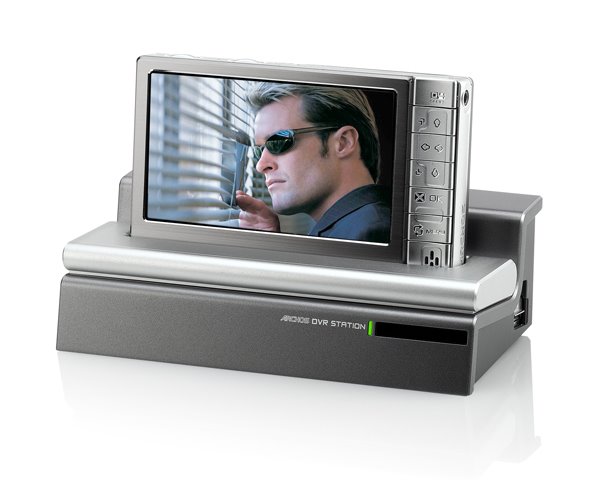
Where the Archos 504 takes things one step further is with its' ability to record programs. To do this you need to purchase the optional DVR Station, which serves many purposes. Use as a simple dock allows you to synchronise the 504 with your PC or Mac (for Mac please read on), it also allows you to charge the unit. The back of the DVR Station is laden with many sockets, composite video in and out, S-Video in and out, Audio in and out, Digital SPDIF out, plus Component video output too. Wow, now that is a lot to choose from. Once connected you can view content on your TV, but the exciting part is the ability to record and schedule recordings. The DVR Station is even powerful enough to bounce IR signals off a wall some 15 feet away, then back to your set-top box to change channels. The resulting recordings are nothing short of superb, with great visuals and sound.

Now, I use a Mac and an iPod every day. To get content over to the Archos, I simply plugged in via USB and set the unit to 'hard drive mode'. It then appeared on my desktop as an external drive. I then dragged folders and files from my iTunes library into the appropriate folder on the Archos (eg. Music, Movies, Photos etc.). This worked great and even pulled across and displayed my album art. The only downside was the lack of support for .mov files, so I guess once that plug-in comes this will be sorted.

So, will I give up my iPod. Well, the truthful answer is no, but I would love to have an Archos 504 as well, if I could afford it. If I didn't have an iPod already, then I would strongly consider this as an alternative, but only if I was going to put the recording features to good use. The Archos 504 is a superb product and I would strongly recommend you try and get a look at one.

Take a look at my two part video review below. The Archos product page is here.

Part One

Part Two

Disko All Night Long with Griffin

A slightly different review this time around with the 'Disko' iPod case from Griffin Technology. Not only is this a different case, but a different type of review from Geekanoids, the first of many video reviews. Future reviews will have better lighting and sound, maybe even slightly better presentation as I get more practice.

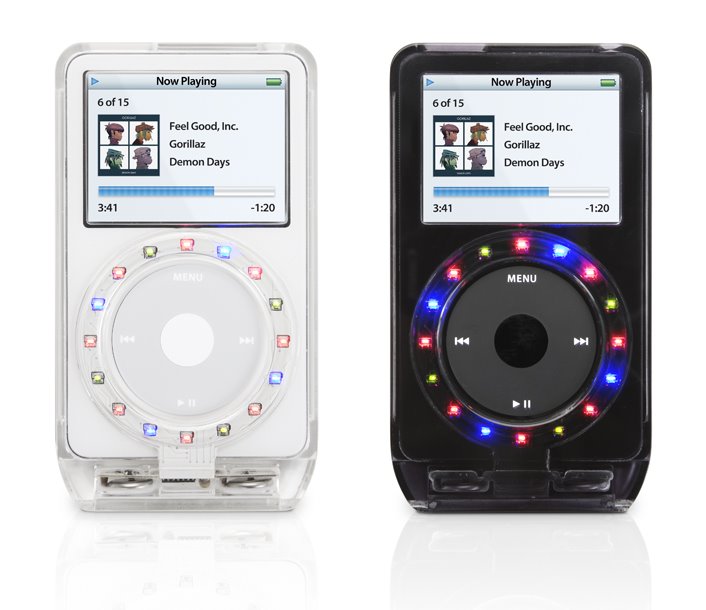
On with the review; the video says it all really, but I should add that this case is really funky. Suitable for the 30Gb, 60Gb and 80Gb 5th Gen iPods, it is a hard plastic polycarbonate case, glossy on the front, matt finish on the back, available in smokey black or transparent to suit the white iPod. The difference comes in when you move the case, the motion sensors kick in and make little LED's light up around the click wheel. Fantastic !

Check out the video and the the links below to the product. This will make an ideal Christmas gift this season at a very reasonable price.

Product supplied by Griffin Technology.
Retail price: $29.99
Contact: 615-399-7000
Link to product.

The Amazing Astounding Danger Mouse

I often ask myself, just how many items can someone review and still give a fresh and interesting evaluation that readers will be interested to read. This was more difficult to answer than I first thought, but I came to two conclusions. Firstly, it helps if the product is useful and well thought out and secondly, it pays dividends to actually use the product.

The Danger Mouse from MacMice fits nicely into both of my realisations and I am sitting here right now writing this review whilst actually using the product. I feel instantly at home with it for many reasons and all of these reasons fit into the ‘well thought out’ category.

Let me explain exactly what I mean and to kick off, you have no batteries to worry about. People rave about not being tied to their desk with wires, but let’s be honest, we are tied to our desks most of the time working, so what real problem does a tiny little wire cause... STOP right there, I said it, ‘tiny little wire’. The Danger Mouse chalks yet another win here with a nice lengthy and flexible wire, without actually measuring it, about 4 feet long and plenty to tuck down the side of the desk, or to get things looking neat and tidy without effecting movement of the rodent. Performance is great too, using laser technology with no lens makes the tracking ultra-smooth and very precise. For those of you who would like me to quote the numbers, it has a massive 1600cpi resolution, which for everyday work is really of no benefit, but start using apps where precision is critical and you will be very surprised at how good this mouse is.

Two buttons and a scroll wheel are pretty much a minimum nowadays and this is exactly what the Danger Mouse gives you. The two buttons make up the split top casing design and have a very positive ‘definite click’ feel, with not too much travel. The scroll wheel is a non-click design, so scrolling is very smooth and silent, it also acts as a third button when you press it down and it performs impeccably.

So if you are not fussed with having dozens of buttons at your fingertips, but would rather have a good quality, well built, wired mouse, then look no further. The Danger Mouse echoes the styling of Apple’s mice, in a nice gloss white finish and light grey cabling. It is also available in black, for those of you who own a black MacBook, you can now have a matching mouse! What makes this rodent stand out above the rest is its’ very smooth tracking, high resolution, nice buttons and above all else, at last we have a wired mouse with a decent length cable! Thank you MacMice, thank you !!!

To download a printabel PDF version of the review click here.

Product supplied by MacMice
Contact: 408-979-9979
Average street price: $29.99
Link to product.

Lineform - drawing at a Sensible Price

How many times have you launched something like Illustrator and been frustrated by the hundreds of tools thrown in front of you, when all you need is a simple application for creating a quick logo, map or other drawing? Or perhaps you are new to the world of design and you need to create something, but do not have the budget to spend on every single app on your shopping list. Until now, there has not really been a viable alternative, so Freeverse steps up to the mark with their 'Lineform' application.

Many of my comments in this review may seem to sound negative, but I need to put you straight on this right away. When I say that Lineform offers a simplistic interface, or takes the easy route to giving me the tools to do the job in hand, this is really a positive. For many years now I have used Freehand instead of Illustrator, because the interface is a lot simpler to find your way around. Lineform is very similar to this, the interface is very clean and allows you to get on with what you are trying to achieve, but when you need more powerful tools, they are on tap too, but without being over-complicated (unlike some very expensive apps).

So, on first launch you are presented with your main work area, along with collapsible palettes (initially along the left side of the screen). The top palette deals with fill colours, which can be empty, solid, gradients, images or text. Next up is stroke attributes, such as line weight, type of line, arrow heads, etc. The arrow head part is nice, in that once you have applied your line weight and you can adjust the size of the arrow head with a simple slider.
The effects palette deals with opacity, blend mode and simple shadows, followed by a layers palette. The inclusion of layers just goes to show that Lineform is no lightweight, you can hide this palette away when you first start, but once you get going on more complex documents you can introduce the power of layers into your documents as you progress.
The grid options are also really nice, you can adjust the size, steps, snap to grid and even bring the grid in front of the illustration you are working on and to finish the palette count off, you have one for controlling your layout and page setup. A ‘transform’ palette (amongst other things) has also just been added to version 1.2.2.

Wow, time to take a breath, that long list of palettes really only touches the surface. Once you get going with Lineform you will see how intuitive it is, for example, in one of the screenshots you will see a simple map I created (in a couple of minutes). If I were creating this in Illustrator or Freehand, as I went through shift->selecting various objects, I would have no idea if I had picked up everything I need to change. Lineform keeps you right up to date, by giving you an update of how many objects you have selected, if they are all of the same type it will tell you 'x number of rectangles selected' or if you have a mixed selection it will read 'x number of graphics selected'. This is great, very useful and in this same area it also tells you what you can do with your selection, for example resize or rotate it, along with which modifier key you must press to have the desired effect.
All of the bezier curve and line control you would expect are on tap, with control handles, combining, separating and reversing paths. Object conversion, union, subtract, intersect and XOR functions, I could list them all, but I will summarise by saying that I could see no major omissions.

When it comes to file handling, Lineform comes up trumps again. You can export your files as a BMP, EPS, JPEG, PDF, PNG, SVG or TIFF, with control for bitmap resolution and transparency. I tested this and opened up the resulting file in illustrator and everything seem hunky dory. Simply selecting the 'save' option results in a document that can only be opened in Lineform itself.
Importing is great too, with SVG files remaining fully editable and most other formats (JPEG, EPS, PDF etc) also supported.

Where does Lineform fit into your software line-up?

Well, using myself as an example, I own Illustrator already and Lineform will still take a place in my dock. I will use it for quick logo creation, diagrams, etc. It may even take over as my main drawing app, but only time will tell on that front. I will revisit this with another review in a couple of months, but I am sure that Lineform will still be in my dock as an ‘everyday application’.
For those of you who do not own a drawing program, well all I can say is to try it, you are likely to find that it meets your requirements, as it really does deliver everything I could see myself needing for everyday use. The money you will save is a substantial amount and shouldn't be sniffed at.

To top it all off, Lineform's publisher Freeverse offer great support that just seems so much more personal and helpful than some of the bigger companies, coupled with a great forum, where the Freeverse team are very active to give quick answers to your questions and comments. This all adds up to a package that delivers far beyond its' bargain price. If you are still not convinced, then download the trial version, check out just how useful and powerful the software is and then upgrade to the full version, for me it’s a forgone conclusion.

To download a printabel PDF version of the review click here.

Product supplied by Freeverse Inc.
Contact: 212-929-3549
Retail price: $79.95
Link to product.

Lacie mobiledrive - big storage, mini size!

Many people nowadays are turning to laptops for their main systems, not only due to the power that is now available in these mobile machines, but also because it offers a very versatile set-up. Not having to look after two systems is very nice and the ability to connect your laptop up to an external display, gives you the best of both worlds.

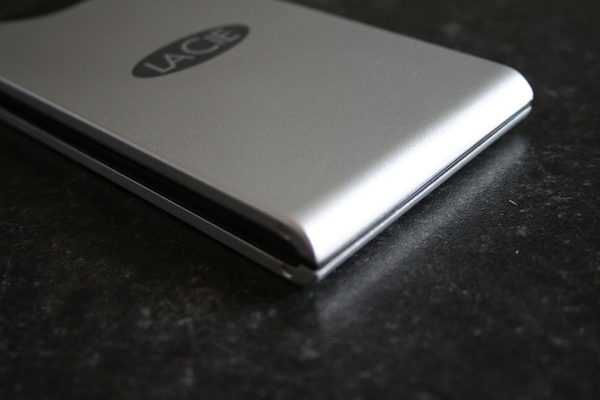
Storage whilst on the move is very handy, but when your laptop comes with maybe only 60Gb of internal storage, the only option is to either get a larger hard drive fitted, which is often expensive, or invest in an external device. This is where the Lacie MobileDrive comes into play, because it offers you 80Gb or 100Gb (as reviewed here) of external storage in a very neat package. This unit is very nicely styled, sleek curves to the front and no protruding feet to catch on things. It is small enough to easily fit into a large coat pocket or a normal bag pocket alongside your laptop. It does not feel cheap either, despite its’ very competitive price tag.

Their is one green power/activity light on the top of the hard drive casing and the back sports a single USB2 connection and a port for the (optional) power supply. A very important note here, is that the MobileDrive worked perfectly with both a MacBook and older 12-inch PowerBook G4, happily drawing power from a single USB2 port, so no need to carry around a bulky power supply. If you do need more power, then the supplied powershare cable allows you to draw power from a second USB port. This is in contrast to a previous encounter I had with a SmartDisk Firelite drive that needed an external power supply to jump into action.

All the cables, a quick start guide and a utility CD is supplied in the box, with straight plug’n’play use for most systems (Windows 98SE & ME require drivers). In use the drive performed very well indeed, with a 270Mb file copying across in 16 seconds and a 1Gb file in just 68 seconds. All this with silent operation with no noticeable vibrations coming from the unit. There are a lot of mobile hard drives available on the market nowadays, but the Lacie MobileDrive wins my vote for styling, it’s silent operations and the user friendly smooth sleek lines to the casing. Not forgetting the all important performance which is the icing on the cake.

To download a printabel PDF version of the review click here.

Product supplied by Lacie UK
Contact: sales.uk@lacie.com
Retail price: £99.00
Link to product.
Link to product datasheet.

Netgear DG834N Review

We all want extra speed, it doesn’t matter how fast a human can actually read a web page or surf the ever expanding internet, when we see the new offering of ‘Super-uber 500 Megabit Broadband’ we sign up before even looking at the price. We want to download that movie (legal download of course) and boast to our friends how it download in just ten seconds. For the rest of us, who want to be productive in our daily work, of course speed is important, but so is stability of service and, if you use a laptop, wireless speed is also right up there on the top of the list.

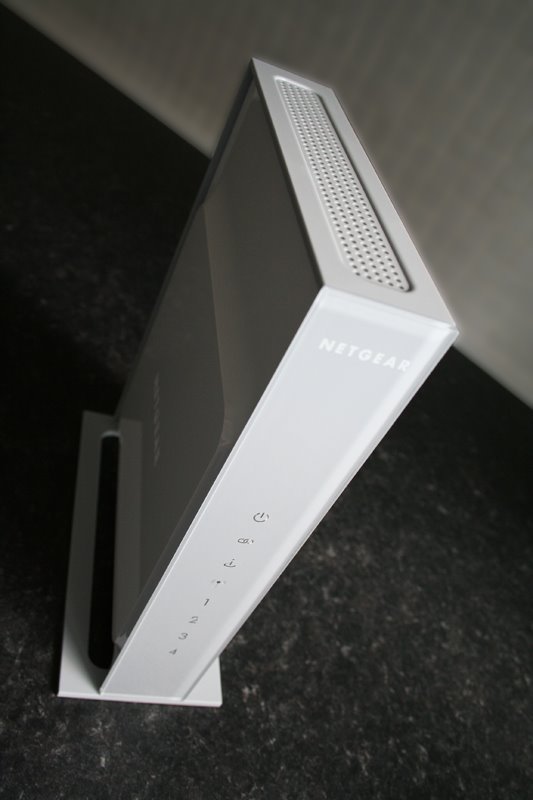
Often referred to as 802.11x where ‘x’ can be an a, b or g, the differing speeds are not often noticeable, but a new offering has been around for a little while now, in the format of ‘draft 802.11n’ and we take a look at Netgear’s DG834N which offers this, plus a whole lot more. Before I continue I should make a clarification about the ‘draft’ statement. This is because 802.11n is not a standard yet, the final specification has yet to be carved into stone, so things may change. Some say some devices may become redundant if things in the final 802.11n change too much, but I say in this day and age, any changes made would most definitely be available as a firmware update.

So, the DG834N falls into Netgear’s ‘RangeMax Next’ range and is offered alongside various other devices that compliment the new speed offering. These include a wireless notebook adapter (WN511B) and a wireless PC adapter (WN311B) which we have here to test as well. It is only really when you use these in conjunction with the DG834N that you will benefit from all the new improvements on offer.
However, you can use this device with your current set-up as it does offer compatibility with 802.11b & g.

Speed Demon
So the new speed increases promise up to 270Mbps when used with the relevant adapter, compared to 11Mbps on 802.11b and 54Mbps on 802.11g, so a very worthwhile jump. In practice and without getting to technical, I found downloads over wireless to offer on average a twofold improvement, dependent on the position of my PC (with WN311B adapter installed). A handy table below shows all the different protocols and what speeds they have to offer... to download the full review click here.

Product supplied by Netgear, Inc.
Contact: +44 (0)1344 458200
Average street price: £93.88
Link to product.
Link to product datasheet.

How to Get Rich by Felix Dennis

I wanted to bring something a little different to my readers, because I felt it would be the right thing to try and entice you away from your screens for a little while. Spending hours in front of your Mac is a fine way to spend your day, but can induce back ache and eye strain if you overdo it. So, why not pick up a copy of 'How to Get Rich - by Felix Dennis'.

Now, I am not a massive reader, but two things drew me to this book, firstly the title, as I wouldn't mind a bit (or a lot) of extra money, but secondly the man behind the book. We have all heard of the publication 'Mac User' and some of us may have seen 'Personal Computer World' on the shelf, well these are just a few titles by Dennis Publishing, founded in 1973 by Dennis Felix. He sold the two magazines and made millions and continues to do so in various ways.

The book is not one of those awful 'bible' type books, that lists what you must and mustn't do, complete with diagrams, rather it is written in a light hearted and frank manner by the man himself. He really drills home why you must not let opportunities pass you by and I found myself engrossed in reading for the first time in years.

"Making money is a knack, a knack that can be acquired. And if someone like me can become rich, then so can you - no matter what your present circumstances. Here is how I did it and what I learned along the way," writes Felix.

The Fallacy of the Great Idea, strikes home with "Good ideas are like Nike Sports shoes. They may facilitate an athlete who possesses them, but on their own they are nothing but an over-priced pair of plimsolls. Specially adapted plimsolls may be a good idea. But the goal is still to win, and sports shoes don't win. Athletes do. And yet I have lost count of the number of men and women who have approached me with their 'great idea', as if this, in and of itself, was some passport to instant wealth. The idea is not a passport. At most, it is the means of obtaining one."

I could keep quoting and quoting all day long, this book is just such a great read. Even if you do not want to 'get rich' (and believe me, there are those who don't), the writing is upbeat and it is interesting to learn about the man behind Dennis Publishing, so I highly recommend you give it a try.

Product supplied by Ebury
Retail price: £16.99 ($32.33)
ISBN: 0091912652
Pages: 304
Contact: www.eburypublishing.co.uk

Apple iPod Nano 4Gb - New 2G Delivers !

To say I feel honoured is an understatement, but when I took the new 2nd generation iPod Nano out of the shipping box my jaw dropped. The new transparent packaging is fantastic and I  now know why Steve Jobs mentioned it in his keynote. Not thinking my jaw could get any lower I  removed the Nano from its’ packaging and was once again amazed at how much sleeker it felt than the previous generation.

This is my first review where I  just felt that I  wanted to give you two pages (or more) of high resolution photographs. They say ‘a picture is worth a thousand words’ and with the new Nano those words could not be more fitting. The case of the Nano is now all anodised aluminium and is so nice to touch, a real smooth feel, no worries about fingerprints either, which is fantastic news. Colours have been introduced with the 2Gb model being available in silver only, the 4Gb being available in silver, green, blue and pink, and the new higher capacity 8Gb model in a sexy black. All have this wicked metallic look.

Back to the packaging a moment, before I  tell you even more about the latest Nano. I always trump on and on about the ‘Apple buying experience’ and yet again, unpacking this baby is no different, everything is packaged impeccably, the iPod lifts out and you are presented with two fold out pieces of card, which reveal a tiny quick start booklet, the new style headphones, usb connector and dock adapter. All so neatly positioned you wonder just how they do it.

Now, back to the Nano, and connecting it to my Mac for the first time presented me with a software update, which I  installed, then left it charging a little while before syncing with my iTunes application.
I  already own a 60Gb iPod myself, so my iTunes library is quite large, so when I connected the Nano, iTunes warned me that my library would not all fit and gave me the option of the application creating a Nano playlist for me, I took this option for speed and let iTunes select the songs for me. The actually capacity for files on the 4Gb silver model I am reviewing is 3.68Gb, the remainder being taken up with system files etc. So I  set the files transferring and it pushed 698 MP3’s across to the Nano in about 12 minutes, which to me is totally acceptable. I  made a few changes to the playlist and re-synced and was ready to play... to download the full review click here.

Product supplied by Apple UK.
Retail price: £129.00 (4Gb model)
Contact: 0800 039 1010
Link to product.

i-deck compact - Get That iPod Pumping

Having an iPod is something I have been lucky enough to be party to from the second generation release onwards, so I have enjoyed the simplicity in design, the superb interface, the usefulness and the power for many years. I use my iPod every day for music and podcasts mainly, but the odd video crops up every now and again.

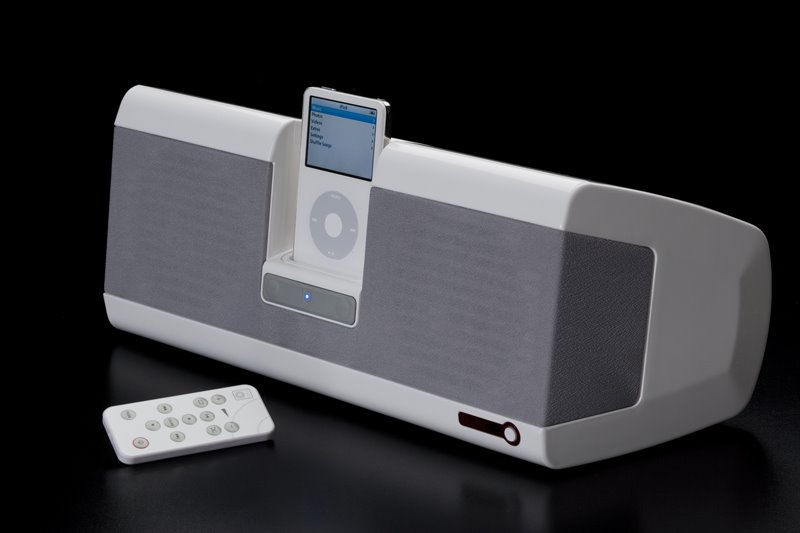
About a year ago I invested in two separate speaker systems for my iPod in quick succession, the first I will not name, the second by Logitech was good and I still have it now. So it was with much excitement that I had the opportunity to review the ‘i-deck compact’, not only because it promised to be a step up from what I had been used to, but also because it is manufactured by Monitor Audio, who just happen to also make the home cinema speakers that I have now enjoyed in my lounge for the last two years.

You will hear many Apple devotees talk about how unpacking an Apple product is all part of the experience, the way things are cable tied, the box design, clever packaging and the smell. Yes, it sounds obsessive, but when you experience it you will know what I mean. Well, the i-deck compact gave that same feeling. OK, it was a big box, but the wrapping was perfect and unveiling the glossy white casing instantly made me very confident of the product.

This is a weighty unit and measures 42cm in length, which is great as is enhances stereo separation. The amplifier delivers 15 watts per channel, so when I say this thing goes loud, I mean LOUD !
The design of the unit is no less than ‘spot on’ sporting nice curves and that all important glossy white finish. The grey grills that cover the speakers are of a very fine mesh and compliment the overall design of the unit. For those of you with a black iPod, the ‘ideck compact’ is also available in black with black speaker grills.
Around the back, the unit is finished in silver and it sports the power socket, a connector for running to your Mac or PC so you can sync your iPod when it is connected to the ideck, a composite video ouput, s-video output and a 3.5mm stereo input jack, so you can connect other audio devices with the supplied cable to the ideck if you so wish. There is also an optional 12V car adaptor available, so you could use this whilst travelling or on holiday. Also in the box you will find a selection of dock adapters, that snap nice and easily into the unit, they allow a nice snug fit for all of the current iPod range.

Down & Dirty
Enough of describing the ideck to you, let’s get this baby powered up... to download the full review complete with more product images click here.

Product supplied by Monitor Audio UK
Retail price: £149.00
Contact: 01268 740580
Link to product.

TechTool Pro Review - Protect your Mac

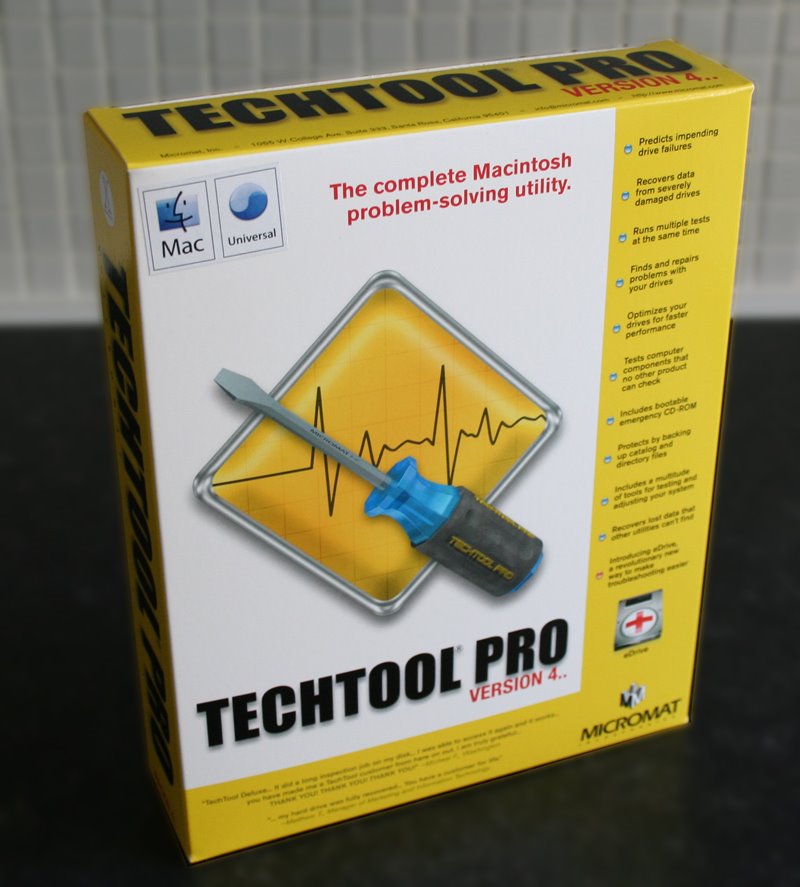
Having the knowledge that your Mac is safe and secure is a good thing, backing up is also a must nowadays (even before we get Apple's Time Machine), but what about keeping your system in top condition, looking out for hard drive problems, recovering data in the event of corruption, or even having a method of recovering your system if OSX goes all wonky on you. Well, there are many applications out there, but only a few that users rely on and MicroMat's Techtool Pro is the latest of the bunch.

Inside the box you get the install DVD and a printed (yes I said printed) manual. Many applications come with online or PDF manuals nowadays, so it is nice to see a really good manual to guide you through the process.

Installation was really straightforward (screenshot 1) and you are also given an uninstall option, should you wish to use it (very doubtful, but nice to see it). The version reviewed here is 4.5.1 which is the latest Universal Binary release. A restart is required to complete the install and you are also prompted to test that your Mac actually boots from the install DVD, in case you need to do this at a later date. For my testing I was using an Apple MacBook 2GHz laptop and I am happy to report that it booted fine (and fairly snappily) from the DVD. To note, this DVD is 'Dual Boot' so should work fine with both Intel and PowerPC based Macs. Also on the DVD is a disk image for version 4.1.2 which should give earlier compatibility, should you need it.

On first run you are asked to personalise the TechTool Pro with your name and serial number and to register it online. The whole process takes just a few minutes and is well worth doing.

The main screen (screenshot 2) presents you with five icons across the top, clicking on each expands the window to show the options in each category. I will run through each in turn, but feel I should jump to a feature that is very important, that I have previous knowledge of.

The Knowledge
Clicking on the 'Tools' icon gives you six new options (screenshot 3). I will cover all the other options later on, but here I want to run you through 'eDrive'. When first clicking the 'Tools' icon you are prompted to only run things in this section when connected to the mains power, this is a safeguard worth noting, as you definitely do not want your laptop to switch off whilst performing a task.
Now, to put it simply 'eDrive' creates a mini partition (about 4Gb required) of Mac OSX and a copy of TechTool pro. This means that should you system crash and become unusable, you will be able to boot from your 'eDrive' without the need for a bootable CD or DVD. It is also worth noting that if you have updated your main TechTool Pro application, you can also update your eDrive too, so this would supersede a bootable CD or DVD anyway.
The procedure is simple, click the 'Go' arrow next to 'eDrive' and you are presented with a window (screenshot 4) where you select a destination for your bootable 'eDrive' and the source drive (which contains your OS). It is worth noting that you do not need to create a 4Gb partition for this procedure as TechTool Pro does this all for you. In my tests, it took nine minutes to create my MacBook's eDrive, which is pretty fast. I used an external firewire mini hard drive, running at 5400rpm, but you can create your eDrive actually on your Macs internal hard drive, or any drive physically connected to your Mac.
The process creates a small partition on your hard drive which contains a basic OSX install, the TechTool Pro application and a few other applications, such as Safari, Disk Utility, Console etc. All of your other applications are stripped out, which is good to see... to download the full review complete with screenshots click here.

Product supplied by Micromat Inc.
Retail price: $98.00
Contact: 1-800-829-6227
Link to product.

FileMaker Pro 8.5 Review - Power to your Data

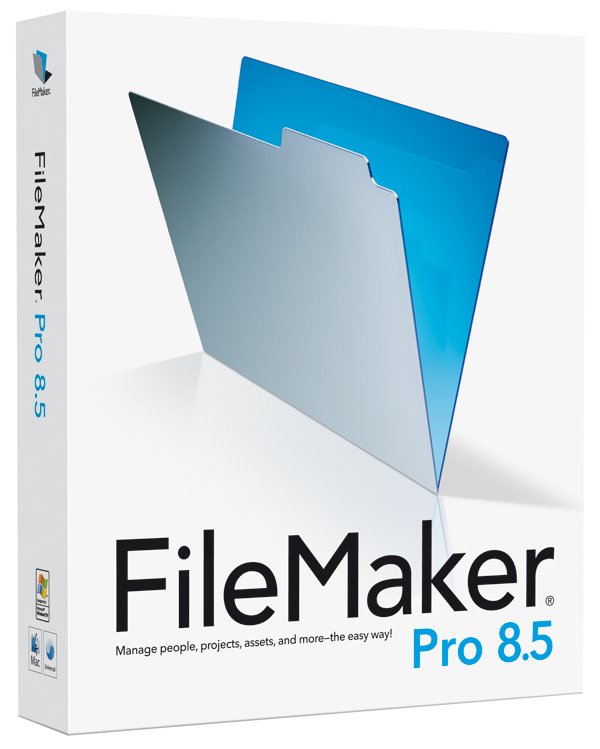
To be honest, reviewing FileMaker Pro 8.5 scared the hell out of me, not because of how powerful the application promised to be and believe me it is not an overcomplex application, but because I really wanted to do it justice. I have used the Mac for many years now and have collected data in a variety of ways, but have never spent the time to sit down with FileMaker and learn if it could really work for me.

So for those not in the the know, what is FileMaker? Well, in the simplest of forms it allows you to create a database such as an address list, or pushing a little further perhaps details of what you sell in your shop. Perhaps you run a club, so keeping track of members details and subscription status is important. For this type of data you need look no further.
If you want an application that pushes the boundaries further still, then FileMaker Pro also allows the creation of very complex databases, that use multiple tables, often referred to as ‘Relational Databases’ these can cross reference each other and work together.

Creating a database is easy, much better if you plan it first, perhaps on a piece of paper. Make a note of the information you need to store, such as name, address, town, city, postcode, member number, subscription rate, renewal date etc. The excellent manual walks you through the planning process and step-by-step instructions for entering fields within the application (see screenshot 1). You can even simplify the process by basing your database on a template (see screenshot 2), some are supplied and installed with the application, many extra ones are available as free downloads, with specialist solutions offered by many companies. So if you need something specific and do not have the time or knowledge to put it together yourself, then a bit of searching will normally find you someone who can.

Once you have set up all your fields you can create a nice on-screen layout for your database. This is done in layout mode, where you can create multiple layouts for the same database, by simply dragging elements around, adding background colours, even importing a picture into the header (screenshot 3). In just five minutes it is possible to create something very pleasing to the eye (screenshot 4) with the minimum of effort... to download the full review complete with screenshots click here.

Product supplied by FileMaker UK.
Retail price: £219 (ex. VAT)
Contact: 0845 603 9100
Link to product.

Shrink your PDF files the 'PDF Shrink' way !

For someone who spends most of his time evaluating products and writing reviews, it is always nice to have a passion for what I am reviewing, that is what makes my job a pleasure to do. Having been involved in graphic design and the publishing industry for many years, it made me very happy to find Apago's PDF Shrink (version 4) universal binary software.

Apago are by no means a new company, they were founded in 1991. The North Atlanta based company offer a wide range of software solutions, mainly based around PDF workflow and manipulation, with a few other bits thrown in for good measure.

PDF Shrink is probably the most appropriate software I could look at, as the past few months I have been producing the downloadable (and printable) version of the reviews that appear on Geekanoids. With so many reviews going onto the website, size is very important, without compromising on quality. Toward the end of this review, instead of the regular download, you will find two options, one created in my normal workflow with Quark Xpress, the second was optimised with PDF Shrink.

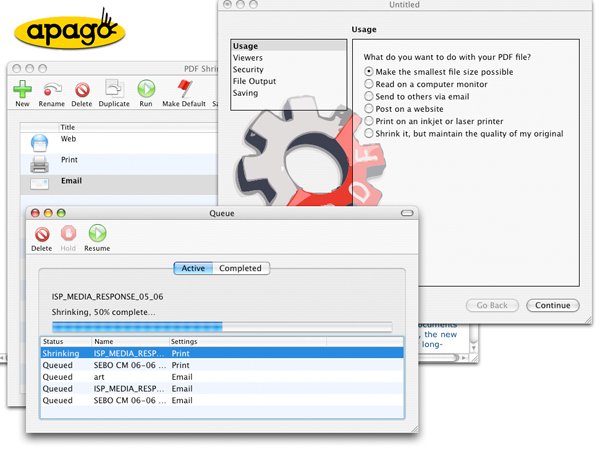
So to kick off, let us take a look at how PDF Shrink presents itself to the user on first launch. The main window (screenshot 1) has a row of icons across the top, these are mainly used for creating various PDF settings. They are all pretty self explanatory, so I will not insult you with the obvious. Of interest are the 'New', 'Save Droplet' and 'Save PDF Service' buttons.

'New' allows you to create a preset PDF workflow, where you can specify the settings in one of two modes. 'Basic' shown in screenshot 2 allows you to make the settings by clicking options that appear in plain English, this is a great idea and allows most non-tech users to be up and running in no time. You can choose how the resulting PDF file is going to used, which viewer will likely be used to read the PDF, security settings (password protection etc), how the file will be saved (you can even add a suffix to the resulting filenames), the last option is saving, where you can assign an icon and description to the workflow you are creating.
Clicking the 'Advanced' button toward the bottom of this window (see screenshot 3) allows you to make the same sort of settings, but with options that would make more sense to the more advanced user. So for example, instead of choosing how the PDF is going to be used (to post on a website for example), you would choose the resolution, type of compression and amount of compression.
Once you have made all the settings you require, the name and icon for the workflow appears in the main window, ready to use. If you look back at screenshot 1, you will see settings for Email, Print, Web Reviews and Web. All of these are preset into PDF Shrink when you first launch it, with the exception of 'Web Reviews' which I created to test how the procedure worked... to download the full review (PDF created by Quark Xpress) click here.

... to download the full review (PDF processed with PDF Shrink) click here.

Product supplied by Apago Inc.
Retail price: $35
Contact: 770-619-1884
Link to product.

Griffin PowerBlock - Juice up your iPod !

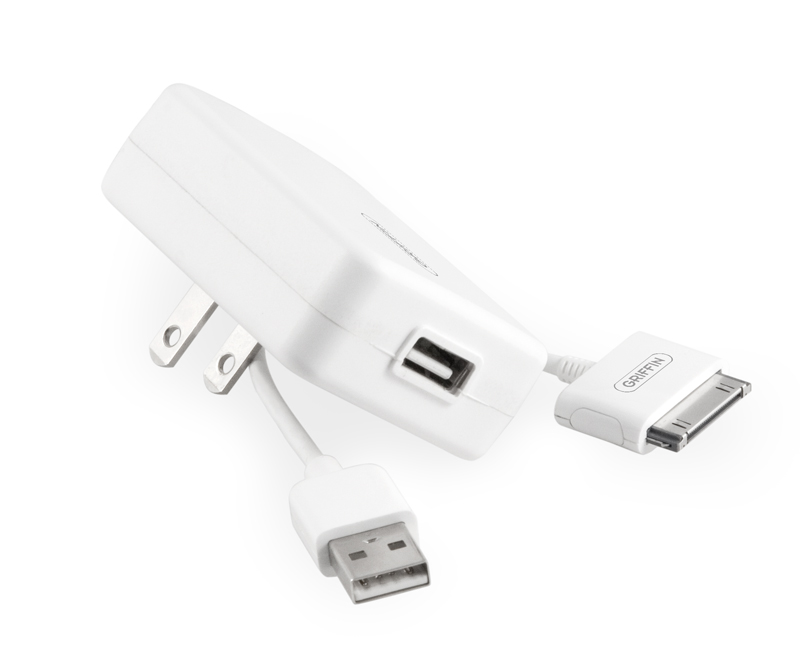
We all know how great the iPod is and how it is a runaway success for Apple. I love my iPod, having owned most of the generations released, but with the later versions charging became more and more tied to a computer rather than a power socket. If I want to pump some juice into my iPod, I do not really want to go to my computer (if I am at home), power-up and plug in. This is fine if I am synchronising it to iTunes, but I want just the extra battery power.

The PowerBlock from Griffin Technology offers me just the solution I need, it is a very simple, compact device that sports a two prong plug with a USB connector on it. The supplied USB cable then plugs into the unit and into the dock connector on my iPod. It works worldwide too, accepting 110v to 240v and will charge any iPod with a dock connector. These include the iPod Mini, 4th generation iPod, iPod Photo, iPod Nano and the latest iPod with Video (5g). I assume that it will also work with the new 2G Nano as this also sports the standard dock connector. Another point of reference is the output rating, which is 5.0V 500mA, so if you have a device other than an iPod that charges via USB with this rating, there is no reason why you cannot use the PowerBlock to charge this too.

It is the compact size of the PowerBlock that wins out for me, even the two prongs of the plug fold down when not in use. A tiny unit measuring about 6x4.5x2cm and weighing virtually nothing is ideal for travelling around with.

In conclusion, if you want to keep your iPod topped up with juice and need something that is suitable for worldwide use, then look no further than the PowerBlock. It is neat, very compact, ultra light and does exactly what is says on the box.

To download a printable version of review click here.

Product supplied by Griffin Technology.
Retail price: $29.99
Contact: 615-399-7000
Link to product.

Apple iLife 06 - Superb Value for Money

Buy a new Apple Macintosh and for a long time now you have been treated to a suite of new software that comes as part of their iLife suite of applications. Many writers and Mac fans praise the extra value this adds to a product when compared to a PC counterpart and yes, I have to agree, it does add up. The main argument Mac users seem to bandy around is that the software you get with a PC is often trial software, lite versions, subscription based, or so totally useless that it would be a lot better if it were not even installed. Whereas the iLife suite of applications a fully featured and very useful apps.

So what if you have an older Mac that did not include iLife, or perhaps you have a very old version and want to get up-to-date. Well, iLife is available to purchase and what I want to look at here is what you get for your money and if it is worth the £55 asking price.
I also wanted to see how the applications behaved on an older machine, so have installed the software on a 400MHz G4 PowerMac as well as a newer 1.8GHz G5. Let me get the installation out of the way first, as it really does not need writing home about, other than to say that Apple makes installing software very easy and intuitive, everything installed on both machines and updated without a hitch, with the exception of iDVD, which could not be installed on the G$ due to system requirements.

To kick off, iPhoto 6 is probably one of the most recognisable Apple products. Many people conceive this as an organisational tool for your photos and yes it is, but it is so much more besides. Attaching your digital camera or memory card to your Mac sets iPhoto into action and you are presented with some import options. Once the photos are on your Mac you can scroll through them, organise them, assign category keywords. Where iPhoto takes things more than one step further is as follows... to download the full review click here.

Product supplied by Apple UK.
Retail price: £55 (single user) : £69 (5 user family pack)
Contact: 0800 039 1010
Link to product.