Roland HPD-10 - Music Goodness

Today we are taking a look at the Roland HPD-10, something to bring out that creativity in you and get you away from those RSI induced aches.

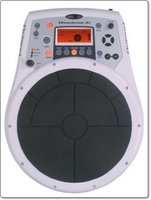
We love the fact that technology has progressed enough to bring with it the possibilities of cramming so much goodness into such a neat product. The HPD-10 is a fantastic instrument from Roland's hand percussion range. It is a little larger than a ream of A3 paper, measuring 323x427x75mm. It comes supplied with instructions and a power supply, but high up on the options list should be a PDS-10 stand, which makes the unit a lot easier to use and adjust to a comfortable height.

The best description of the HPD-10 is a really modern drum machine. It doesn't have any built-in recording functions, so it certainly could replace a drum machine if that is your requirement, but you can attach it to an external recording machine. It offer 400 built-in sounds, a metronome function (for keeping the rhythm spot on) and ten individual pressure sensitive pads. There is also a D-Beam controller, which is great fun, you simply wave your hand over the sensor at varying heights to achieve the required sound effect. Before I move on to how great the HPD-10 is, I should also mention the rhythm coach feature. This is great for adults and children alike, and shows an LED duplicate of the ten pads. It gets you to listen to a beat, whilst it shows you which pads to strike, then you have to repeat things at the correct rhythm to progress. This is a great training aid and makes learning fun.

Onto the sounds, and they really are fantastic. There are a lot of futuristic samples in there, with stunning special effects. You also get congas, bongos, tabla, cajon and steel drums, to name just a few. The fact that the pads are pressure sensitive adds to the realism and creativity. The harder you strike a pad, the louder the sound.
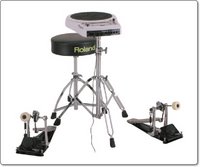
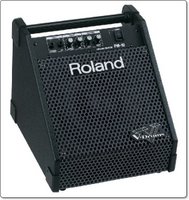
You can also turn the HPD-10 into a mini drum kit. Adding two external triggers allows you to add a cymbal and a kick trigger for that bass drum. There are also MIDI in and out sockets, so you can add extra functionality here too. For silent use and practice there is a headphone socket. But for rocking the house you need to connect either a single amp, or two powered speakers for stereo output. We used Roland's PM-10 personal monitor amplifier, which delivered stunning sound and clarity. Every small detail of the percussion instrument or effect was spot on, and when you hit those low bass drums, you really feel them. We also tried the HPD-10 with a Marshall MB30 bass amplifier. It was comparable to the PM-10, not quite as detailed, but certainly an option if you need to save a little on your budget.
Altogether I would put the HPD-10 into two camps, where it scores very highly indeed. If you are a pro musician and need to add percussion to your set-up, then look no further, you will not be disappointed. If like me, you love music, spend all day doing the same thing, and need some creative release at the end of the day, then spend you hard earned cash now. The HPD-10 has given me and my family hours of fun and I am very sad to have to send it back.

Product: Roland HPD-10
Price: £449.00
Supplied by: Roland UK
Contact: www.roland.co.uk/buy.asp

Product: Roland PM-10
Price: £199.00
Supplied by: Roland UK
Contact: www.roland.co.uk/buy.asp

Product: Marshall MB30 Amplifier
Price: £105.00
Supplied by: Marshall Amplification plc
Contact: +44 (0)1908 375411

Samsung X830 Review - tiny MP3 mobile goodness

The Samsung X830 definitely tries to buck the current trend of smart phones that (try) to do everything. Personally, I have been caught up in the task of finding myself the ultimate mobile phone, something for emails, music, computer connectivity, web browsing, the list is just endless. With all this going on inside my mobile often ends up being a bit brick or slab-like.

When the X830 arrived in the office and I opened the box, the first impression, after picking my jaw up off the floor was "Where's the phone". This thing is tiny, a really beautiful handset. About the size of a Milky Way (the edible kind) the front sports a thin upright screen with a 128 x 220 resolution. Underneath the screen is a click wheel, which physically rotates for navigating the menus. It also acts as a 4 way directional button, with a fifth button for selecting items in the middle.
The left side of the handset has a hold button, for preventing accidental clicks whilst listening to music. On the right are the volume buttons, plus a nice hard plastic cover that swivels around to reveal the earphone and charging sockets.
The back of the phone sports a 1.3 megapixel camera, with 4x digital zoom, night mode and various other effects.

Getting inside the phone is wonderful, you rotate the whole front in a clockwise motion, to reveal the keypad. The swivel action is fantastic, you will be playing with it for hours. It snaps out in a nice vertical position every time, obviously a lot of thought went into this. The keypad is a nice size, with two additional soft keys and a clear button that doubles to activate the camera.

The menu system carries on the brilliant design of the handset. Although you can change the colour scheme, the default duotone, red and white, is really effective. You can move through the menus either by clicking the wheel in the appropriate place or by rotating it. The main screen menu gives you access to a call log, applications, messages, camera, phonebook, browser, files and your settings.
I won't delve into every menu here, but should mention the two great java based games you get. First up is Cannonball, which is a modern day pong type game. It has nice colourful graphics and is surprisingly addictive. The second game, Forgotten Warrior is a mini RPG game with a platform flavour. Seems like Apple's influence is everywhere, the first item I found was a iKey! Well, the graphics are nice and colourful and it kept me amused for a good half hour at a time…  

Now onto the biggest feature, where the X830 really excels. This tiny tiny little phone houses an MP3 player, plus the ability to record and playback MPEG4 files. The music side of things supports MP3, ACC, AAC and WMA files. You get 1GB of built-in memory, so plenty for carrying around a couple of days worth of tracks. In closed mode you simply press and hold the centre button to get into MP3 mode. The display tells you the track title, duration, time played, and number of tracks in current selection. In the background the display shows you exactly what the click wheel and centre button will do the the track (eg. play, pause, skip). You can select your tracks by recently played, mot played, artist, album, genre, podcasts, or by playlists. The built in speaker does a very good job for playback and actually goes quite loud. However, it goes without saying that things sound a whole lot better though the earphones.
With the screen rotated into the open position, you can also play back your music tracks accompanied by a nice visual display, which is very colourful and effective.

So, the camera is pretty good, with nice clear outdoor images. Even indoor snaps (see Excite Truck) are acceptable. The screen, although small, is bright and nicely detailed. The user interface is brilliant and a joy to navigate with the scroll/click wheel. Where the phone intends to excel, it really doesn't disappoint, the music playback is awesome. All this is wrapped up in an ultra cool design. If you are looking for something a bit different, that does all the above with style, plus makes a very usable mobile phone too, then the X830 is the way to go. Well done Samsung, if you keep releasing handsets like this my piggy bank will empty pretty quickly.

Product: Samsung X830
Supplied by: Samsung UK
Contact: 0870 726 7864


Marshall Amps - Get that bass pumping

Here at Geekanoids we will be bringing you some alternative reviews over the coming months. Something to get you away from that screen, maybe a little different creativity, or something for the weekend. Hot on the heels of this review will be some excellent percussion instruments, the RMP-5 drum practice pad and the HPD-10 hand percussion pad. We also have Marshall's excellent AS50D amplifier, and a Yamaha APX500 electro-acoustic guitar.

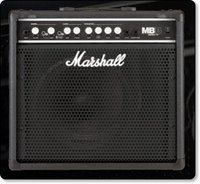
To kick things off the kind people at Marshall Amplification lent us their MB30 bass amp, which we wanted to test with the Roland RMP-5 drum practice pad. Before I continue with my impressions here is a little about the MB series. There are ten different models in the range, starting with the MB15, which delivers 15 watts of amplification, right up to the MB4050H, a two box affair capable of up to 450 watts. All have similar styling, being black with white accents and controls.

The MB30 which we have on test, yes, you guessed it, delivers 30 watts of amplification via a single 10-inch speaker. It is a two channel amp, measuring 438mm x 400mm x 260mm, and weighing in at 13.6kg, so is pretty easy to move around. The front sports one input jack for your bass guitar (or in this case drum unit), plus there is also an input for a CD player or other suitable line-in device, like an MP3 player. There is also a headphone out socket, which when used mutes the internal speaker. The rotary dials from left to right control the volume, compressor control, classic gain and volume, bass, voice shift, voice and treble equalisation. There are also push buttons for turning the compressor on and off, and for switching between the MB30's two channels (modern or classic).
Around the back you will find sockets for connecting a footswitch, a send socket that could go to an external effects processor, return input for completing the loop between that external effects processor and a line out that can go to a recording device.

So, as you can see, the MB30 is very well endowed in socketry and controls, but how well does it perform? Well, when used with the RMP-5 this little amp really kicks ass. I was expecting things to sound a little muddy, as this amp really is not designed for the drum pad. At first things did sound a little flat, but upping the treble and moving the voice shift to position 3 to boost the mids and things seemed to fall into place. The low thumps of some of the RMP-5 effects were shuddering, whilst the MB30 still managed to deliver the intricacies of a cymbal almost to perfection.
It would have been unfair to bring you this review without testing an instrument that the MB30 was designed for, so we ran a Yamaha RBX774 bass through it. Again, the sound was very full, with plenty of authority and well controlled.

The features and control that the MB30 delivers at this price point and fantastic, and although 30 watts may seem at the low end, it goes plenty loud enough. For home practice it is ideal, for the percussion we tested it was surprisingly very capable, and with the RBX774 it performed way above its asking price. If you need a bass oriented amp then look no further than the MB30 or another model from the series.

Product: Marshall MB30 Amplifier
Price: £105.00
Supplied by: Marshall Amplification plc
Contact: +44 (0)1908 375411
Email: contactus@marshallamps.com

IRISCard Pro Scanner Review

Getting information into your computer quickly and easily is a problem a lot of people face. Managing information is yet another problem. With the mass of emails most people have to deal with lately, any product that promises to ease the strain is well worth a look. The IRISCard is one such product that concentrates on one type of scanning and promises productive results.

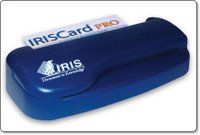
The IRISCard is available in three versions, a mini version which scans in monochrome only, and two Pro versions (one is for the Asian market) which add full colour scanning and advanced sorting options. On test here is the Pro version, which is a compact dark blue coloured unit.
The package contains the tiny scanner unit, a USB cable, quick start guide, instruction manual, and the IRISCard software. There is no power supply, as the scanner draws its power from the USB port.

When testing these products I always try to set things up without the manual, just to see how easy it is. So after installing the software, I plugged in the scanner and launched IRISCard. The screen I was presented with was pretty clean and easy to find my way around. Placing a business card in the back of the scanner sets things going. There are no buttons to press and the unit draws the card in automatically.

Scanning a card takes about ten seconds, and once scanned a thumbnail appears in the software. Highlighting any scan gives you are larger view of it in the main window. The quality of the scan is not fantastic, but at 600dpi is more than readable, but that is not what this product is about. The IRISCard scanner and software combination uses Optical Character Recognition and some clever sorting skills. The resulting information is sent direct to an application which you choose prior to scanning. A drop down menu gives you options of Text, HTML, vCard, Address Book, AppleWorks 6, Microsoft Entourage, and Now Contact…

For my tests I selected Address Book, as this is what I use as my contact manager. After making a scan and opening the Address Book application I was impressed with my first findings. I scanned six different business cards and all the information was transferred with just one error. Everything else was in the correct place, the telephone and fax numbers were correct, even really long email addresses. The only correction needed was not really the softwares fault, it was someone's name which appeared as all uppercase on the business card, so it appeared the same in Address Book.

Scanning some more awkwardly designed cards managed to throw the IRISCard software, but it seemed that anything it did not quite know where to put, it placed into the notes field. This meant that I could easily cut and paste into the correct Address Book field. You can also export cards as other formats, after they have been scanned. So I could export the cards are HTML complete with hyperlinks to my contact websites. The only problem here is that you could not export a single card by selecting it, you simply get the whole lot.

So would I buy one, or recommend an IRISCard Pro? Well, for myself, probably not, I just don't have enough business cards. The product is really good at what it does though, so if you have a lot of business cards, or perhaps you meet knew contacts every day, then this is a superb solution. It is a very handy device and just being able to slot in a business card and have the info sent to your contact manager application is brilliant. If you have this need, then you will find the IRISCard Pro invaluable.

Product: IRISCard Pro
Price: £135.00
Supplied by: I.R.I.S. s.a
Contact: +32-(0)10- 45 13 64

Sennheiser CX300 Earphones - wise upgrade !

Listening to music… a great British pastime, and something I enjoy every day. It comes as no surprise, mainly because it has been said many times before, that the earphones bundled with the iPod, or any MP3 player, are not brilliant. The iPod earphones are better then most, but for a small investment you can get a lot more music for your money.

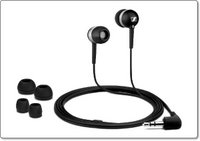
Sennheiser are well known for their high quality offerings, but this needn't break the bank. Their CX300 earphones weigh in at under £20 and are available in either black, white or silver. They come supplied nicely packaged with small, medium and large ring adaptors for a comfortable fit. Of the three colours I really like the black, which are accented with silver rings. To see the other colours there is a link at the end of this review to the Sennheiser website.

Being the in-ear type of headphone, comfort is very important. Out of all the earphones I have tried, these win on the comfort stakes. The material used is very soft, with a matt finish and the medium size for me was just right. They don't fit too deep inside the ear canal, just a little way in. Once fitted they really block out a a lot of outside noise, so are perfect if you listen in a noisy environment.

Of course, I used the CX300's with my trusty iPod (what else) and the clarity of sound delivered was superb. Bass was nice and deep, the mid-range was rich and the treble end was very good too. In comparison to others, it was only the higher end that was not as refined, nothing to worry about, but worth mentioning. Even at high volume they behaved impeccably, keeping things clean all the way.

So when you buy an iPod, yes the supplied earphones are OK, but invest a little and you will enjoy your music a whole lot more. The paltry asking price for a pair of CX300 earphones really do make this a no brainer… it is definitely money well spent.

Product: Sennheiser CX300 earphones
Price: £39.99
Amazon: £16.24
Supplied by: Sennheiser UK
Contact: info@sennheiser.co.uk

*Please be aware, there are a lot of cheap copies of headphones on ebay. Please ensure you are buying genuine products when making a purchase.

Netgear SPH200D - THE Best Skype Handset

The Netgear SPH200D is a cordless phone that allows you to make calls via Skype without the need to have your PC switched on. Yes, I know I have been bringing you a lot of these different solutions lately, but this offering from Netgear takes things one step further…

OK, so over the past month we have looked at a cordless Skype handset from Belkin, a handset that incorporated wireless calls with a mobile phone from Tovo, and now Netgear have the SPH200D, which is brand new to the market.
The SPH200D allows you to make those all important and often free Skype calls, but it also incorporates a DECT handset, so you can make normal landline calls via your regular provider (eg. BT).

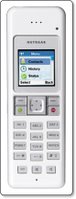
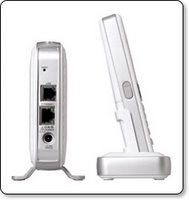
What you get in this package is pretty impressive. You get the handset itself, which is a really nice white and silver affair. It sports a full colour screen, nice backlit buttons, and a four way rocker button. There are additional buttons for intercom, mute and the built in speakerphone. Also in the box you get a receiver module, it looks like a mini ethernet hub. You plug this into a power socket, then one cable goes into your router, or ethernet network, and the other cable connects to a spare phone socket. The last nice addition to this package is a docking station. You can locate this pretty much anywhere in your house, as long as you can plug it in with the supplied power adapter. This dock is where you sit your handset when not in use, and it keeps the juice topped up too.

When the handset first powers up, all you have to do is sign into your Skype account. You then have access to all your contacts, call history, and you can set your status, in exactly the same way as you do on your computer based Skype application. You can also change the ring tones, display brightness and contrast, in pretty much the same way as you would a mobile phone. If you are calling a Skype contact, then the call is free, completely free. Or you can call a regular phone through your Skype account. This is called a SkypeOut call and depending on what subscription or promotion you are on, there may be a small charge.

Now for what makes the SPH200D really useful…>>> the DECT (Digital Enhanced Cordless Communications) capability. Most households have cordless DECT phones nowadays. The SPH200D has this too and it makes this a really invaluable package. When you dial in a number or choose to call a regular landline or mobile phone from your contacts, you are given an option. You simply select to either make a SkypeOut call or a Landline call. This is brilliant, because now you have the best of both worlds. You can use Skype when it is cheapest for you to do so, and make regular calls when Skype is not the best option.

Before I tell you that you MUST buy this product, just a little snippet about Skype. I am currently on a promotion where I get totally free national calls in the UK for the next six months. If you are not on this promotion then regular Skype works like this.
If you are calling a Skype user, for example someone who has Skype on their Mac or PC, then the call is free. However, if you are calling a mobile, landline or an international number, then you will be charged. You basically have to keep your Skype credit topped up. The rates are very good though, especially on international calls.
There is also a new service called Skype Pro. An initial 5 month subscription will cost £9.20 which includes approximately £3.40 of calling credit, after the 5 months introductory period is over £1.50 per month is deducted from your Skype credit.
The Pro benefits are that you only pay a 3p connection fee per call to UK landlines, with nothing extra for the minutes you use. You also get free voicemail, plus a discount on a SkypeIn number. The regular Skype-to-Skype computer based calls remain free.

OK, so enough on Skype, back to the Netgear SPH200D. This is the best combination product I have seen so far and it has got me really excited. Since I have had it to review it has worked flawlessly and has not failed me once. The design is awesome, with a crisp glossy white finish. You can even expand the system with up to three additional SPH150D handsets (£65-£70), so you can have Skype and DECT in every room. The average street price is around £105 though I have seen it dip under the £100 mark if you shop around. This pricing is very good and buys you a top class product that is not only a real pleasure to use, but will also save you a lot of money.

Product: Netgear SPH200D
UK Street Price: £105 (UK average)
Supplied by: Netgear, Inc.
Contact: +44 (0)1344 458200
Link to product datasheet.

Tovo t450g - Mobile & Wireless Calls

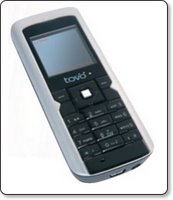
The Tovo t450g is a new offering from Mobiboo Europe which promises easy switching from a mobile network and a VOIP access point. So, in much the same way as all the Skype handsets that have been appearing, this handset adds mobile capability to the equation.

Now, don't let that Skype comment throw you off track, this handset does NOT run Skype. Instead it connects to a wi-fi router or hotspot and routes the call through this via the Tovo network. The handset is supplied sim-free, so you can put your current card in it and dial away as normal. Big savings are promised from the handset, but this assumes that you are happy to make most of your calls via VOIP, and that you cancel your BT landline (not a requirement, but it is in the savings equation).

The handset itself is OK, not really that impressive, sort of a step back. Yes, the connectivity technology is there, but the screen is a bit of a let down and the camera is only a 0.3 megapixel affair. You do get a charging dock in the box, along with a USB cable and earphones, which go some way to making up for the mediocre handset.

Call quality over a normal mobile connection is very clear and over VOIP is more than acceptable, so I can see a place for this in the market. I think that to make full use of it, you need to be dedicated to making the most of the VOIP calls. You can connect to any open wi-fi hotspot, or any Mobizone, Cloud, or looseconnection hotspot, of which there are many dotted around the UK.
The biggest draw for anyone (including myself) would not be the handset, but the potential savings. A sim free handset will set you back £169.95, but gets you a very cheap pay as you go package, costing just 2p per minute for local and national calls. Tovo-to-tovo calls are free, plus you can tag on Mobiboo Dashboard to your service, which gives you a service similar to Skype for a fixed yearly charge.

Can I recommend the Tovo t450g? Well, it is not for me, but that is because I have a mobile I am happy with and use Skype for the rest of my calls. However, if you want a no fuss handset, that combines a mobile phone with a wireless VOIP handset, then yes, give it a try. You are not getting the latest and greatest in the design stakes, but you are getting the latest in technology.

Product: Tovo t450g
Price: £169.95
Supplied by: Mobiboo Europe Limited
Contact: info@mobiboo.com

DocumentWallet Review - get organised!

DocumentWallet from GGT Enterprises is one of those applications that is difficult to see how and why one would use it, but I decided to dig a little deeper and see if I could find a permanent place for it in my dock.

Basically, in its simplest form it is a scan organiser. You scan directly into the DocumentWallet application and then it asks you to assign certain tags to your scan. The fact that after every scan you can assign a title, date, and category makes this a very useful tool, but it also does a lot more besides.

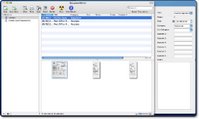
For my test I scanned in a selection of post office receipts and bank statements, each time entering the relevant information. I could choose between scanning a single item, or if I selected 'Scan Multi' for a multiple page statement, they would be saved under a single entry in the application window. So once my scanning was complete they were presented in a three pane window (see image). To the left are the 'Collection' titles, which work in much the same way as iTunes or iPhoto libraries. The upper right window gives me a list of my scans, which can be sorted by clicking on the relevant heading. The bottom window shows me thumbnails (which are adjustable in size) or my scans. There is also a details drawer, which pops out the right hand side. This displays information about any scan that I highlight.

Once all this information is in DocumentWallet I can do various things with it, and this is where the application shows its usefulness. I can search my documents and as I type in the amount of scans (and their thumbnails) reduce accordingly. Apart from the powerful searching, I can also highlight a scan and save, print, email, or burn it. If I select email, it is placed within my email application, ready for adding some text to the recipient.
Another handy feature is being able to add to my scanned documents, so as I receive more credit card statements (rather unfortunately this is bound to happen), I can add them to my existing scans. This makes for very neat and effective organisation. I can even add to things from external files, so if someone emails me some receipts or invoices, I can add them into the relevant location within DocumentWallet.

So, what started out as a simple scan organiser, really has shown me that I can make my files a lot easier to handle. Just for the sole purpose of getting my bank and credit card statements into order, it is worth its $29.95 asking price. It works with any TWAIN compliant scanner, and you can even try it for 21 days before you commit to making a purchase. If you do a lot of document scanning, then I would highly recommend that you try DocumentWallet, you will be pleasantly surprised.

Product: DocumentWallet
Price: $29.95
Supplied by: GGT Enterprises
Contact: support@receiptwallet.com

Samsung 215TW LCD Monitor - Spot on!

The Samsung 215TW is one of the few products I was actually happy to purchase for Geekanoids, without seeing it first. I had heard so many good things about it that I was just hoping that the rare occasion when my wallet comes out, was justified.

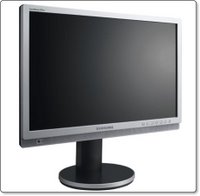
Samsung offer a lot of monitors in their range, and there are so many choices from other manufacturers. Apart from the reviews, the 215TW boasts an impressive specification. Of note, the 21-inch 1680x1050 panel offers 1000:1 contrast, is nice and bright at 300cd/m2, and has a nice 178 degree viewing angles. The panel is also true 24-Bit, so there is no trickery like found in some cheaper panels to achieve the 16.7 million colour display. Although I didn't buy this to play games, the 8ms response rate makes it ideal for gaming and video playback too. On the rare occasion I have played a game, there was no ghosting or noticeable lag.

Connections are very impressive, with DVI and VGA inputs I can have two computers connected at the same time. You are also treated to composite, s-video and component video inputs. Just for the fun of it I tried a DVD player through the composite video connections, and I was really impressed. Colours were punchy and the crispness and detail would be hard to beat.

My main use for the 215TW is graphic work, encompassing Photoshop, Quark Xpress, Freehand (yes, I still use Freehand) and a lot of web based work. The colour accuracy is very impressive and the display backlight is so uniform, it really is hard to find fault. Well, the only thing negative I can say is that the 215TW is so difficult to move. It has a very nice slide mechanism for adjusting the height of the display, which makes it difficult to lift. Thank goodness that you don't have to move these things very often.

There are a lot of cheaper monitors out there, some even adding an extra inch whilst still be cheaper. Be warned though, these cheaper monitors use different display technology. They would be OK for gaming, but if you are serious about graphic orientated work, then it is worth spending that little bit extra. There is no better test than seeing a monitor with your own eyes, but if you are not able to do this and you rely on mail order, then give a Samsung 215TW a go... I am certain you will not regret it.

Product: Samsung 215TW
Price: £360
Purchased from: Pixmania UK
Contact: 08700 118 117

Total Training - Learn Adobe Acrobat Effectively

Learning a new application can sometimes be a pretty daunting experience, well it was for me anyway. That was until I stumbled across Total Training, who publish a series of DVD's with a difference. So, I decided to brush up on my Acrobat skills courtesy of "Total Training for Adobe Acrobat 8 Professional".

Now, what I thought I would receive and what I got was a nice surprise. Not one to read the instructions first, I popped the first of the two DVD's supplied into my MacBook. When Apple DVD Player didn't launch I decided to take a quick squizz at the instructions to reveal that I had to install an application called Launchpad, which incidentally works on both Mac and PC platforms. Once this is installed I could get things underway.

Just to explain what Launchpad does… apart from the regular video playback controls, it allows you to easily bookmark sections. This allows you to easily revisit sections at a later time. There is also a Bonus Button that unlocks special features throughout the training session. Plus, a Get More Training button allows you to view additional tutorials and to see the entire catalogue of DVD's available. You can also alter the size of the training video as well as access a contents and help section.

Once the training gets underway, you will soon see that the way features are explained is really invaluable. The first sections gives you an excellent overview of Adobe Acrobat, followed by creating PDF files, linking, commenting and security within your files. The more advanced second DVD gives you details of how to create forms, preparing PDF files for prepress, presentations and how to work with layers. There is a lot more covered besides what I have mentioned here, so it is important that I emphasize just how thorough this training package is. I came away from this experience with a much better knowledge of Acrobat, along with things that I did not even know were possible. The beauty of training like this, is that you can do it at your own pace, take breaks when you want to, and of course you can go over sections as many times as you need to grasp the particular subject. The Total Training for Adobe Acrobat 8 Professional package is worth every penny.

Product: Total Training for Adobe Acrobat 8 Professional
Price: £120 +VAT.
Supplied by: Ceritec (UK)
Contact: 0870 766 9826

Lindy HD Enclosure - Save yourself some cash

If you need to add extra storage to your computer an external hard drive is the easy and relatively cheap option, with large hard drives available at really good prices. However, if you already have an old IDE hard drive, it would be a shame to waste it, when it could be put to good use. Also, bare IDE hard drives are so cheap nowadays that the product I am looking at today could be right up your street.

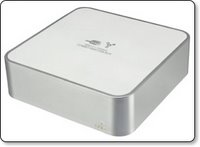
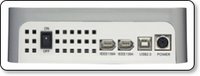
The Lindy USB2 & FireWire Combo Hard Disk Box is an enclosure that is styled to match the Apple Mac Mini. It is made of plastic, that is sprayed silver, with an internal metal shielding that is coated with white plastic on the top. It really does look like a Mac Mini and would be ideal for stacking. The front of the casing sports a small activity LED and round the back there is two FireWire 400 ports and a USB 2.0 port, as well as the on/off switch and power connector.

Inside there is a standard molex power connector and an IDE cable and plug. The plastic mounting sled can accommodate a 3.5-inch IDE hard drive, which can be picked up for bargain prices if you shop around. Mounting screws are provided and within about five minutes I had a drive installed, the enclosure casing back together and was plugged in to my Mac. Performance is certainly on par with a other external hard drive of this nature and I personally think that the plastic construction helps dampen the hard drive noise, so it is nice and quiet. Their is no fan in the enclosure, so cooling is purely achieved via the vents on the back and underside.

Although this case is obviously designed for Mac Mini users, due to the standard FireWire and USB connectivity, it can be used with any PC or Mac. It looks nice and swish, so it wouldn't look out of place on any desk. The Lindy USB2 & FireWire Combo Hard Disk Box is well constructed, easy to set-up and offers great value for money. It'll give you a sense of achievement if you re-use an old hard drive. Even you if buy one just to put in this enclosure, you will be happy that you saved some pennies.

Product: Lindy USB2 & FireWire Combo Hard Disk Box
Price: £39.99
Supplied by: Lindy UK
Contact: +44 (0) 1642 754000

Belkin Wi-Fi Phone for Skype review

Today I am taking a look at the Belkin Wi-Fi phone for Skype... Skype, Skype, Skype, I always sing the praises of Skype. For those of you who do not know, Skype allows you to use your broadband connection to make voice and video calls to other users Macs or PCs, so long as they have Skype installed. In addition to this, you can also make what are called SkypeOut calls to regular landlines and mobile phones. These cost a small amount of money, but in my case I am on one of the many promotions Skype run from time to time, so I get my landline calls free until May 2007.

The only downside of Skype is being tied to a computer. You need to have your Skype application running and logged in... that is until now! Over the past few months Skype handsets have been appearing. No, I don't mean the wired handsets that cost around £15, this new breed use Wi-Fi to connect to your wireless router and then to the outside world.

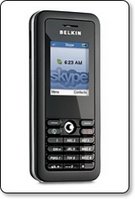
Sorry for the long introduction, back to the Belkin Wi-Fi phone. In the box you get a USB cable (for charging from a computer), a mains powered charger, a manual on CD-Rom, a Quick Start Guide and the handset itself. The handset looks very smooth, comparable in to a medium sized mobile phone. It has a numeric keypad, two soft keys, call start and end, plus a four-way navigation key. The screen is full colour and a nice size, with a nice crisp display. The feel of the handset is great, it has a smooth rubberised feel to it, very nice in the hand.

Setting up couldn't be easier. After the initial charge, you switch the handset on, set the language, and it then searches for wireless networks. Picking the network you want to connect to will ask for a password (if it is protected). This is asked for as a hexdecimal string, so if you network is protected by WEP for example, do a quick google search for a converter to convert from WEP to HEX. With the security part out of the way you will be asked to either sign into Skype or create a new account. Assuming you already have Skype, typing in your username and password is all that is needed. You can then access you contacts list, set your status to online, away, busy etc, and make calls to other users computers or SkypeOut calls to landlines and mobiles. Navigating the menus and setting up other aspects of the handset is just as easy. You can even change your ring tone (three to choose from) and set the handset to vibrate on an incoming call…

The beauty of the Belkin Wi-Fi phone is that now you can leave it connected to Skype all the time. You will get a lot more use out of it because it is just so natural to pick up a phone and dial. Of note, if you switch your computer on and sign in to Skype, your Belkin connection remains unaffected, so in theory two people could use one Skype account at the same time.

Call quality varied, but this happens even when calls are made via a computer. I would say that 80% of calls I made with the handset were absolutely fine, crystal clear. 10% were acceptable, perhaps sounding more like mobile phone quality. The remaining 10% were a bit choppy, due to network traffic or moving a bit too far away from my wireless router. So, in the house, this handset was already proving its worth, but what about if I was out and about? Well, if you have an account with The Cloud, BT Openzone or another provider, then so long as you are within range of a hotspot, you can connect and make calls. I tested this at a local Cloud hotspot and connected successfully first time. The call quality was great and I was so pleased that I had made a totally free call.

Incoming calls are also possible. If someone has you in their Skype contact list, then they can easily call you from their computer. If you want people to be able to ring you from a regular handset then you would need to subscribe to another service. You can get a SkypeIn number, which can be based in various UK towns and cities (what I mean by this is, that even if you don't live in London, you can have a London based SkypeIn number). This costs around £23 per year, but can be had cheaper if combined with other services. A SkypeIn number also gets you access to voicemail services, so callers can leave you messages. The fact that people can call you, makes the Belkin handset an even more viable proposition.

Should you buy one? is very easy to answer. If you already have Skype, then yes, invest in one of these. If you don't have Skype, then get it and start experiencing the world of free or cheaper calls. I do not think that the Belkin Wi-Fi phone for Skype could replace a mobile phone, but if you are up for the challenge or live in an area with a lot of hotspots you could easily reduce your mobile bill. The only thing I would like to see is a docking station to charge the handset whilst indoors, other than that the Belkin handset is faultless.

Product: Belkin Wi-Fi Phone for Skype
Price: £99.00
Supplied by: Belkin UK
Contact: +44 (0)1933 35 2000

Griffin XpressCable review - optical goodness

Griffin Technology, better known for their iPod accessories also make a variety of cable solutions. Previous reviews of their products have revealed great quality, so I was very interested to learn if their Xpress Cable would keep up the good work.

The Griffin XpressCable is a digital optical audio cable, coloured white with grey accents to the tips, it measures in at three meters long. So straight out of the packaging you can use it for connecting various audio equipment like a DVD player or your XBox 360.

Also supplied is a pair of 3.5mm mini-jack adapters. These can be plugged onto either or both ends of the cable, converting the toslink connection to a 3.5mm stereo jack. This allows you to take advantage of some Apple Mac's digital audio outputs, such as the Mac Mini, PowerMac G5, Airport Express, not forgetting the later Intel based Macs, oh and before I forget, the iPod Hifi.

So, a cable is a cable, yes? Well, a lot of people say that digital signals are already digital, so a £5 cable will work as good as a £50 one. I strongly disagree with this misconception. The XpressCable is well constructed, the plugs seem to have longer bodies to them, so you get a real solid connection. I have experienced optical cables before that just fall out of my XBox 360, but there was no such problem with the Griffin Cable. Audio delivery was crisp and clean, definitely on par with optical cables costing double the money. If you want a well constructed cable that delivers great audio, without breaking the bank, then look no further... oh and I almost forgot, it is white in colour, so it will match your Mac gear to a tee.

Product: Griffin Technology XpressCable
Price: $19.99
UK Street Price: £12.00
Supplied by: Griffin Technology
Contact: +1 (615) 399-7000

Lindy Premium Gold Flat Scart Cable Review

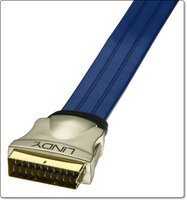
The Lindy Premium Gold Flat SCART cable promises to deliver a "Superior quality connection for your Home Cinema equipment", well it certainly is a unique looking cable, so let's take a look at what you get for your hard earned money…

To kick things off, if you have plenty of cables and things are maybe looking a bit messy, you know the normal spaghetti junction, then this flat design may well help things out. It can easily be routed through tight spaces, even underneath equipment if that makes it easier to hide things.
The gold plated connectors are absolutely fantastic, some of the best quality I have experienced. When inserting into the back of equipment, I found the connection to be very easy and more importantly secure.

I tested the Premium Gold Flat Scart Cable with two different devices. A Pioneer DV454 DVD player and a Panasonic DMR-EX85 HDD recorder. The Pioneer showed the biggest improvement over the standard supplied scart cable. The easiest way to describe it in layman terms is that there was less interference and the picture picked up a definite sharpness (whilst still looking very natural). The Panasonic delivered a good picture anyway, but I still saw a slight improvement in detail.

This cable from Lindy UK is available in a variety of lengths, with the 1m version on test costing £21.99. For this very reasonable amount you get a really high quality scart cable. A lot of people shun spending money on things like this, but if you put this up against the scart cable that came with your kit, you will be amazed. If you are just starting out, then put aside £40 or £50 at least for a couple of these, you will not regret it.

Product: Lindy Premium Gold Flat SCART Cable (1m)
Price: £21.99
Supplied by: Lindy UK
Contact: +44 (0) 1642 754000

Recharge4 Review - Extend Gadget Battery Life

The ReCharge4 from Exspect promises to deliver a smart battery that recharges a lot of different devices. Ranging from mobile phones to MP3 players, claiming to extend battery life up to four times. Read our review below to find out if it really does deliver on its' promises.

The ReCharge4 might be mistaken for something that has been done by so many other manufacturers, but even within the first few hours of use, I was convinced that this little device had been really well thought out. The package consists of the ReCharge4 battery unit, which has a power input on the base for recharging its internal 4800mAh lithium-ion battery. On the top right of the unit is another socket, where you plug an extension cable, it is this cable that you then attach the various tips that in turn plug into the device you want to charge or use.
On the front of the unit is a small button and a line of green LEDs. If you press the button it shows you how much juice is left in the Recharge4. It takes around six hours to initially charge it to full power. In my test it was showing a full charge after three hours, but I left it plugged in for the full six hours to be on the safe side.
To finish the package off, you get a mains adapter for recharging the internal battery and a small cloth pouch for carrying everything around…

So, I had a fully charged ReCharge4, now for the test. I had a Motorola L7, Nokia 6280 and a Samsung D600, both with completely flat batteries. The Motorola went first and after connecting the charging lead, I plugged in the supplied Motorola tip and then put this into the phone. You are supposed to press the button on the front of the ReCharge4 to initiate charging, but I found that this was not necessary as the L7 started charging straight away. After three hours the L7 was fully charged and only two out of the eight LEDs on the ReCharge4 had gone out. Because I am clever at maths, I guess that means a quarter of the capacity had been used. The Nokia 6280 also fully charged in around 3.5 hours and the Samsung charged to almost full capacity before the Recharge4 unit ran out. This was pretty impressive, to be able to fully charge two mobile phones and almost a third from such a small device.

There are three versions available for mobile phones, MP3 players, or portable gaming devices. The main unit remains the same, it is just the tips that are supplied that changes. For example, the mobile phone version comes with tips for almost every Nokia, Motorola, Sony Ericsson and Samsung offering. The MP3 version comes supplied with tips suitable for the Apple iPod, Creative, iRiver and MP3 players that charge via USB. These small tips are available separately, so you can buy the most suitable main package and then add a few individual tips for specific devices.

In summary the Recharge4 is a very well designed, compact, and useful device. The asking price represents pretty good value for money. Combine this with the fact that you can add new tips for your new devices and you have a useful device that will help power your gadgets for many years to come.

Product: ReCharge4
Price: £39.99
Supplied by: Exspect UK
Contact: info@exspect.co.uk

Crumpler Sticky Date - Carry your Mac in Style

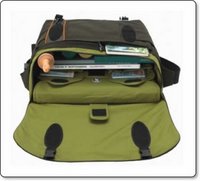
If you want to carry your Apple kit, or other computer related items around with you, you shouldn't have to settle for an all black affair, you know, one of those bags that lets everyone know exactly what you are carrying. Something stylish, and more importantly a bag that really works well by protecting your valuable kit. A name that always comes high on an Apple users list is Crumpler, they are well known for high quality and the fact that they are designed for us Apple fans. In the following review I was lucky enough to be able to try their Sticky Date Big Logo bag...

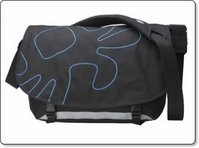
The Crumpler Sticky Date Big Logo is one of Crumplers larger bags and it will swallow anything from a 12-inch right up to a 17-inch widescreen MacBook Pro. Colour combinations also look great on this bag, the black/Blue combination we have here is the most understated, or you can go for the bright firebrick red/lawn or olive/yellow combo. Each bag also come with a high visibility strip on the front, so you can be seen if out and about in the dark.

Styling aside, what about the quality and carrying ability?
Well, the quality is second-to-none, made of what Crumpler call "Original 1000D Chicken Tex", it is a very strong fabric and has a waterproof lining. The buckles and shoulder strap are made of the same material that car seat belts are made from, so they are very strong, and all adjustable. The shoulder strap also has some nice padding, as does the back of the bag, so it is kind to your shoulders and back…

Open up the front flap, which is secured with some buckles and large velcro patches, you are presented with so many pockets and a lot of space. The very first pocket you encounter is zipped, this contains another zipped compartment, two velcro fastened pockets about the size of a 5th gen iPod and some pen holders.
Inside the main body of the bag, are three more velcro pockets for smaller accessories, plus two mesh fronted pockets (again fastened by velcro) where you can store yet more accessories whilst still being able to see what you have in there without having to open them. This central compartment is about big enough to fit an A4 ring binder, maybe two at a pinch.

The back compartment is where you store your laptop. It has a large velcro flap to make your laptop safe and a sleeve for your lappie that can be completely removed from the main bag. This sleeve is made of the same material as the lining and will swallow up to a 17-inch widescreen MacBook Pro. It also has a semi-rigid divider inside, which allows you to segregate some accessories, for example your mains adapter.

So what did I fit in it?
I loaded up the Sticky Date with a 13-inch MacBook, mains adapter and mains cable. Then slotted in my 5th gen iPod, cable yoyo and sync cable, my JVC Everio HDD camcorder, JVC charger, my small Canon digital camera, 4 compact flash memory cards and to top it all off, three copies of MacUser magazine. Now this was getting a little heavy, but still had room to spare... and if you are feeling brave, the bag sports some external loops, so you can hang a Crumpler pouch onto a loop for your mobile phone, few !

I found that the Sticky Date Big Logo was really easy to use. That removable laptop sleeve is really useful, and the capacity is just right for that single day trip. I was able to use the rest of the bag for lots of accessories, with the peace of mind, knowing that my expensive laptop was safe from getting bashed. This is one rugged bag and it looks great too. If you have invested in a laptop and have the need to carry it on business or perhaps on holiday, then please do not spend your hard earned cash without checking out the Crumpler Sticky Date Big Logo or if you need something a little different, you are bound to find a suitable offering from the rest of the Crumpler range.

Product: Crumpler Sticky Date Big Logo
Price: £99.00
Supplied by: Crumpler UK
Contact: crumpler@simms.co.uk

Overflow Review - organise your dock

Overflow from Stunt Software has been installed on my computer for almost a month now. I waited this long to bring you the review because I wanted to see if I actually used it, and if it performed well. So exactly what is Overflow?

Well, if you dock is anything like mine, it is bursting with too many icons, all stretched out in one long line. Sometimes I find myself searching for an application just a little to long. Yes, I know that Spotlight is there for quick launching, but I want something more GUI based... this is where Overflow steps in.

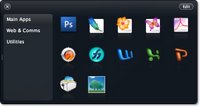
Overflow is a small application that be set to launch at system startup, it resides in your dock, but is also accessible by pressing a keyboard shortcut, which you can set to pretty much anything. Upon launch you are presented with a grid of spaces and some categories listed along the left side. To set Overflow up you simply set the categories, such as applications, utilities, documents etc. Then you drag the icons (as you would to the dock) into the grid.

Then you can quickly and easily launch applications from Overflow. It is nice that you can also drag regularly used documents into the application. For example, if you always load up the same letterhead template to use, drag it into Overflow and you can save yourself some time. Nice touches like an icon glowing when you put your mouse over it, make this seem like a really simple, yet swish app. You can even navigate Overflow via your keyboard, which makes it a lot quicker to launch things.

Overflow doesn't really do anything that you cannot do with the dock, but what is does is organise it, and for that I commend it. This is one application that will definitely stay installed on my Mac.

Product: Overflow
Price: $14.95
Supplied by: Stunt Software
Contact: info@stuntsoftware.com

Griffin iKaraoke Review - Fun with your iPod

How about a bit of fun with your iPod? Well, crack open some beers, get your iPod out and connect a Griffin iKaraoke, for what should be some guaranteed fun.

The iKaraoke landed on my desk this week, so I rushed home to get it tested by the ultimate gadget users in my house, a few invites went out to my gaming friends, and the house was full for a bit of a knees up. This new gadget from Griffin Technology plugs into the dock connector on the bottom of your iPod. I tested it with a 5th generation full size iPod, but it also works with the 1st & 2nd gen Nano, the iPod Mini, and the 4th gen iPod.

Once plugged in you can sing along to your favourite music track, which is great, but Griffin took things one step further... you can add reverb to your voice via an on-screen setting, plus you can also connect the unit to your home hi-fi unit via a line out socket. So you Karaoke skills (or lack of in my case) can be broadcast at some pumping volumes. Already great fun, well to push the possibilities even further, you can lose that wire connecting you to the hi-fi…

The iKaraoke also has an FM transmitter built in, so you can set a frequency for it to transmit on (again on the iPod screen) and then tune your hi-fi into the same station, and voila! it will have you prancing around the room (or hiding) whilst singing along to your tunes. You can also mute the music, which allows you to announce something, this could be useful if you were using this at a party on in a pub situation.

The microphone unit that you hold in your hand is really well made, and has a high quality feel. It has a switch for turning vocals on and off in your music, plus iPod controls around the other side for track selection, and play/pause. When you power it on, there is also a nice red glowing light around the tip. Back to your iPod screen and you can also adjust the volume of the music, so that your voice can be heard.

So did we have a good time? Well, it was fun, and everyone wanted to have a go. The minor problem was the quality of filtering out vocals from the music tracks, which is a tricky thing to do in all fairness, but could have been better. The FM transmission was pretty good, not fantastic quality, but more than acceptable.
On a more positive note, the iKaraoke really did deliver on what it promises, and that is to have some good fun. Out of the eight people (not including myself) that used it, I asked if they would buy one. Well two said yes, but did not have iPods. Of the remaining six that all own iPods, five said that for the low cost they would definitely invest in an iKaraoke. What more can I say...

Product: Griffin Technology iKaraoke
Price: $49.99
UK Street Price: £25.00
Supplied by: Griffin Technology
Contact: +1 (615) 399-7000

Lindy Premium Gold HDMI Cable Review

If you have found yourself investing in new HD technology lately, then you best treat yourself (and your kit) to something that will give you the best out of your investment. Everything is moving into the High Definition age, and connections are changing. Scart is out and even component video connections, which for a long time were considered to give the best picture available, are being replaced by HDMI.

In the same vein that a scart cable bundled with a DVD player was pretty useless, this new HD kit either comes with a very flimsy cheap HDMI cable, or more often than not, none at all. The Premium Gold HDMI cable from Lindy UK offers a really robust looking cable, with some high quality construction, without asking ridiculous prices…

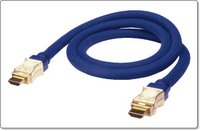
The cable is of a striking blue colour, it is triple shielded and comes with 24K gold plated connectors. The connector on each end is of a unique RF-BLOK patented design, which provides increased EMC shielding and reduces interference. Now, whilst I could not test for this interference in my set-up, I should add that the clarity of image delivered by the Lindy cable over the one bundled with the Toshiba HD-A1 HD DVD player was nothing short of phenomenal. The colours were vibrant, there was no fringing and just the overall feel of the cable construction oozed quality.

The two metre cable we tested here costs £48.99, which is not cheap, but you will be hard pushed to pick up this length and quality of HDMI cable anywhere else. You can buy the Premium Gold HDMI Cable direct from Lindy UK in lengths from 0.5m to 15m, and you get a 25 year warranty thrown in for good measure. Remember to add one of these to your 2007 High Def shopping list.

Product: Lindy Premium Gold 2m HDMI Cable
Price: £48.99
Supplied by: Lindy UK
Contact: +44 (0) 1642 754000

Trend Micro Internet Security 2007 Review

Hello and welcome to the review of Trend Micro Internet Security 2007. Again I am dictating this review with vista speech recognition. It was essential when setting up my new vista laptop that I give it the necessary protection from the outside world. There are many virus and internet protection suites available, but quite a few are slow in bringing out bicester compatible options. Trend stepped up to the mark with their new vista certified version of the Internet Security suite.

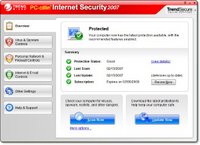
Installation was very straightforward taking just five or six minutes to complete, followed by the obligatory virus definition updates. Once everything was fully up to date you are presented with a very nice user control panel. This shows the current protection status, the dates of your last scan and last update, followed by when your subscription expires.

This application gives you protection against viruses and spyware, a personal firewall, wireless network protection, and the ability to protect other computers on your wired network. Moving on there is also phishing protection, a spam filter, web site access controls and date or theft protection… Pretty much every aspect of your online activities can be protected in one way or another. What I like about Trend Micro Internet Security is the fact that it seems to integrate so much better with the system than offerings from the likes of Symantec. What I mean by this is that it doesn't take over your system, all too often when installing a Symantec product I have experienced problems with connecting to the Internet and to other computers on my network.

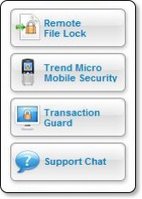
Apart from the excellent experience so far, this Trend product also offers some really nice additional tools. Without going into into too much detail Remote File Lock really grabbed my attention. It allows you to create a folder on your PC or laptop and assign a pin number to it, then you can drag any private or sensitive documents to this folder. In the unfortunate event of your PC or laptop being stolen you can lock the contents remotely of the folder via the Trend Security website and prevent your files from being accessed. If you then later recover your stolen property, you can reverse this action and unlock your files. The extra services panel on the user interface also allow you to access Trend Micro Mobile Security, Transaction Guard, and Support Chat.

Mobile Security provides virus protection for your mobile phone, which is a growing area for concern. Transaction Guard is free software that allows you to protect your personal information whilst completing things like Internet banking or password sensitive actions. This is not an online service, but a free application that you physically install on to your PC. Support Chat is quite simply access to online live support. One last thing worth a mention is the HouseCall three scan feature available on the Trend website, this allows you to scan a PC with the web based software and it delivers you hate detailed report of security threats detected on your computer.

In summary I am very impressed with the amount of features offered by Trend Micro Internet Security 2007. Not only is the interface a pleasure to use, but the installation process was a breeze. If you need to protect your windows based PC, then look outside the circle and try something different for a change. If you have never heard of this product then the Trend Micro website does a very good job of explaining exactly why their product is superior. I for one will never go back to a Symantec based product. Trend Micro Internet Security 2007 is available starting at just £39.95 for a downloadable version with a one year subscription to updates, or £59.95 with two years of updates. If you prefer to have a boxed version lend this costs the same amount but with an additional £4.50 shipping. I should also mention that this cost gives you a licence to install protection and three PCs, now that is what I call value for money.

Product: Trend Micro Internet Security 2007
Price: £39.95 (start price)
Supplied by: Trend Micro UK
Contact: sales@trendmicro.co.uk