SyncWear Shirt - Wear your iPod !

The newly designed SyncWear MP3 Shirt for the iPod Nano certainly was something a little different for me to look at this week. This is a second generation design from "Malachi & Company" under the new SyncWear name. For a very short history lesson, the previous generation shirts were sold under the PodWear ProActive name.

This short sleeve shirt is made of 100% polyester and to touch it feels very high quality. If you look at the stitching it really is impeccably made. The shirt is very lightweight and lends itself well to sports use, though it could be used for any occasion. So let's take a look at what makes this shirt unique…

As the title suggests, the SyncWear Shirt was designed with the iPod Nano in mind, but it does offer a lot more besides, so if you don't own a Nano please keep reading. At the base of the shirt is a dual-layer 3-in-1 side pocket. One of the inner pockets is custom fitted for the Nano, the pocket next to this will accommodate a USB type MP3 player, such as a 1st generation Shuffle. There is then a layer of material between these two small pockets and a larger storage area. The idea for this larger area is to bundle up your excess headphone cable. The pocket is then secured with two velcro tabs.
Now, at a pinch I managed to fit a full size 5th generation iPod in the larger pocket, albeit with only one velcro tab secured. I also managed to fit an Archos 404 Cam MP3 player in there, with both velcro tabs secured. This should give you an idea of just what can be used with the SyncWear Shirt.

Along the side of the shirt are two fabric loops, through which you thread you headphone cable. This keeps it nicely tucked out of harms way. The upper loop is just below the neck on the front of the shirt (as shown in the photo). This is my own minor problem, that whilst this works absolutely fine, I personally would have like the same loop repeated on the back of the shirt, just to give me another wearing option, but I really am splitting hairs here.

The blue SyncWear Shirt that I tested is a really nice deep navy blue colour. It was (and still is) very comfortable to wear, it is very useful and above all, it looks very stylish. It is also available in black, red, and black with navy trim, plus their is also a women's cut version. I never thought I would be impressed by a piece of clothing, but know I find myself saying that "a T-Shirt has made me me want to go out more and get active with my iPod". Anyone who does a sport, or carries their iPod around a lot, should pick up a SyncWear Shirt, you really won't regret it.

The RRP on the SyncWear Shirt is $33.99, but for a limited time you can pick one up for $29.99 with free ground shipping in US and just $8.99 shipping to the UK. This equates to a total delivered cost of around £20 for the UK, which I think represents great value for money.

Product: SyncWear Shirt
Price: $33.99
Supplied by: Malachi & Company
Contact: contact@malachiandcompany.com

Razer Pro Pad - Mouse Pad Review

When optical mice hit the scene they were touted to be capable of tracking on almost any surface, in much the same way that a CD smeared with jam would still play. Users soon came to realise that whilst optical mice were a massive step forward, if you wanted accurate movement the mouse surface was still very important.

The Razer Pro Pad aims to gives you a far superior surface to those 99p squishy jobs that you can buy in your local supermarket. Standard mouse mats are OK, but the rubberised offerings are not great for smooth optical tracking.
What you get with the Pro Pad is an anodized aluminium base, topped off with a very smooth white surface on both sides. The coating is non-slip, which basically means that if it ultra-smooth, whilst still offering the correct amount of resistance. Each side of the pad is slightly different, one being a little rougher and giving more feedback. On each corner of the Pro Pad are small foam rubber feet, that raise the surface about 1.5mm off the desk and stop the pad sliding around everywhere. Like the mouse surface, these are on both sides, so you can flip your pad over.

The size of the Pro Pad is huge, measuring 330mm by 265mm (and just 2.5mm thick), so you get plenty of room to move your mouse around. It does take up quite a bit of desk space, so I think it really is aimed at the serious user. That said, if you can accommodate it, then please do take a look as this is a very high quality product and will enhance the way you use your mouse.

Having tested a lot of mice and mouse pads, I can say that the Pro Pad really impressed me. The surface offers just the right amount of resistance and really is ultra-smooth. If I was searching for a negative, then making the Pro Pad 10mm or 15mm smaller would make it perfect (for me). If you own an optical or laser mouse and need it to track correctly, then I highly recommend that you check out the Razer Pro Pad today.

Product: Razer Pro Pad
Price: £19.95 (average UK)
Supplied by: Razer USA Ltd
Contact: saleseu@razerzone.com

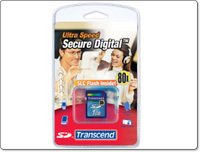
Transcend Speedy Secure Digital Memory

When choosing digital memory nowadays we are spoilt for choice, so to make your decision easier I took a look at two offerings from Transcend. I chose to look at this particular brand on four counts, performance, reliability, price and the warranty.

Both the items tested here are Secure Digital memory cards. An 80x speed 1GB card and a faster 150x 2GB card. I don't believe in quoting transfer rates and getting all technical, because in real world situations they really mean nothing. If you want the transfer rate specifications then they are available on the Transcend website. I tested both cards in a Nokia 800 internet tablet, and a JVC Everio hard drive camcorder. In the Nokia 800 the 80x speed card performed very well. It seems that the Nokia 800 sometimes suffers from slight jumps in video playback, which I really put down to the bitrate of the file you are playing back. In comparison the 150x speed card did improve things, and it was noticeable. I put this down to the read rate being better on the faster of the two cards…

Testing the cards in the JVC Everio was a different matter. I used them for the still capture feature of the Everio. Both cards really performed almost identically, with differences in write speed being less apparent, really down to a split second.

Transcend have a good track record for the reliability of their cards. In my short term test I experienced no write or read errors at all, I am hoping that I can hang onto these cards a little longer and report back on how things are going three months down the line. Pricing is also very competitive, if you jump down to the end of this review you will see just how keenly priced they are. The lifetime warranty is also difficult to better, rest assured that if you treat your memory card well and it develops a fault, Transcend will swap it out.

Now there is a difference in pricing between the 80x and 150x speed, so where should your money go. Well, my advice would be that if you are buying for a consumer level digital camera, the 80x speed is sufficient and will save you a little money. If performance is paramount, for a pro camera or video playback, then it is definitely worth spending that little extra on the 150x speed version.

Product: Transcend 150x 2GB Secure Digital Card
Price: £21.15 (average)
Supplied by: Transcend UK
Contact: sales@transcend-uk.com

Product: Transcend 80x 1GB Secure Digital Card
Price: £12.93 (average)
Supplied by: Transcend UK
Contact: sales@transcend-uk.com

Razer Pro Click V1.6 Mouse Review

The Razer Pro Click V1.6 Mouse from Razer USA grabbed my attention last week, and they kindly sent me one to take a look at. What drew my attention to this rodent was the fact that it was not trying to be some clever cordless or bluetooth mouse. Instead it was just claiming to be a high quality precision mouse, with a seven foot cord!

I am from a design background and believe me, when I say I have tried lots of mice, I mean LOTS of mice. What I always look for initially is comfort in the hand and smooth tracking. The Pro V1.6 certainly fits very nicely into my hand (which is what I would term as medium sized). The mouse is of a flat design, but just curved enough to fit into the cup of your palm. Onto the tracking, and straight out of the box it feels really responsive. The weight is a little on the light side, but after an initial get-used-to period it feels a lot better. No drivers had been installed at this stage, so to be impressed already was a pretty good start.

The Pro V1.6 comes with a driver CD and although it is not necessary to install it, there are many advantages in doing so. The drivers support Mac OS X 10.3 or later and Windows XP, 2000, Me and 98. Concentrating on the Mac side of things, the driver was a breeze to install. Once installed system preferences allows you to assign different functions to the seven buttons and to choose between right or left handed use. The scroll wheel speed can also be changed, but where this mouse excels is in its precision and sensitivity when moving your pointer round the screen…

In the 'Sensitivity' tab of the preferences, apart from the double-click speed, you can also adjust how sensitive the mouse is to your movements. This ranges from 1-10 and really does make a difference to how the mouse behaves. You can also assign a button to 'On-the-fly Sensitivity' which allows you to hold this button in and adjust the sensitivity up or down with the scroll wheel, without having to go into your system preferences. There is also an advanced tab which allows even more control. You can set independent sensitivity for the X and Y axis of the mouse, set pointer acceleration and also switch between 400dpi and the full 1600dpi resolution.

All of these extra settings really do make the Pro V1.6 invaluable to designers, illustrators and graphic artists. Using this mouse in PhotoShop was a revelation, the amount of control and precision made image editing so much easier. If you are serious about your design work, then ditch the cordless mouse and get a proper mouse. The Razer Pro Click V1.6 Mouse is highly recommended.

Product: Razer Pro Click V1.6 Mouse
Price: £30 (average UK)
Supplied by: Razer USA Ltd
Contact: saleseu@razerzone.com

Geekanoids Screencast - Toast 8 Review

For the review of Roxio Toast 8 Titanium we are pleased to release ou first Video Podcast in the form of a Screencast Review of this superb application. This video podcast is the first of many... we aim to bring you new video content every other week, which may take the form of some Mac news, or where appropriate reviews of new products.
Leave us some feedback in the comments, it would be nice to hear your views.

Product: Toast 8 Titanium
Price: £69.99
Supplied by: Roxio UK
Contact: www.roxio.co.uk

Octava 5x1 HDMI Switch Review

The Octava HDMI Switch that we are testing at Geekanoids was kindly supplied to us by The Media Factory, who supply a number of home theatre solutions. Anything from cabling right up to a top of the range plasma screen.

The Octava HDMI switch offers a solution to a problem that we will all no doubt encounter over the coming months. With the introduction of so many high definition products onto the market, that all use an HDMI connection, screen manufacturers are often slow to keep up. Take a look at the back of your screen, if you are lucky enough to have a high definition screen, you may have one or two HDMI sockets at the most. Well, the PS3 is just around the corner, your upscaling DVD player already takes up one, another for the SKY HD box, oh and don't forget that new XBox 360 version 2, which is bound to be HDMI... you see the problem !

Basically, the idea of the Octava HDMI switch is to offer a number of inputs and outputs for high definition devices. There are four versions available from The Media Factory, a 3x1, 3x2, 4x1 with digital audio switching, and the 5x1 version that we are looking at here. For £149.95 plus delivery, you get five HDMI inputs and one output that you feed to your screen. Five inputs should see you right for the foreseeable future, so the asking price really does represent great value for money…

The unit itself is an all metal affair, powder coated in silver paint, and really does feel well built. On the front of the unit there are five blue LED's which show you the input you are viewing. The front also sports the infrared receiver (for the supplied remote) and a Smart Scan button.
When you switch the unit on the LED's cycle and you are ready to go. The Smart Scan feature is on by default and it really is SMART. When you switch an HDMI source on, for example your HD DVD player, the switch senses this and changes to the correct input. If no devices are on, the switch goes into standby mode. Smart Scan can be switched off with the button on the front if you need to do so.
The supplied remote control also allows you to manually select inputs, which is handy if a device does not trigger the Smart Scan. In our tests this feature worked perfectly and the Octava switch really was transparent to the system we were testing.

Each device we used was first tested without the switch in place. The Toshiba HD-A1 HD DVD player which delivers a superb, crystal clear picture was unaffected by introducing the Octava switch. Onto the Panasonic DMR-EX85, which is an HDD recorder with upscaling features, and again the picture was very clear with or without the switch in use.
The Octava HDMI switch uses a proprietary design called Clear Eye, which claims to improve the digital video signals. Although this really needs to be measured properly, with the naked eye I was certain that the Toshiba picture did take on a little sharper appearance. Over longer cable runs I would expect this technology to improve things even more.

The big question is if this is a good buy? Well, if you need an HDMI switch then yes, it is a great piece of kit, and very well built too. The 3x1 version costs just £119.95, so for the extra £30 you are getting two very valuable extra inputs. I would definitely buy the 5x1 version if funds allowed. The fact that it supports up to 1080P resolution, and that it works so easily and transparently, it comes very highly recommended.

Product: Octava Automatic 5x1 HDMI Switch (HDS5-UK)
Price: £149.95 + delivery
Supplied by: The Media Factory
Contact: +44 (0)1968 661 803

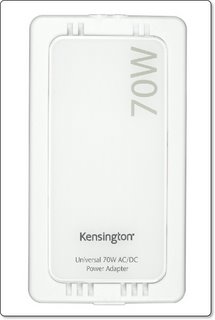
Kensington Notebook 70W AC/DC Adapter 33335EU

Kensington make a lot of decent Apple gear (and PC bits too), FM transmitters, keyboards, mice, docks, hubs, the list goes on. Here I am taking a look at their Notebook 70W AC/DC Power Adapter for Apple.

This adapter offers a lot more than just charging a specific device, which adds great value. The main unit outputs 70W maximum, so this will determine if it gives enough juice to power or charge your device.
On one end of the adapter you plug the power cord, which comes supplied in the package for a UK, USA, 12V DC (car), and Empower (airplane) socket. It is multivoltage, so is OK with 120V to 240V inputs. The cord for connecting to your power source is pretty short, so the slimline adapter must sit near to the socket.
The other end of the adapter accepts the cord that will eventually connect to your device, this is about 2.5 metres long. On the end of this your plug what Kensington call a 'Smart Tip'. In this Apple oriented package you get smart tips for the older PowerBook G3, iBook etc., a tip for the newer PowerBook G4 series, and a tip for any iPod with a dock connector. So if you are an Apple user most bases are covered.

Other tips are available for a whole host of devices. Various laptops, MP3 players, mobile phones, digital and video camera, and portable games consoles. Checking out the most popular, you can buy extra tips for the Sony PSP, Nintendo DS, Samsung and Creative MP3 players, and almost all the mobile phones seem available. Of note, the new MagSafe connectors found on the latest MacBook and MacBook Pro are not covered, due to Apple's licensing. Even though these tips are not in production at the moment, my guess we may see these sometime in the future.

As I mentioned earlier, this package outputs 70W of power, which will be suitable for most portable devices, with the exception of larger laptops. If this is the case, and you want to cover all possibilities, Kensington do sell a non-Apple specific 120W version. Buying this more powerful option gives you exactly the same flexibility, except you will have to add the Apple Smart Tips to your initial purchase.

The Kensington Notebook 70W AC/DC Power Adapter for Apple has an average street price of £80 and offers a great solution to powering your Apple and other kit, all with one adapter. This is great if you travel, or want to simplify things in your house. If you own an Apple laptop, iPod, PSP, Nintendo DS, and some sort of mobile phone, you can now charge them all with one device. Well done Kensington, this is a superb product.

Product: Kensington Notebook 70W AC/DC Power Adapter for Apple
Model Number: 33335EU
Price: £80 (average)
Supplied by: Acco UK Ltd.
Contact: 0845 603 1730

Lindy HDMI Switch Review - Bargain Price !

The Lindy HDMI Switch solves a problem that many of us face over the next few years. It took a long time for manufacturers to give us enough SCART sockets on the back of TV sets, but now, with the advent for High Definition, there is a new socket in town... HDMI.

People seem to be flocking to the stores lately, picking up large LCD and plasma screens to view their DVD's and digital TV on. When they realise just how bad standard definition sources look, it is not long before they are wanting SKY HD or perhaps an upscaling DVD player. Add the forthcoming PS3 into the equation, and to get the best from your set-up you suddenly need three HDMI sockets. With most screens coming with one HDMI socket, at the most two, this is a problem.

One option is to purchase an AV amplifier or receiver which has HDMI switching, but this is an expensive move. The minimum you are really looking at spending is £500 which may get you one extra input. For those who are already happy with their sound set-up or do not want to spend that sort of cash, the only other option is a switch.

Gone are the days of those clunky push-button SCART switches, with the Lindy UK offering of a remote control HDMI switch. This neat little box of tricks offers a very smart solution, with three HDMI inputs and one output (which goes to your screen). The box is an all-metal affair, not particularly pretty to look at, but the understated design looks nice and techy. The rear of the units has the power supply input and HDMI sockets. The front sports the IR receiver (for the remote control), some status lights, input button, and an image enhancer button. The remote control supplied is very small and flat, with a power button and number buttons for selecting the desired input…

Set-up is very easy, just plug in your sources, connect the HDMI output into your screen, switch on and you are good to go. For our tests we used a Lindy's Premium Gold HDMI cables, which are very reasonably priced. It is important to remember when buying any switch to budget for an extra cable. Once everything was powered on it was nice to see that there was absolutely no degradation in quality at all. Switching between inputs was faultless, with the remote being very responsive and the LED status lights on the front showing the selected input. The image enhancement circuitry made no noticeable difference to the clarity of the picture in our tests, but I really think this will come into play if you are using long HDMI runs of ten meters of more.

Picture quality from out Toshiba HD-A1 HD-DVD player was exceptional, the clarity was pin-sharp and colours remained unchanged with the switch in place. We also tested a Panasonic DMR-EX85, which is a hard disk drive recorder, with an upscaling DVD player. Again the picture quality was brilliant, though we did need to disconnect the SCART cable to obtain a stable picture. This is not a problem though, as the whole idea of this new technology is to ditch your old SCART connections in favour of the much superior HDMI.

A quick note about the Lindy Premium Gold HDMI cable which was very impressive. The build quality was spot on, and the 24K gold plated connectors ensure the highest possible signal transfer. We compared this cable to the standard one supplied with the Toshiba HD-A1 HD-DVD player and the picture certainly seemed more vibrant. Keep an eye out on Geekanoids for a full review of this cable very soon.

The Lindy HDMI Switch supports HDTV resolutions up to 1080P and is fully HDCP compliant, so you should not run into any problems in the future. You also get a generous two year warranty. For £119 it offers great value for money, with some switches on the market costing a lot more. It may be a budget price, but it certainly delivers great performance, with that all important transparency to your home cinema set-up.

Product: Lindy HDMI Switch Remote
Price: £119.00
Supplied by: Lindy UK
Contact: +44 (0) 1642 754000

Product: Lindy Premium Gold HDMI Cable (2m)
Price: £48.99

Nokia N800 Internet Tablet Review

The Nokia N800 internet tablet landed on my desk today, and having previously tested the N770 I was a little excited to see what had changed and/or improved. More importantly, would I now find a use for the device, when last time around I was left mystified as to how useful it would be for my day-to-day use.

Out of the box the design has improved a great deal. Gone are the slab-like looks of the previous incarnation and you can say hello to some smooth curves, a nice contoured back and a pleasant silver finish to the front. The buttons are a bit odd, sort of set off-centre, and a little non-tactile, but you won't find this a problem, as they are not used too much. The touch screen is the same as before, a glossy finish, very high resolution (800x400) and everything is really colourful, bright and pin-sharp (more on this later). Around the back of the unit is a small flip out stand, which is great for when you are watching videos, and also useful when you set it on your bedside at night to wake you in the morning. A small hole on the top right side of the unit holds the triangular shape stylus, and on the top left side is a click-n-pop-out web camera, which is a nice touch.

Back to the 800x400 pixel widescreen, and you will not be disappointed, unless you are a fussy bugger like me, as the backlighting is not very even, with noticeable dark patches down the right hand side. To make up for this shortfall, the screen is really nice and sharp, with colours that are really vibrant. The clarity of text is pin-sharp, which is great for viewing websites and emails. The coating on the screen is impressive too, it seemed really scratch resistant. The gloss finish is not what I would say is really high gloss, so reflections are not really a problem. Brightness is adjusted via and on-screen slider, and for most of my tests and use I found the setting to be good around the halfway mark.

The back of the unit has a cover that comes off nice and easily, underneath this you install the battery, and there is also room for one SD memory card, which can be up to 2GB in size. Also around the back is the stand, which when not in use fits nice and flush to the unit. Lifting the stand out also reveals the second memory card slot, which again is for an SD card up to 2GB, so the N800 supports a total of 4GB which is pretty impressive. During our tests we used Secure Digital cards supplied by Transcend UK (more on this later). Notice that I did not mention a sim card slot, well this N800 is no mobile phone, which would have made this a world beating device in my books.

Buttons on the top include one for powering the unit on and off, plus a +/- zoom button, which is great when surfing the internet. There is also a full screen button, which does what you would expect, it hides all other on-screen icons and just shows the web page you are viewing. If you are playing a video back, then this same button hides all the Media Player controls and plays the video full-screen.

The main use of the N800 is as a fully connected bluetooth and wifi internet communication device. If there is no wireless hotspots around, then you will need to connect the N800 via bluetooth to your mobile phone. Checking your emails, looking at internet sites, instant messaging (with GoogleTalk), RSS news reading, and internet based chat (again GoogleTalk) is really where this device excels. I had my email account set up in no time, and connected the N800 via my wireless network in about five minutes. Looking at internet sites was also pleasant, with the nice clear high res screen serving up the content in a very nice stable Opera based browser.
Internet based chat is also possible with the Gizmo project, which I already use, so I downloaded the N800 version and again was making calls over my wireless network in no time at all. Gizmo also supports text based chat, so this became my application of choice. Gizmo works in a very similar way to Skype, but for some reason I prefer the latter. The goods news is that Skype is coming to the N800 mid-2007, and I think this will boost sales a great deal.

Playing back some media files was also surprisingly good. MP3 files played back really smoothly, with the built-in speakers doing a good job. Other formats supported include AAC, WAV and WMA. Video playback was really clear, though with some content a little jerky, though I put this down to some files being encoded with a higher bit-rate than the N800 was designed for. Overall though the playback was more than acceptable, almost on par with the Sony PSP, but not quite as good an experience. I did notice a considerable improvement when playing back video files from the high-speed Transcend SD Card. We had two versions of SD card to test, an 80x and a 150x card. Both performed admirably, with the 150x showing quick save times and helping the N800 deliver the video files with less stutters. Video formats supported include MPEG-1, MPEG-4, AVI, and H.263. Streaming internet radio (M3U and PLS) is also supported and a nice feature, though I could not seem to set internet radio as a wake up alarm, which would have been great.
You can also view photos on the device (BMP, GUF, JPEG, PNG, TIFF) and the screen really does a grand job. Remembering that this is not a dedicated image viewer, the quality really will impress.

So, just how useful will someone find the N800? Well, that depends on what your day-to-day activities entail. For me, I am glued to my laptop, and wherever I go, my laptop follows. So I would find that the N800 would be left behind, so it is not for me. If you find that you only attend meetings or do business where you can always use a laptop, then save your pennies.
On a positive note, if you are a business man, or find yourself out and about, but still need to check your emails, or fancy making use of VOIP based calls with Gizmo or the forthcoming Skype, then the N800 is a real boon. If you are already into the Skype scene then the N800 could save you a fortune, once this app becomes available. The RSS news reader also allows you to subscribe to your favourite feeds, so you will never miss that latest headline. On top of all the communication uses, you also get a great MP3 and Video player, plus some built-in games, and a community of open source developers making great apps for the device.
For £279 you can buy an N800 direct from Nokia, which is a pretty good price, you really do get a lot for your money. Whether or not you can make use of such a device is up to you, but even if you only use half of them, I would still say it is good value for money.

Product: Nokia N800
Price: £279
Supplied by: Nokia UK

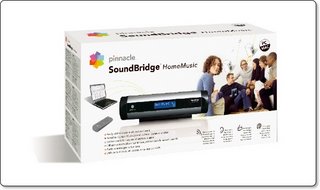
Pinnacle SoundBridge Review - wireless music

The Pinnacle SoundBridge is a device that connects to an external set of powered speakers, or a hi-fi system, and allows you to stream content from you computer wirelessly. With so many products moving this one step further by adding the inclusion of video streaming, audio only products are left with two choices. Either compete on quality, or price has to be what I would almost term as an impulse buy... more on that later.

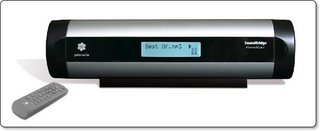
This package consists of the unit itself, which sports a nice 16x2 line LED display. Around the back is the power adapter input, line-out for connecting to speakers or hi-fi, earphone jack to save you annoying the neighbours, and a SD/MMC memory card slot, a nice addition if you have an MP3 player that uses these and you want the SoundBridge to play back from a card.
There is also a rubber stand, to sit the cylindrical shape unit on, this seems a little cheap, but it does the job OK. To finish off the package you get the power adapter and stereo audio cable. The CD containing the SoundBridge software makes no attempt at hiding the origin of this product, which has been licensed from Roku.

Of note is the supplied remote control. More often than not this is a last minute thought, but the Pinnacle supplied remote has some useful buttons, a nice feel to it, and a nice layout, so well done Pinnacle !

Connecting up is really easy, and once you have installed the software, registered the unit with your wireless network (802.11b support) you are more or less ready to go. The SoundBridge will work with Windows Media Connect, Windows Media Player 10, Rhapsody and the fave of mine iTunes, which is of course supported on both Mac and PC platforms.

Supported formats include WMA, AAC, MP3, AIFF and WAV music files. My system is solely MP3 files, which when streamed to the SoundBridge and output to my AV receiver, the quality was pretty darn good. I was impressed with the crispness of the audio, with no dropouts, and the easy of navigation was also impressive.

Now, I started this review by saying that this sort of product has to either compete on quality or price. Well, on the quality front, the SoundBridge has more than acceptable audio performance, a nice remote and seems well built. The only negative is the cheap stand. The price however is amazing, you can pick this unit up at Curry's or Amazon for just £99.99. This is almost an impulse buy for many users, if it were £20 cheaper it would be a no-brainer, but for the sub-£100 asking price I think it represents great value for money.

Product: Pinnacle SoundBridge
Price: £99.99
Supplied by: Pinnacle Systems UK
Contact: +44 207 294 0140

Griffin Elevator - Raise your laptop to new heights !

The Elevator from Griffin Technology, well there is no hiding that I love Griffin products, but maybe it has something to do with the ease of use, the winning designs, or perhaps that they are such a Mac friendly company. A few years ago I purchased an iCurve, which was and still is a beautifully designed stand, that I sat my PowerBook on, and it sat there at a nice comfortable height for working on at my desk. When I heard that a new product was being launched, I must admit to being a tad worried. With a design so good, why change it? How could it be improved.

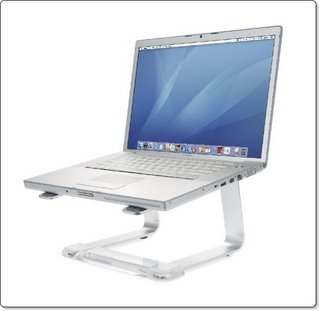
So, onto the new product, the Elevator is made up of three pieces. A right and a left side support stand and a brace made of of clear perspex that holds the two supports in position. The support stand's are made of brushed aluminum and match the PowerBook, MacBook Pro and Cinema Display perfectly. They are also curved at such an angle that is just right. This coupled with the simple slot-in perspex brace, really compliments the simple, yet totally effective design.

I tested the Elevator with a small laptop, namely a 12-inch PowerBook, which sat just fine the two supports, so anything larger than this will also be fine. My main laptop is a MacBook, and I also use a 21-inch Samsung widescreen monitor. Sitting the two side-by-side, the top of my MacBook was now almost level with the top of my external monitor. So I now had the joy of using a dual-screen display in a comfortable manner.

Of late, you may have noticed that my reviews have been covering products that improve the way we use our computers. The Mirra chair just last week, offers improved sitting positions. Well, the Elevator is Griffin's most ergonomic offering to date, it raises your laptop up 5.5-inches, to a very comfortable working height. Use it in conjunction with an external keyboard and mouse, and you will no longer be uncomfortably arching your neck to view your laptop screen.
As well as the improved working position, you have an added benefit for your laptop too. The airflow is greatly increased, so your laptop stays a lot cooler.

So, the Elevator does much the same as the iCurve, but with more style. The supports also seem more substantial, and I would be comfortable perching a 17-inch laptop weight on top of this stand. If you use your laptop a lot at a desk, I cannot recommend this product enough. At $39.99 it really is a no-brainer, it is a sensible purchase, that does a job very well and looks cool at the same time.

Product: Elevator
Price: $39.99
UK Street Price: £27.00
Supplied by: Griffin Technology
Contact: +1 (615) 399-7000

Herman Miller Mirra Chair Review - Sit Correctly

It gives me great pleasure to bring you a review of the Herman Miller Mirra chair, an ergonomic solution for all those people like me (in fact, probably most of the population) who either sit in front of a computer, or at a desk as part of their job, or when they finish a hard days work for some internet surfing in the evening. I am not in a position to quote hard facts and figures, but I find myself sitting at a desk for around 8 hours per day, and I would guess that this is quite normal for a lot of people. We all have aches and pains, so during my research it was interesting to learn that a lot of these can be put down to bad posture and unnecessary fatigue by sitting in the same position for extended periods of time.

Herman Miller offer well design chairs that provide the correct support and sitting positions, but in a form that does not look out of place in the modern office or home working situation. Design is often given priority by many people when choosing this type of product, so I was happy to see that the Mirra chair I am reviewing here really does look the part. Nice sleek lines, a very modern looking back and seat, and some nice colour combinations.

The company that supplied this chair to me was Home Working Solutions, a UK based company and authorised Herman Miller supplier. As well as the Mirra chair reviewed here, they also supply a wide range of ergonomic products and accessories including mice and keyboards.
For the Herman Miller range of chairs they offer a "Fast" service, which includes delivery at your home or office. The service has added value too, you don't just get a box dumped on your doorstep, you get the full lowdown on how the chair works, all the adjustments and benefits explained, and help with obtaining the correct settings for you.

On first sight, the Mirra chairs back looks kind of weird, but the varying size and shapes of the holes in the TriFlex back allows it to flex in different places. This really ensures that when you move it is both comfortable and offers the correct support. Taking a look around the back, there is also an easy to adjust lumbar support, which can be raised and lowered, and depth adjusted very easily. Even at this stage of setting up my Mirra chair, I was both hooked and impressed.

The seat height adjusts with gas assisted lift, the seat depth can be changed by rolling the front of the seat up and down, plus the leather padded arms can be height adjusted and angled accordingly. The adjustments don't end there, they continue with a very clever tilt lever. You can tilt the chair back, but also limit the amount the chair tilts, plus depending on your weight/strength, you can also adjust the force needed to tilt the chair by turning a tilt tension knob.
I had seen chairs that tilted before, but when tilting back with other chairs I found that the whole chair moved, so the seat angled back and my legs ended up in the air. The Mirra is different in this respect, as the seat and back moved independently, so your seat stays flat, this is an awesome design feature.

Prior to using the Mirra chair I often found myself perched on the edge of my seat, mainly because I was leaning forward to read something, or to carry out some intricate on-screen editing. The forward tilt option on the Mirra cures this bad habit, as the chair back tilts forward with your movement. This meant that I could now lean forward, but still have my back fully supported.

For a long time, I have got into many bad sitting habits, and I suspect that what I describe here is familiar to a lot of people. Making sure you sit correctly, have the correct posture, and frequently move and take breaks whilst working really is important. It keeps you feeling fresh and more productive. Now, the Mirra chair is not the most expensive in the Herman Miller range, but to some it may still seem quite expensive. At £499 it is a serious investment for most, but look at it another way and you are investing in your future and into increasing productivity. There is nothing worse than suffering with back ache, and a chair like this can certainly help a great deal. The Mirra comes with a 12 year warranty, with five years for the suspension seat part of the chair, with this in mind suddenly £499 for 12 years of use doesn't look so bad.

In conclusion, I would never have considered spending this much on a chair before trying one. Previous purchases for me would have been a visit to Argos or Ikea with a £60 or £70 budget. I have been there, done that, and found myself replacing my purchase year after year. Having had the privilege of using a Mirra chair, I would not hesitate in purchasing one. There are other chairs from Herman Miller, the more expensive Aeron and the lower priced Celle, As a start point the mid-range Mirra was very impressive and come highly recommended.

Product: Herman Miller Mirra Chair
Price: £495 (as tested)
Supplied by: Home Working Solutions
Fast Service Telephone: 0800 043 3278
General Enquiries: 020 8956 2880

Cha-Ching helps you manage your money

I find dealing with money boring, but at the same time if I have a spending spree my online banking access is not always bang up to date. This can sometimes cause me a problem, as I have all my fresh shrunk wrap purchases on the table, but don't know if I have enough left for a steak 'n' chips or if I will have to manage with cheese on toast.

This is where Cha-Ching steps up to the mark, this superb money manager from Midnight Apps promises to breathe some fun into managing your money. Well, the title gives it a good start, as do the icons within the app, everything has a feel good factor.

For most of the time, the app is split into a three pane view. The vault on the left gives you quick access to your paid and pending transactions, as well as an account list. Setting up an account is easy, you name it, assign a bank name to it, starting balance, and type of account. You can choose from checking, savings, credit or online. There is even space to enter the URL of the bank, which can then be viewed at any time using the 'online' tab, instead of having to go into your internet browser. Within the aptly named 'Vault' you can also set-up budget accounts, along with folders and smart folders for organising and sharing across a network.

Getting my test account ready took me about two minutes, and this is where the fun starts. Entering a withdrawal from my account was really easy, with all the details input through the right hand pane. You also get the option of taking a photograph of the item purchased, which is great fun. I snapped the photo of my DVD purchase using the MacBook's built-in iSight camera. This could prove useful for companies who may need proof of purchases for insurance purposes.
It is also possible to enter pending transactions for forthcoming expenses, and also if they are repeating you can choose between daily, weekly, bi-weekly, monthly and yearly repeats. So what started out to look like a simple app, is full of very useful features, but remains easy to use.

I have only just touched the surface so far, so stay with me. At the top of the Cha-Ching application window when in accounts view, there are three tabs. 'Overview' is just that, it shows you your latest incoming and outgoing money, as well as upcoming transactions. The 'Transactions' tab again shows you a list of what is happening with your hard earned cash, but also provides a third pane showing more details about each entry. This third pane is also where you enter new transactions. The final 'Online' tab, which I mentioned earlier is a built-in browser, where you can view your online account. This makes it very easy to cross-reference things, without having to switch ot of Cha-Ching and into Firefox or Safari.

Well, now managing my money is fun again. Cha-Ching is in beta form at the moment (version 0.5) and already it is shaping up very nicely. The only thing I would like to see are some sound effects, like the cha-ching sound when I put money in, and maybe a discouraging arrrgggghhhh sound when I take money out.
Overall, I am really impressed, Cha-Ching offers lots of features, a very clean and easy to use layout, and that all important Mac feel. If you want to manage you money without it seeming like a task, then breathe some fun back into your banking and check out Cha-Ching. A 30 transaction demo is available from the link below, with a single user license costing $14.95.

Product: Cha-Ching
Cost: $14.95
Supplied by: Midnight Apps
Contact: support@chachingapp.com

iPod Fully Loaded Book Review

iPod Fully Loaded... a book that again takes me away from my lovely Mac screen, but promises to open up a whole host of useful features on my iPod.

Before reading this book, I thought that I knew everything about my iPod, after all, I have owned one from the very first generation. The first two chapters were much as I expected, covering using your iPod and iTunes for the first time. Not of much interest to me, but for the beginner provides some very useful information. Then things start to get a little more interesting, with what kit and applications are required to get your older analogue recordings (like vinyl records) onto your iPod.

The books continues to talk you through ripping DVD's with the likes of HandBrake and various other apps, and getting camcorder, PVR and video footage onto your device. Wow, now I did not expect this, and some of the tips are very informative indeed. Internet videos and free music are also touched on, but one subject I had never considered, was grabbing web pages for offline viewing, which could prove very useful for showing colleagues a great new site you have discovered.

How about e-books, google maps, your email, spreadsheets, databases? This book is like a Bible to the iPod, it contains so many good ideas, and then it doesn't leave you hanging. It tells you what you need to do a specific task, where to get it, and how to use it. Not that I am suggesting that you need to use your iPod for anything other than music or video, but imagine your friends face when you show them some google maps of the local area, now that is sure to impress. If you love your iPod, you will love this book.

Product: iPod Fully Loaded
Price: £13.99
Supplied by: Wiley Publishing
ISBN: 0470049502
Pages: 276

Griffin TuneCenter - iPod on the Big Screen

The Griffin Technology TuneCenter is one of those products that I was really looking forward to reviewing, mainly because it gave me an excuse to play with my iPod as part of my work. I am a big iPod fan, so any product that allows me to get more enjoyment out of it is definitely a good thing.

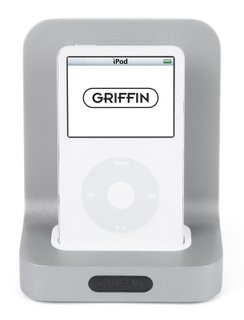
The TuneCenter at first glance looks like a glorified dock, but dig a little deeper and you will find out some real gems it has to offer. The package comprises of the main unit, power cable, dock adapters (in various sizes), a video/audio out cable and a mini remote control. The main unit where your iPod docks has outputs for the supplied cables, plus an s-video out socket and an ethernet port.

Within a few minutes of unpackaging the TuneCenter, I had connected the video and audio cables to my high definition TV, docked my iPod and was presented with a nice on-screen user interface. Apart from the set-up page, I was given the option of navigating my iPod or connecting to internet radio. I chose the iPod and was able to navigate my music on my large screen TV. The interface is really nice and well thought out. Sound quality is good, and with a little bit of my own cabling I routed the audio to my home cinema amp and it sounded great, much better than through my TV's speakers.

Video is a little different. The TuneCenter outputs video, but you first have to push the 'video' button on the supplied remote control. This turns off the on-screen TV display to allow the iPod's video output to show. This is fine, but it does mean you have to navigate to the video you want to play on your iPod screen, which is a little tricky if you are sitting on the other side of the room to watch your TV.
That said, this is only a minor inconvenience, and once playing the quality is superb. To test the video output I downloaded a low resolution version of Steve Jobs Keynote at the recent MacWorld Expo 2007. When playing back on my 40-inch screen it scaled up beautifully, to say I was impressed is an understatement.
In the same way that you output video, you can also view your photo slideshows, and again they looked great.

If you connect the unit via ethernet to a broadband connection the TuneCenter has another offering up its sleeve. Internet Radio is streamed over your broadband connection via the SHOUTcast internet radio service. You use the remote to navigate through the available stations, and again I was very surprised at just how much I found myself using this.

The remote control supplied is very nice, most manufacturers seem to throw in a remote as an afterthought, but not Griffin. This smart mini remote fit nicely into your hand, offers menu, up/down & left/right navigation arrows, a select button, plus play/pause, skip, volume and page buttons. It is well laid out and feels very nicely made, adding to the overall feel of the package.

All in all I was really impressed with the TuneCenter. The build quality of all the components is great, and where it counts the audio and video quality is great too. The video quality is what won me over though, I download a lot of video podcasts and other content and can honestly say that I was wowed by what I saw, even though I was scaling it up to a 40-inch screen. If you are an iPod fan like me, then adding a TuneCenter to your set-up is really a wise move, you will not be disappointed.

Product: TuneCenter
Price: $129.99
UK Street Price: £79.99
Supplied by: Griffin Technology
Contact: +1 (615) 399-7000

IRISPen Executive Review

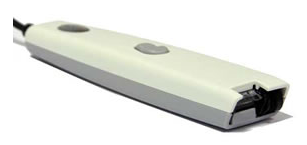
Things that save me time are always high on my list of priorities, and when presented with a device that can turn typed documents into useful pieces of text I was up for taking a good look. The product is the IRISPen Executive, which is a small handheld pen type scanner, with a small scanning head that captures three or four lines of text at a time.

From the offset, the IRISPen may not sound that impressive, but it the usefulness of this little device that wins me over. More often than not I find myself reading something in a magazine and wanting to quote it in an article I am writing, or perhaps email it to a friend or colleague. Under normal circumstances I would have to type it, or scan it and send as an image. With IRISPen I can slide the scanning head over the text and, voila ! the text is transferred into MS Word or my email application (for example). This alone saves me so much time.

The pen itself is very light and compact. It connects to your PC or Mac via a USB connection and after a quick install of the included software you are good to go. The printed Quick Start Guide talks you through the simple installation, followed by calibrating the pen scanner. There is also a proper printed and fully illustrated manual, which is great, as so many products nowadays rely on PDF manuals, so this is a nice inclusion.

The pen has two buttons on it that can be assigned to various functions, plus the tip is pressure sensitive, so when you push it onto a page and scroll to start scanning, it senses this automatically.
Scanning is simplicity in itself, you position your cursor on-screen where you want the scanned text to appear, then start scanning. The text is pulled straight into the application. It is pretty quick and can handle scanning 3.15-inches per second. Accuracy is excellent, the software claims to recognize up to 1,000 characters per second. I had no way of measuring this, but testing scans from various magazines and books I completed twenty scans. During this test I had only three incorrect words, which were easily corrected.

The software has some great features on top of the simple scanning. Things like the ability to read and retype barcodes, recognition of hand written numbers, and even setting pre-defined characters to be automatically erased or replaced in a document.

Now, I am going to be honest here and let you know my initial impressions before I knew the IRISPen was on its way to me. I thought long and hard about how and why I would recommend such a device. It is not cordless and seemed just to simple to have any real use. Well, what a revelation, the only way I can describe the major selling point of the IRISPen is as follows.
If you want a small, lightweight scanner, that will save you hours and hours of retyping material that is already printed, buy one. If you often need to quote things you have read, buy one. If you need a flexible, timesaving device, that will not break the bank, buy one. Enough said !

Product: IRISPen Executive
Price: £115
Supplied by: I.R.I.S. s.a
Contact: info@irislink.com

Konica Minolta Magicolor 2550 Review

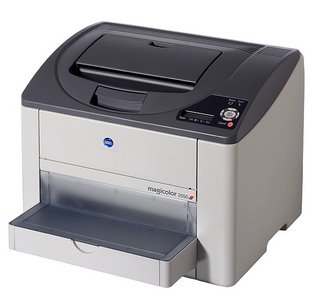
The Magicolor 2550 is positioned as one of Konica Minolta's entry level colour laser printers, well almost entry level, as it offers some very nice features without taking the price of the device too high.

The specification on offer from this full colour model is a cracking 20ppm (pages per minute) in monochrome and 5ppm in full colour. The native resolution is 600dpi with a x4 dithering method which beefs this up to an effective 2,400dpi. The model on review here is the standard model, which has 128MB of memory, is network ready and offers Postscript 3 printer language in addition to PCL6 and PDF support.
The 2550DN which is the next model up adds a built-in duplexer and has 256MB of memory, it also adds Pictbridge support for direct connection of a compatible digital camera. Both models are capable of handling a monthly duty cycle of 35,000 pages per month and are supplied with a 1-year onsite warranty.

OK, now the formalities are out of the way, on with the review, and because this laser printer is accessible to most users price reach I will attempt to keep things non-technical. The unit itself is very compact, almost a 40cm cube, with a nicely positioned LCD control panel on the bottom right corner on top of the printer. Setting up is very very straightforward, simply installing the toner cartridges, then installing the software, plugging in either a USB2 or ethernet cable (or parallel, ahem) and you are good to go.

What surprised me when turning the unit on was how quietly it runs. The initial startup has a few whirrs, which is to be expected, but once in standby you will hardly hear it (<35dBA) and even when running the quoted <52dBA is way over what I think I am hearing. This is one quiet printer, so really suitable for home/office use.
To test the 2550 I printed a variety of pages to it, the first of which was a plain black and white text document, which was processed very quickly. The first page printed in approximately 12 seconds and a full 19 pages printed in one minute, just slightly under the quoted speed. Text was clear and readable right down to 3 points, though I would guess the smaller text was also readable, just not by my eyes.
Next up was a full colour PDF document, with a mix of text and 3 photographs. First page out in 24 seconds, and a total of 5 pages were printed in the full minute. Quality of the full colour text was crisp and very readable, the photographs also showed nice smooth colour transitions and a nice amount of detail, even in the darker areas. The 2550 will accept up to 200gsm paper, which is a thin card, so I decided to test the printer with a different type of paper. I used a 160gsm Mondi Colour laser paper, which has a slight coating or sheen to it and is very high white in appearance. The results on text were not really much different, maybe only standing out on the page a little more. The photographic images were really superb, they just came alive with so much more vibrancy. This combination of paper with the 2550 really impressed me and I highly recommend that you experiment with different paper types, should you choose to buy this printer.

Running costs are very good, with the black toner cartridge (£46) delivering 4,500 pages (at 5% coverage) and the colour cartridges available in either standard (£48) (1,500 pages) or high capacity (£76) (4,500 pages). These prices were attained by a quick bit of Google searching, which also turned up a high capacity value kit, containing all four toners for £220. You should expect to be paying around 6p per colour page and about 1p per black and white page, not bad at all. So, I was impressed by the specification of the Magicolor 2550, and even more impressed by the quietness of the printer. What I did not expect was such stunning image results from a printer that costs just £399*.

Throughout testing I did not experience any paper jams, connectivity, or speed issues. I also liked the fact that I could print almost to the edge of the sheet, with just 4mm margins. Add to this, the fact that as my needs become greater I could also choose to expand the paper handling capacity from the standard 200 sheets, to an additional 500 sheets with the optional lower paper tray and you are onto a real winner. There are a lot of choices when it comes to colour laser printers, but if you want a model that is a definite step-up from those entry level offerings, the Magicolor 2550 should definitely be on your short list.

*Pricing on the Magicolor 2550 is very good, at just £399. Konica Minolta currently have an offer on at the moment, where you can mail-in to claim £100 cashback, making the effective price just £299. Plus the offer includes an extended 3 year warranty. At the full price I would recommend the 2550, but with these extra incentives it really is a no-brainer.

Link to product: Magicolor 2550
Supplied by: Konica Minolta UK
Price: £399 (minus discounts)
Contact: info@bpe.konicaminolta.co.uk

Macs for Dummies (nothing personal)

The Dummies range of books have been available for quite a while now, but I felt it appropriate to bring you this mini-review of 'Macs for Dummies' just before Christmas is upon us. The reason, well hopefully many many people will be receiving or treating themselves to an Apple Macintosh as a self-indulgent gift. Those who have experienced the Mac already know that it is one of the easiest computers to use and learn, but for some, who may not have had ANY experience of a computer, a bit of help is often welcome.

Where the Dummies books excel is that they explain things in plain English, and the Mac version does just that, with no techno-speak to be found. The books starts by explaining types of Mac, what different connections look like and your first experience with the Finder (the user interface). It continues by covering all aspects of your new Mac, from setting things up just the way you want it, printing, the internet and email. It also takes you through each of the iApps, by this I mean iTunes, iPhoto, iMovie etc. Then if you want to delve a little deeper, the no nonsense networking and troubleshooting sections will see you right.

I would not recommend this book to any experienced users, as it will seem a bit basic. For anyone new to the Mac, or perhaps 4-6 months down the line of owning one, then 'Macs for Dummies' is a must buy. It will point you in the right direction and make sure that you have the knowledge to really enjoy using and experiencing the new found freedom of a computer (Mac) and operating system (OS X) brings.

Macs for Dummies
Supplied by Wiley Publishing
Price: £14.99
ISBN: 0470048492
Pages: 408

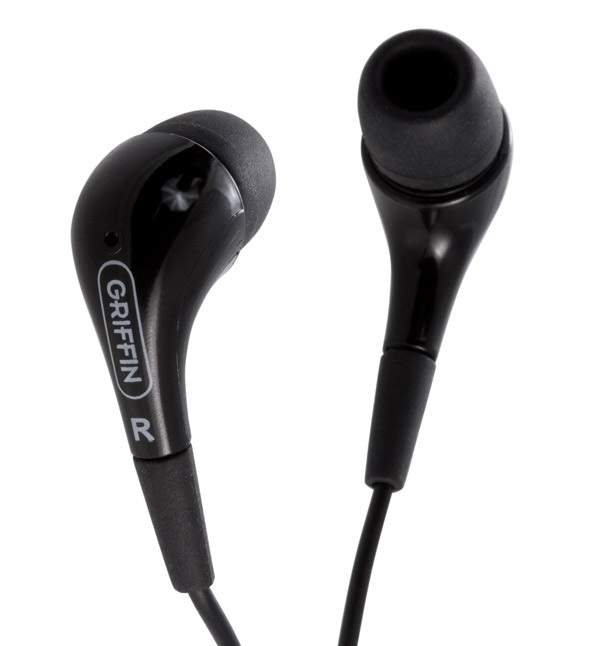
Griffin EarThumps Review

When you buy an iPod, whether it is a full size version, Nano, or perhaps the miniature sized Shuffle, more often than not you crack open the packaging, load it with music and listen with the supplied headphones. This is all well and good, but believe me, things can sound better. It is possible to invest from around £10 upwards for a replacement set of headphones. Here we take a look at the lower end of the market in terms of price, with Griffin Technology's EarThumps.

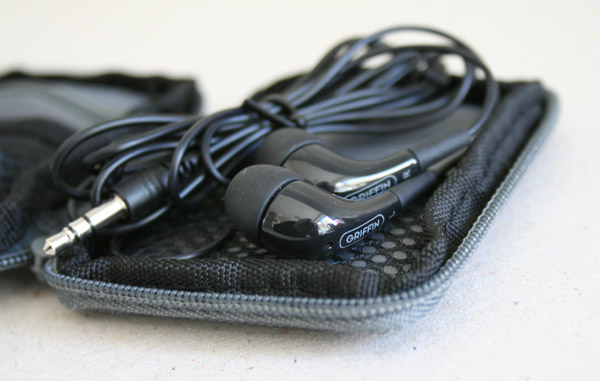
The EarThumps, which weigh in at just 12 grammes, are available in a black or white finish. The cable is 120cm long, which is more than enough. They also come supplied with three different size ear inserts, to ensure a comfortable fit. The ear inserts feel more rubberised, rather than the gel appearance of more expensive brands, though I am sure the material used is very similar. The 3.5mm jack (where you plug the headphones in) is has a small plastic surround, so it fits nicely when your iPod is in a case. Some headphones have an angled larger plastic surround, which causes problems with some cases, so this was nice to see. The EarThumps are supplied with a tiny zip case, with three internal pockets. This is great, as you can store the headphones plus the ear inserts to keep them safe.

Fitting the EarThumps into my ears with the medium size rubbers was easy, and provided a nice comfortable fit. Unlike the Apple supplied headphones, they do not just sit in front of the ear, they actually go inside a little way. Some isolating headphones seem to go too deep inside the ear, but I am happy to say that the EarThumps do not go too deep and still provide a nice seal against external noises. The sound delivered is a definite improvement over the Apple supplied headphones. The bass is a little deeper and the detail in the high and mid-range is noticeable. If you want to improve the sound of your iPod without breaking the bank, the Griffin EarThumps are well worth a look.

Griffin EarThumps
Supplied by: Griffin Technology
MSRP: $29.99
Link to product

EazyDraw 2.1.3 Review

When I stumbled upon the EazyDraw stand at this years Mac Expo in London, I was intrigued. As a long time Freehand user, I had dabbled with Illustrator and earlier this year reviewed Lineform. Finding another alternative drawing and illustration package that claims to 'bring the fun back into drawing' was well worth taking for a spin.

Installation is as simple as dragging the application icon over to a suitable place on your Mac. The version I am reviewing here is 2.1.3 and upon first launch you are asked to enter your license code (or indeed use in demo mode). The interface presents itself with large, colourful icons, and right from the start you know you are in for a treat.

All of the basic drawing tools are available, for creating squares, boxes, ovals, text, bezier curves and the like. The icons within your tool panel are very colourful and almost comic-like in appearance, with each really needing no explanation of what they do. If you do need extra information, hovering your mouse pointer over each tool shows you a text description of the tool function.

Where EazyDraw differs (and adds in that fun element) is in the way you manipulate these objects. Just take a look at my screenshot of rotating an object, this is just superb, you just click and drag to select two control points, release the mouse button, then rotate the object to the desired angle. The function is so well designed and so intuitive it allows even the most inexperienced user to understand what they are doing. For this alone, EazyDraw should be commended.

If you want to dig deeper into the more advanced features of the application, there is a folder of tutorials that you can refer to. The tutorials explain things like creating blends, flowcharts, using grids, and using transparency, the list of topics covered is very thorough. The 'Road and Intersections' tutorial was of personal interest, as I create a lot of maps. It shows you how to create a simple intersection, but also a really neat timesaver in the form of the Ribbon tool. When you cross one road with another, the Ribbon tools creates an open intersection, something I always had to do manually in Freehand. If you need more information about an object in your work area, you simply select it and then click on the Details icon, which shows you the various attributes for the object.

Text entry was a mixed bag for me, mainly because it works a little differently to what I am used to. You have to draw a text box out on the page, making a container for your text. This is OK, except when I then tried to apply a fill to my outline text, it filled the whole container. You can correct this, but I am so used to just being able to click an area on my work area and start typing. So, this is not necessarily a bad thing, just not very intuitive. On a more positive note, EazyDraw offers some great text features. It can spell check what you type on-the-fly, underlining any suspect words. You can also get it to spellcheck a whole text entry after you have finished typing, or even get it to speak back what you have typed. All these extra features are really nice touches and the spellchecking is really useful. Handling of file formats is great too, with all the major formats supported including PDF, EPS, TIFF and JPEG to name just a few, you can also import from MacDraw and ClarisDraw.

Whilst you are using EazyDraw you find yourself drawn into (excuse the pun) the application and actually enjoying what you are doing. Drawing actually becomes fun again and the way many of the features work brought a smile to my face, leaving me thinking "Now why didn't Freehand do it like that". Anything from basic illustrations, right up to very technical drawings can be achieved. EazyDraw is suited to the beginner, at any age, right up to the more demanding user. If you want to use an alternative to the mainstream applications and re-introduce some fun to your work, the you should really check out EazyDraw.

EazyDraw is the work of Dekorra Optics. The application is a universal binary, supporting both PowerPC and Intel based Mac. It retails in various forms, with licenses ranging from $20 for a 9-month version, $95 for a full license and $119 for a CD version.

Supplied by: Dekorra Optics
MSRP: $95 full version

Link to product.